UTT Technologies Application
http://www.uttglobal.com Page 38
WEP Key: Enter a key in one of the WEP Key boxes. You can enter up to four
WEP keys. You should enter a key according to the Key Format and Key Type
selected.
For 64-bit encryption, enter 10 hex characters or 5 ASCII characters.
For 128-bit encryption, enter 26 hex characters or 13 ASCII characters.
Key Type: Select the key types. There provides three options: Disabled, 64-bits,
128-bits. Among them, Disabled means not to use the current key, but 64-bits,
128-bits are used to specify the length of the WEP key.
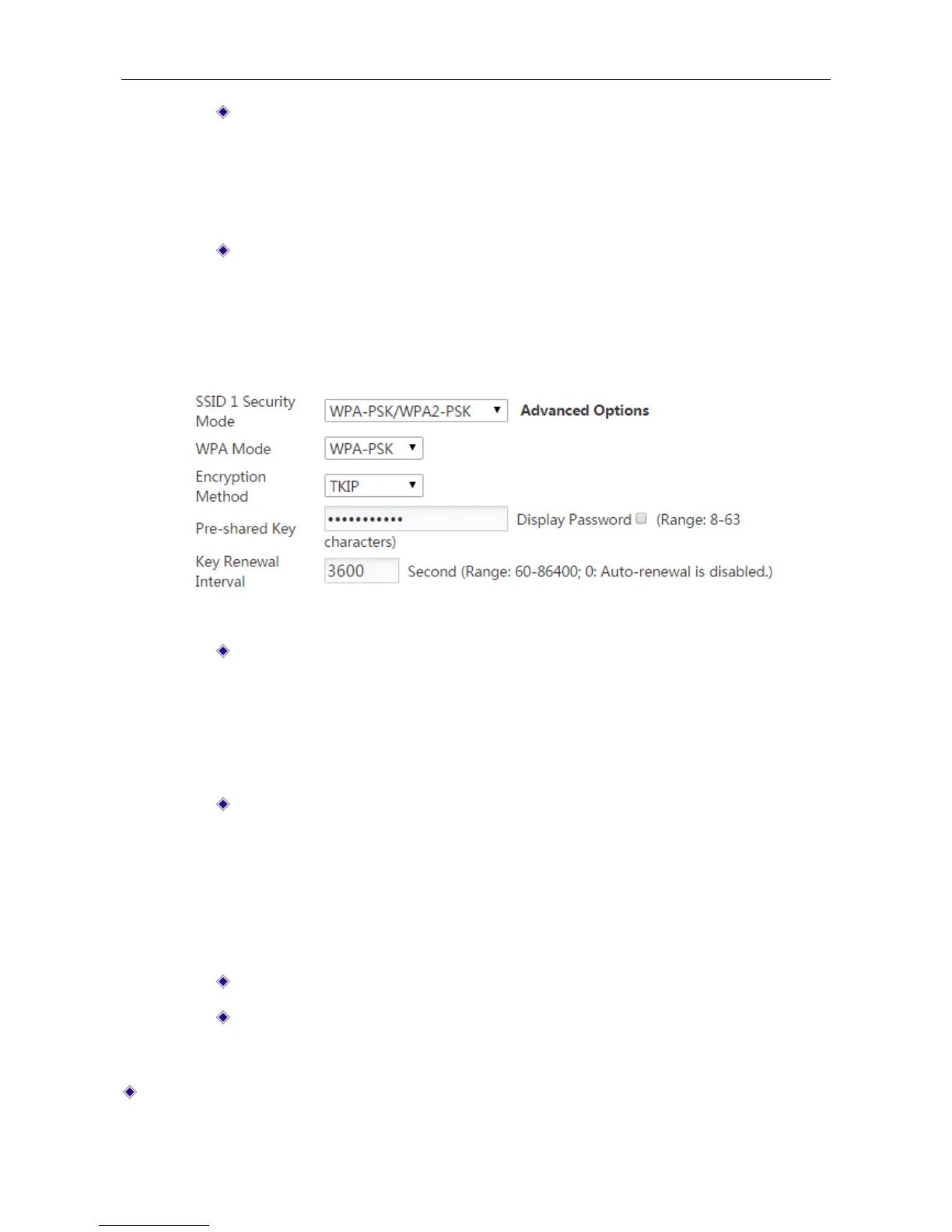
3) WPA-PSK/WPA2-PSK: This mode intends for the wireless network that doesn’t have a
RADIUS server. In this mode, the Device uses the pre-shared key that is manulally entered
to generate encryption keys.
Figure 4-17 Security mode_ WPA-PSK/WPA2-PSK
WPA Mode: Select the WPA mode you want to use. The options are Auto,
WPA-PSK and WPA2-PSK.
Auto: Select to allow both WPA and WPA2 clients to connect to the Device.
WPA-PSK: Select to only allow WPA clients to connect to the Device.
WPA2-PSK: Select to only allow WPA2 clients to connect to the Device.
Encrption Method: Select the encrytion method you want to use. The options are
Auto, TKIP and AES.
Auto: The Device automatically choose encryption method for each wireless
client.
TKIP: The Device will use TKIP for data encryption.
AES: The Device will use AES for data encryption.
Pre-shared Key: The preset initialization key, with the value of 8 ~ 63 characters.
Key Renewal Interval: Specify how often (in seconds) the WPA group key
changes. The valid range is 60-86400 or 0, and the default is 3600. Enter 0 to
disable automatic renewal.
SSID2 Security: Select the security mode you want to use for SSID 2.



 To Next Page