UTT Technologies Application
http://www.uttglobal.com Page 47
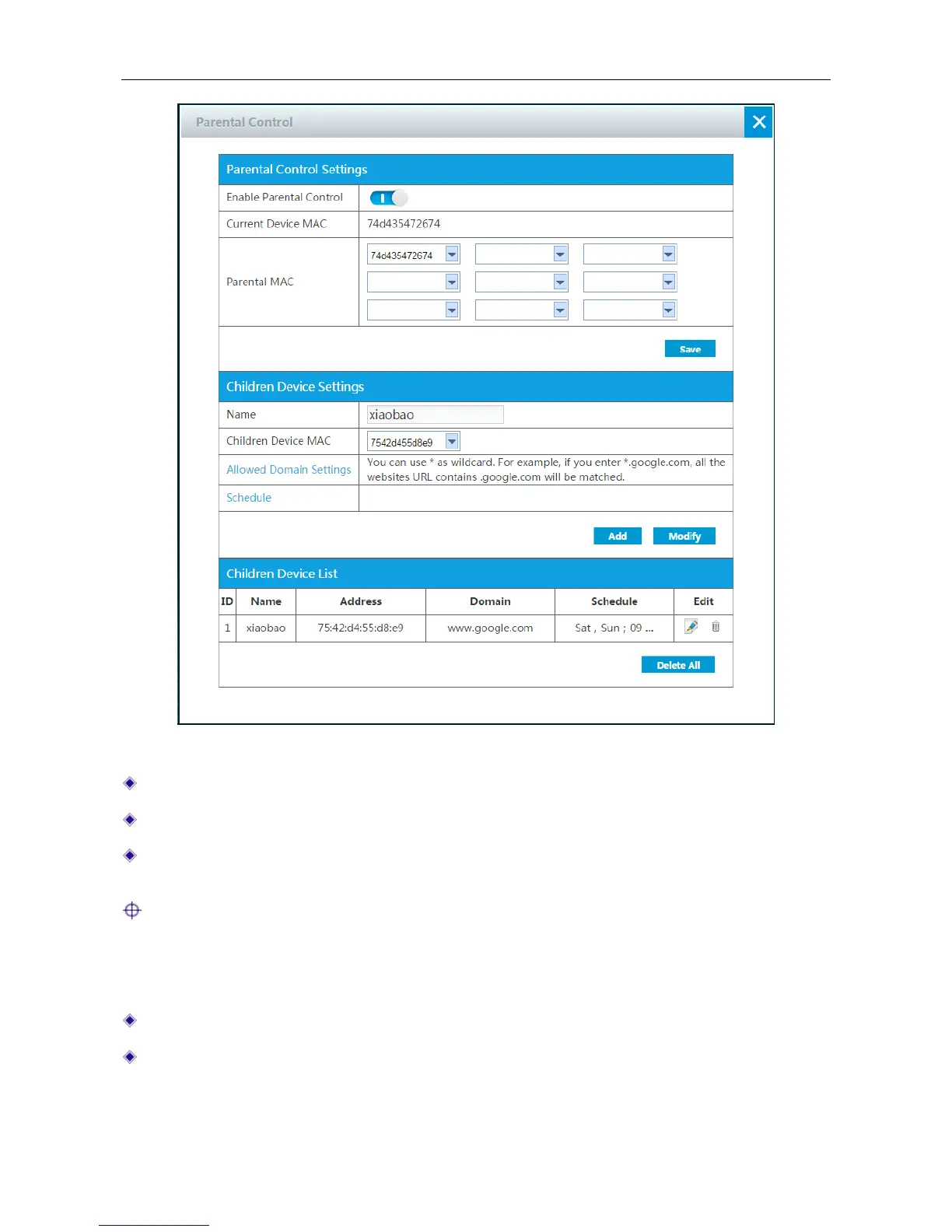
Figure 4-25 Parent Control
Enable Parental Control: Click the button to enable parental control.
Current Device MAC: Displays the current device’s MAC address.
Parental MAC: Specify the parental MAC address which will not be affected by Parental
Control.
Note: After you set Parental Control, parent can access internet but not children and others.
Children Device Settings:
Name: Specify the unique name of this entry.
Children Device MAC: Specify the children MAC address which will be limited to access
internet.



 To Next Page