UTT Technologies Application
http://www.uttglobal.com Page 63
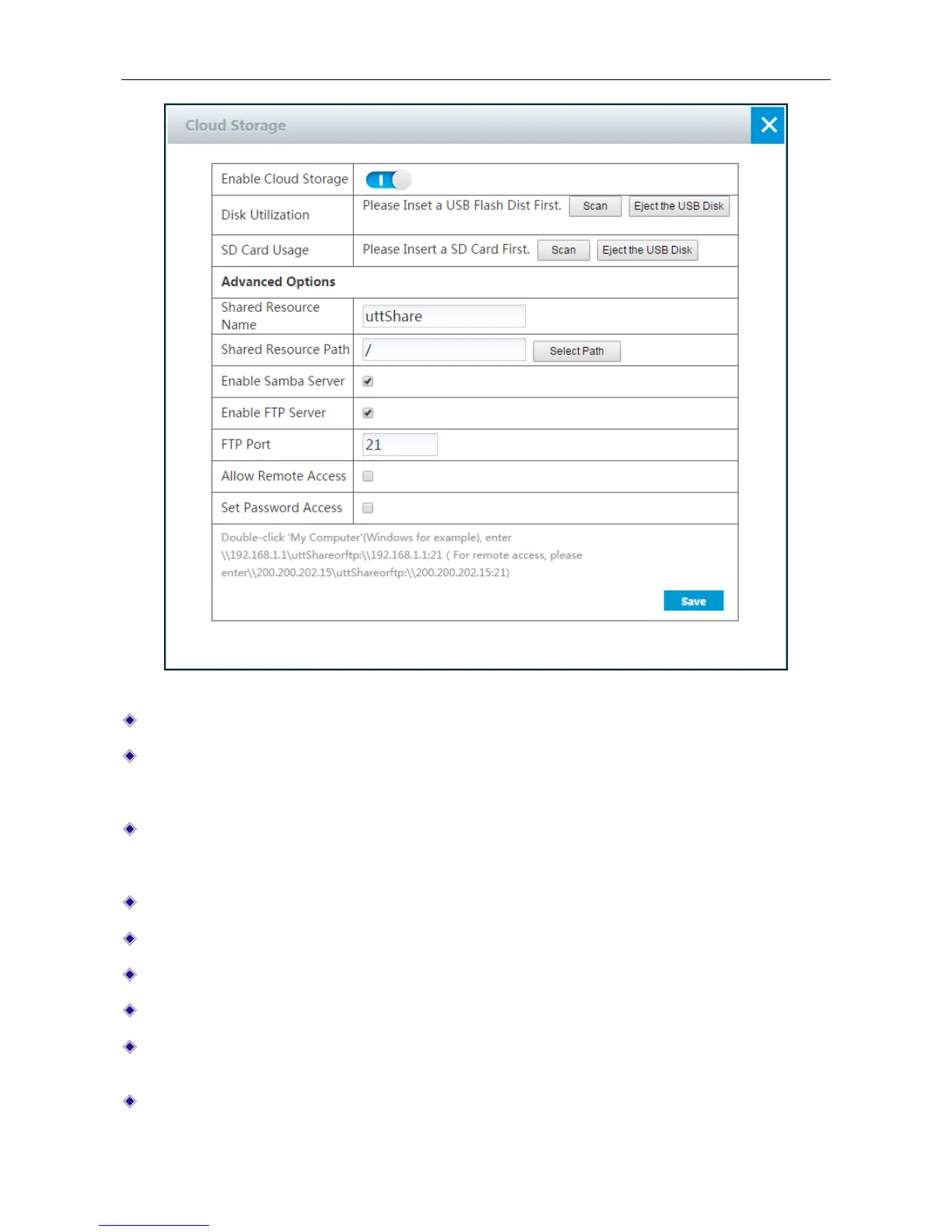
Figure 4-41 Cloud Storage
Enable Cloud Storage: Click the button to enable Cloud Storage.
Disk Utilization: Click the Scan button to scan available USB disk. Before clicking the scan
button, please insert the USB disk into the USB port. After clicking the scan button, it will show
the utilization of USB disk.
SD Card Usage: Click the Scan button to scan available TF card. Before clicking the scan
button, please insert the TF card into the TF port. After clicking the scan button, it will show the
utilization of TF card.
Shared Resource Name: Specify the name of folder you want to share.
Shared Resource Path: Click the Select Path button to select the resource path.
Enable Samba Server: Select to enable Samba Server.
Enable FTP Server: Select to enable FTP Server.
FTP Port: Specify the FTP server port. The default value is 21. The range of value is 1 to
65535.
Allow Remote Access: Select to enable remote access from WAN port.



 To Next Page