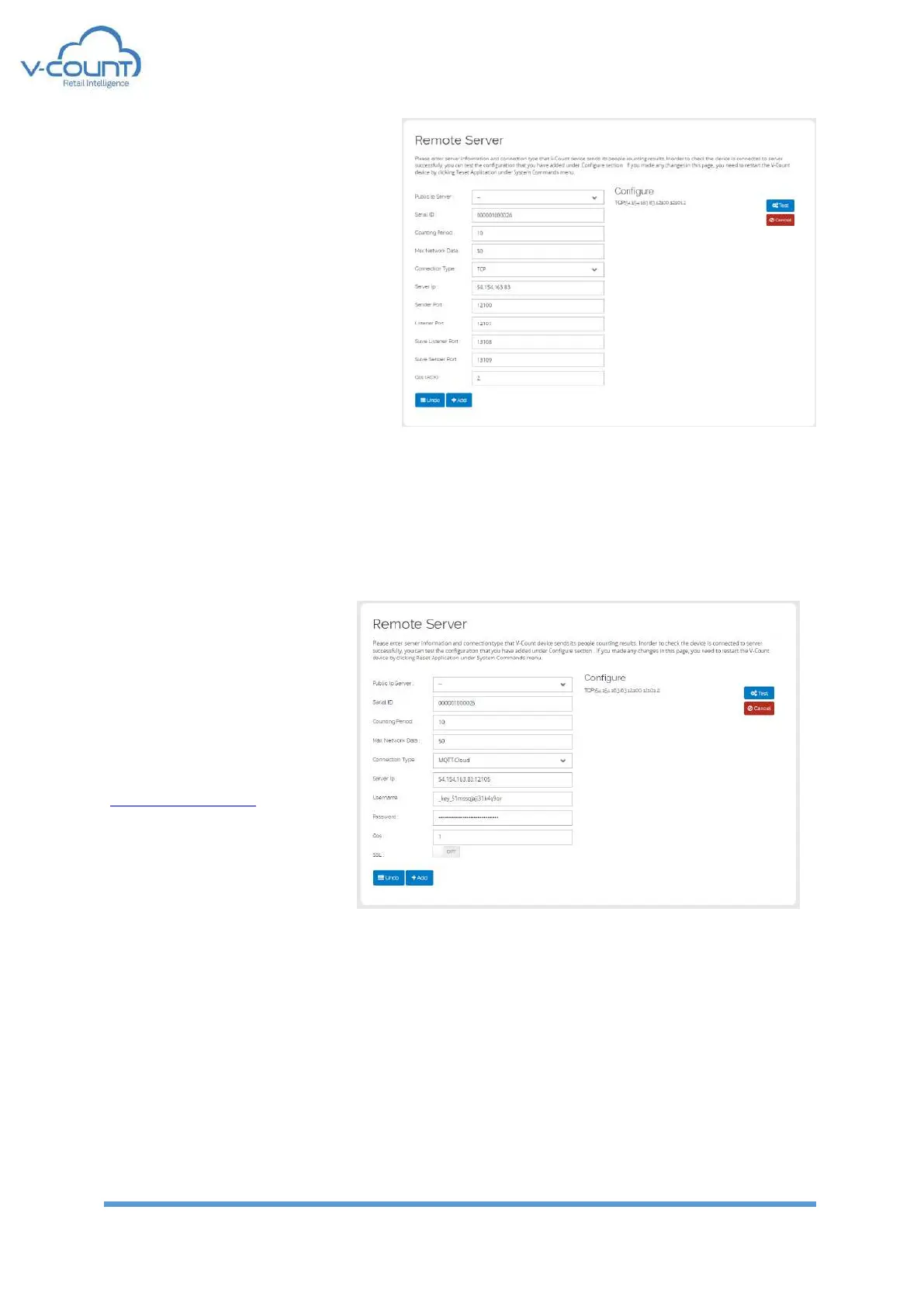
TCP:
This connection uses TCP/IP sockets
to connect to reporting server. A
specially defined message format is
sent to “Server IP” address from
“Sender Port”. “Listener Port” is used
if QoS(ACK) is set to “1” for
handshaking with the server. It is
recommended to be used only by the
V-Count technicians. Slave Listener
Port and Slave Sender Port are used
to get data from slave devices if any
exists in the project
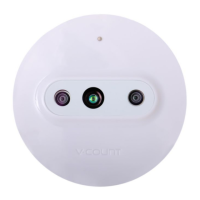
MQTT connection is used to connect to a broker. Special handshaking algorithm is used
between the broker and the device. Master and Slave devices can connect to 2 separate
brokers that has different functionalities. One connection is to communicate with V-Count
Reporting server and other one is used to communicate Master and Slave devices.
MQTT-Cloud:
Data generated to be
processed at reporting tool is
sent from this connection. To
use a custom broker please
contact to V-Count executives.
Default parameters are set for
cloud.v-count.com.


 To Next Page