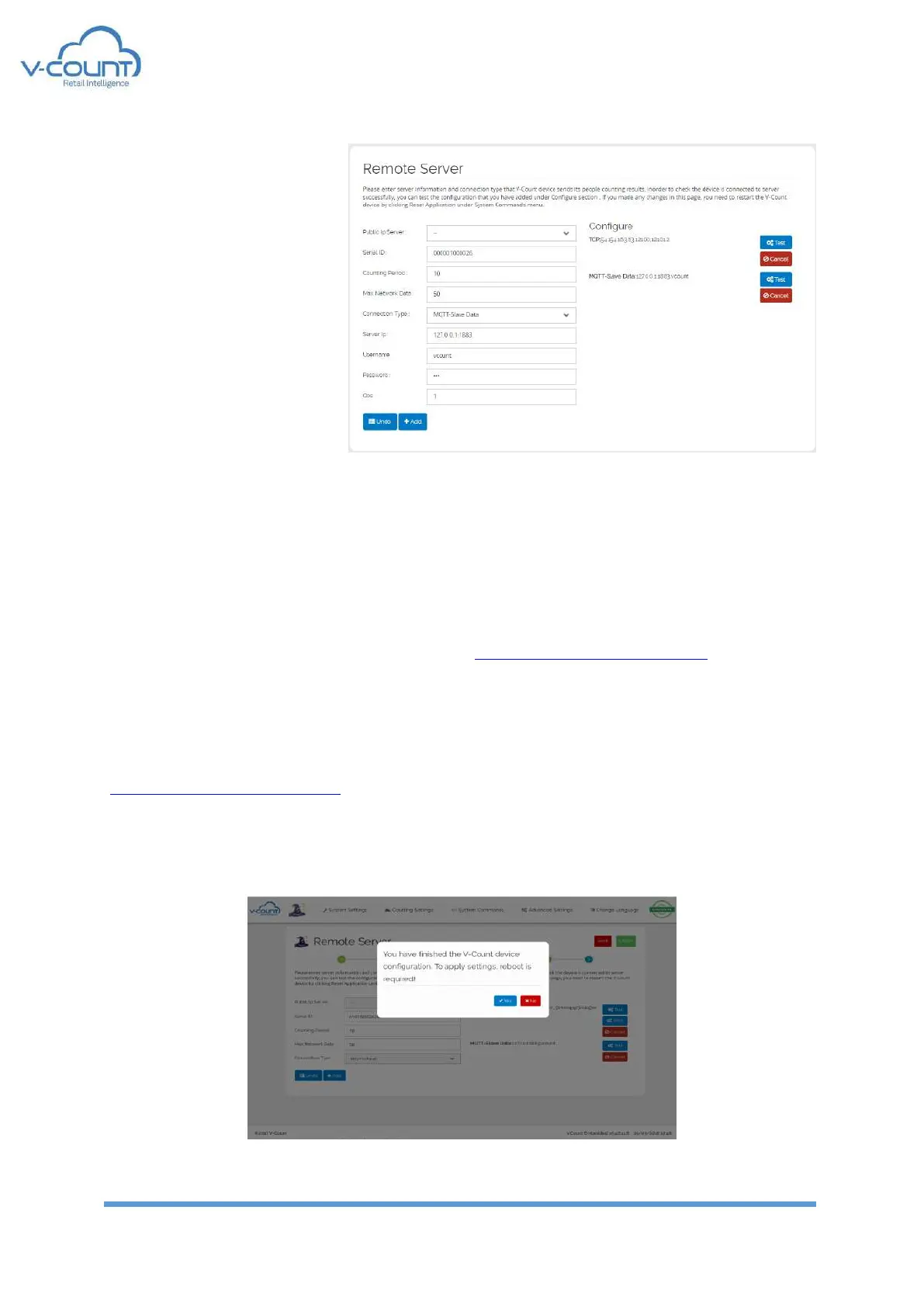
MQTT-Slave Data
This connection is used to get
data from slave devices if any
exists in the project. This
broker is located inside the
Master device. If this master
device has the broker, then
127.0.0.1:1883 shall be
written as Server IP.
After changing any of the connection settings from this menu, a restart is required.
After adding connections, a configuration line is added to the right menu including; “Test”,
“AWS” and “Cancel” buttons.
“Test” button sends a dummy data packet to the server to test the configuration.
“AWS” button writes a dummy file to V-Count’s s3-eu-west-1.amazonaws.com servers to test
the connection to the V-Count buckets where video and log files are stored. This is enabled
only with MQTT option.
“AWS” button shall change to “Azure” when V-Count’s Azure server IP Address is set for
MQTT connection. Then “Azure” button writes a dummy file to V-Count’s
vcount.blob.core.windows.net servers to test the connection to the V-Count blob core where
video and log files are stored.
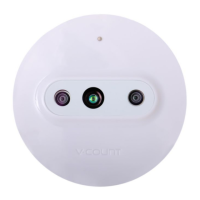
After setting Remote Server; “Finish” button will finalize the Setup Wizard and require for a
reboot. Rebooting the device make the new parameters online for the device.
Figure 46 Finalizing Setup Wizard


 To Next Page