CONFIGURATION/PARAMETERIZATION 58
13 CONFIGURATION/PARAMETERIZATION
13.1 Connecting the DCS1 control system to a PC
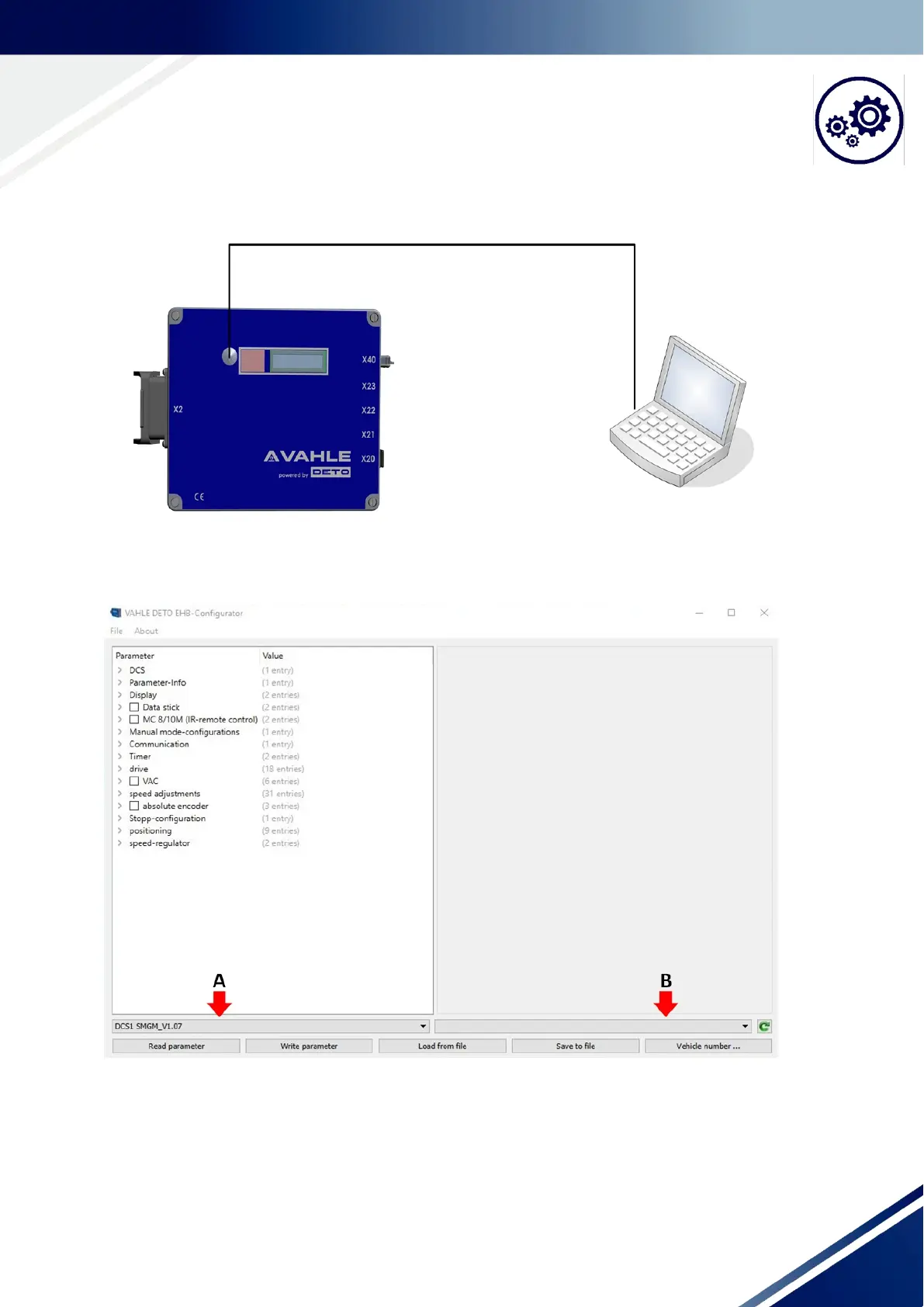
1. Remove the screw connection/cover of the USB interface which is located next to the display.
Fig. 13-1 Connection of the DCS1 control system to the PC/laptop
2. Using a USB cable, USB mini connector type B - type A connector, connect the control system to the PC.
3. Start the VAHLE EHB tool and select the correct parameter set.
Fig. 13-2 Start screen EHB Tool
A: Please ensure that the correct parameter set - DCS1 with the correct firmware is set
B: If the connection was established correctly, then the control type and the current firmware of the control
system is displayed here, e.g. “VAHLE DCS1 V2.01 Control“



 To Next Page