EasyManua.ls Logo

Vaisala Indigo 500 Series - User Manual

Vaisala Indigo 500 Series
82 pages
Print Icon
To Next Page IconTo Next Page
Loading...
M212287EN-A
User Guide
Indigo 500 Series Transmitters
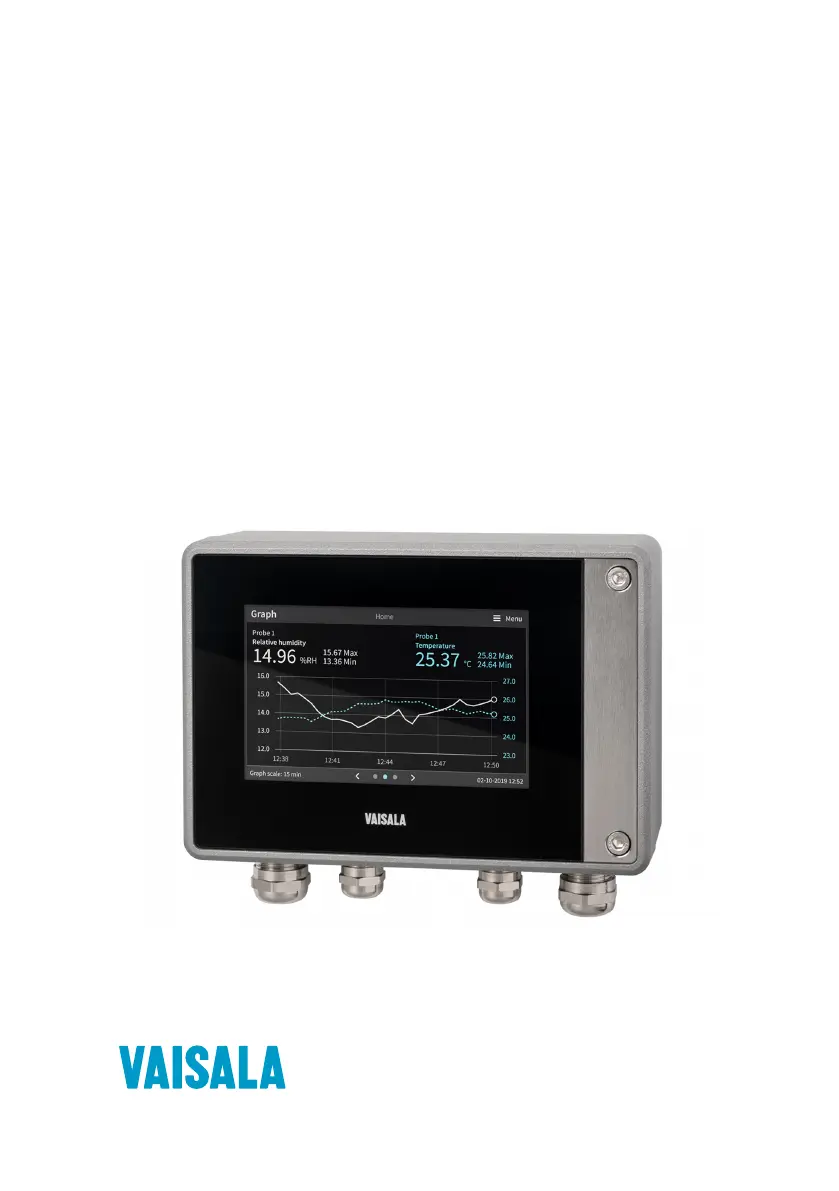
Indigo 520

Table of Contents

Other manuals for Vaisala Indigo 500 Series

Questions and Answers

  • S
    Stephanie PayneAug 10, 2025
    Why is login failing on Vaisala Indigo 500 web interface?
    • R
      Russell Gordon Jr.Aug 10, 2025
      If you are failing to log in to the web interface of your Vaisala Transmitter, it might be due to the transmitter's time not being set correctly. Some browsers may not accept valid browser sessions if the transmitter's time differs significantly from the browser's time. To resolve this, set the transmitter's time on the touchscreen via Menu > Transmitter > Date and time. Alternatively, you can restore the factory default settings and reconnect to the web interface. Upon reconnection, you will be prompted to provide the activation code and create new users and passwords.
  • D
    David HernandezAug 16, 2025
    What to do after a power outage on Vaisala Transmitter?
    • C
      Cindy CoxAug 16, 2025
      If your Vaisala Transmitter experienced a power outage, simply wait for the transmitter to power up again, which should take a few minutes. Once it powers up, it will resume displaying measurements as before. To regain access to the web interface: first, check the current IP address of the transmitter on the touchscreen at the bottom left corner of the configuration menu. Then, reconnect to the web interface using this IP address.
  • I
    Isaac TaylorAug 22, 2025
    How to sync Vaisala Indigo 500 Transmitter touchscreen and web interface?
    • L
      Luke WilsonAug 22, 2025
      If the web interface of your Vaisala Transmitter isn't displaying the same content as the touchscreen, and you've recently made changes on the touchscreen, the web page might need a refresh. Simply refresh the web page to see the updated content.
  • E
    Erin WelchAug 28, 2025
    Why Vaisala Transmitter showing no measurement data from probe?
    • T
      toddkennethAug 28, 2025
      If you are not receiving measurement data from the connected probe on your Vaisala Transmitter: * Check the status indicator on the connected probe. If it's off, ensure the probe is securely connected to the probe cable connector. * If the indicator is red, the probe sensor might be faulty and need replacement. * If the indicator is blinking green, try restarting the transmitter.
  • S
    scott58Nov 3, 2025
    How to troubleshoot Vaisala Indigo 500 web interface login issues?
    • M
      Mary GibsonNov 4, 2025
      If you cannot access the web interface login page for your Vaisala Transmitter, here are a few things to check: * Ensure that the 'Network off/on' setting on the touchscreen is enabled. You can find this setting under Menu > Transmitter > Network. * If your transmitter's IP address is assigned via DHCP, the IP address may have changed, possibly due to a restart. Check the current IP address of the transmitter on the touchscreen, located at the bottom left corner of the configuration menu, and reconnect using the current IP address. * If you are using a static IP address, verify the static network settings on the touchscreen under Menu > Transmitter > Network. * Also, make sure the Ethernet cable is properly connected to the transmitter. Open the transmitter cover and check if the ...

Summary

Product Overview

Indigo 520 Basic Features and Options

Details the core functionalities, hardware features, and available options for the Indigo 520 model.

Safety Precautions

Provides critical warnings and cautions for safe installation, operation, and handling of the transmitter.

Installation

Standard Wall Mounting

Guides on how to mount the transmitter securely onto a wall using standard hardware.

Wiring Connections

Covers all necessary wiring procedures for power supply, outputs, and probe connections.

User Interfaces

Touchscreen Display and Main Views

Describes the primary functions and views available on the device's touchscreen interface.

Web Interface and Main Views

Outlines the structure and main functionalities of the web-based interface for remote access.

Start-up

5.1 Starting up transmitter using touchscreen display

Step-by-step guide to powering on and initiating the transmitter via its touchscreen.

5.2 Starting up transmitter using web interface

Instructions for connecting to and starting the transmitter's operation through the web interface.

Configuring Transmitter using Touchscreen Display

6.3 Configuring Analog Outputs on Touchscreen

Setting up the parameters for the transmitter's analog output channels.

6.4 Configuring Relays on Touchscreen

Configuring the settings and activation logic for the transmitter's relays.

Configuring Transmitter using Web Interface

7.2 Configuring Analog Outputs in Web Interface

Setting up the transmitter's analog output channels using the web interface.

7.3 Configuring Relays in Web Interface

Configuring the transmitter's relays through the web interface.

Maintenance and Troubleshooting

9.5 Troubleshooting

Common problems and their solutions for operating and maintaining the transmitter.

Maintenance and Calibration Services

Warranty Information

Technical Support

Vaisala Indigo 500 Series Specifications

General IconGeneral
BrandVaisala
ModelIndigo 500 Series
CategoryTransmitter
LanguageEnglish

Related product manuals