USER'S GUIDE____________________________________________________________________
40 __________________________________________________________________ M210361EN-E
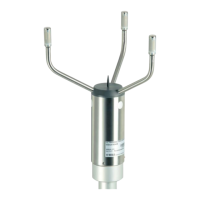
Vaisala WS425 Ultrasonic Anemometer
Firmware Version v6.00
1. Operation Mode: WAT11
2. Wind Speed Units: Meters/Second
3. Average Interval (seconds): 3
4. Averaging Method: Vector
5. Output Interval (seconds, 0 for polled): 0
6. Sensor ID Character: A
7. Wind Direction Coast Threshold (speed
units): 1.0
8. Head Orientation: Up
9. Baud Rate: 9600b
10. Parity: None
11. Data Bits: 8
12. Save Configuration
13. Do Zero Speed Calibration
14. Resume Operation
Enter Function Number:
Each configuration parameter is displayed together with the currently
active setting. The configuration parameters can be changed by selecting
the number of the parameter followed by ENTER.
NOTE
After modifying the parameters, type 12 for storing the new
parameter values and 14 to exit the configuration menu and to return
to the measurement mode.
Configuration Commands
The first parameter selects the message format and polling commands for
the sensor. The available options are:
a. Handar RS-232
b. NMEA Standard
c. NMEA Extended
d. WAT11


 To Next Page