Manual for VAKI Micro/Macro
12.1 Store and Continue Counting
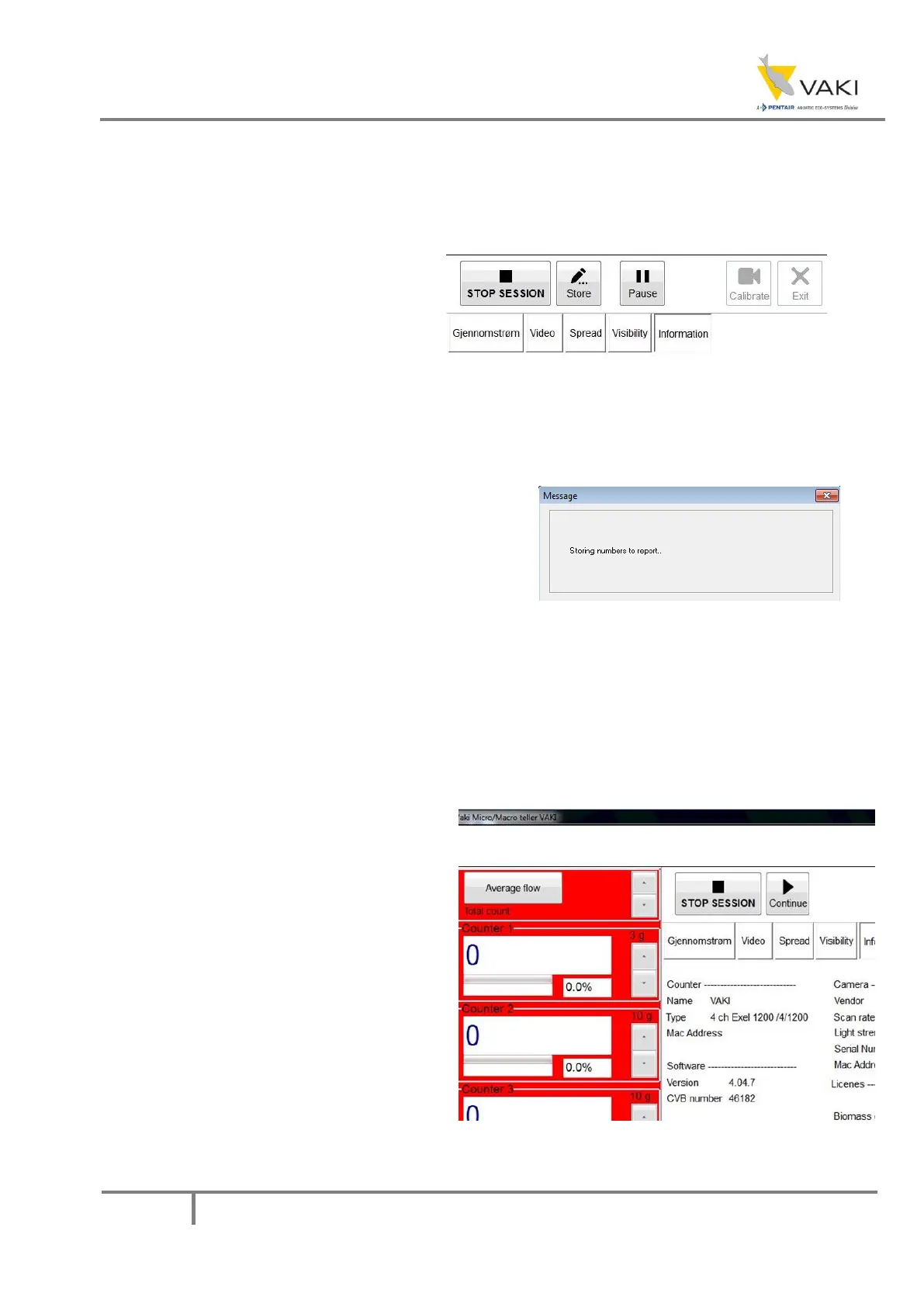
When the count is started, the buttons on the main screen will change to STOP SESSION, Pause and
Store.
Pause is pressed to make a stay in the count
if, for example, the counter requires cleaning.
Store is pressed to make note of the current
count numbers in the report.
Figure 27 - Main screen buttons after starting session
Also note that one cannot select Settings, Calibrate or Exit while a count is in progress.
If a Store is pressed, the following message
appears on the screen. The counting result in that
button will be stored in the report along with the
time.
Figure 28 - Storing numbers message
12.2 Pausing the session
If, for various reasons, a pause in the count and thus the data entry is appropriate, the Pause button
can be used. This can, for example, be relevant if glass and mirrors have to be washed in the middle
of the count, or that there is a stay in the delivery of fish. After pressing Pause, the button changes
to Continue, and the field around the
channels gets a red color to indicate that
the count has stopped. Press Continue to
continue counting.


 To Next Page