Manual for VAKI Micro/Macro
12.3 Reset one or more channels to zero
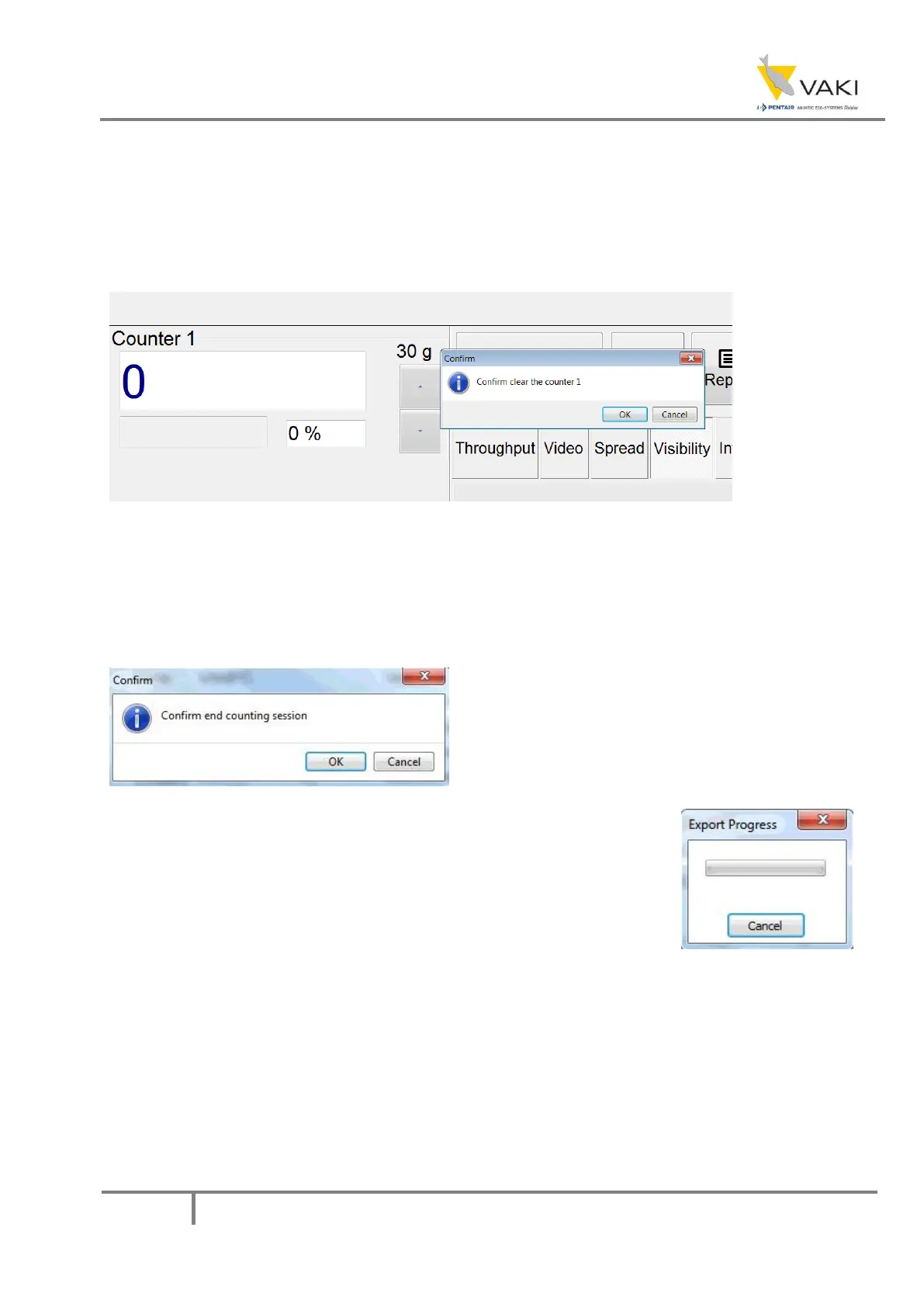
It is possible to reset the number of fish that have passed through the channels. Double-click the
number for the respective channel, then press OK in the window that appears. Alternatively, Cancel
if you do not want to reset.
Resetting the channels does not affect the total number.
Figure 30 - Reset channel
13 Ending the session
When you have finished counting, press the STOP SESSION button. The following message then
appears on the screen. Press OK to end the count or press Cancel to continue counting.
Figure 32 - End session confirmation
Furthermore, the following window will appear on the screen if you
press OK, indicating that the system is exporting the data and creating a
count session report.
The count report includes, among other things, the total number of fish
and numbers for each channel, any intermediate values, and information on the load during the
session. In addition, the image file is stored for any subsequent check of the result.
It is now possible to review the session, either by taking a look at the report or the images.
Figure 31 - Exporting
message


 To Next Page