Manual for VAKI Micro/Macro
8 Main screen
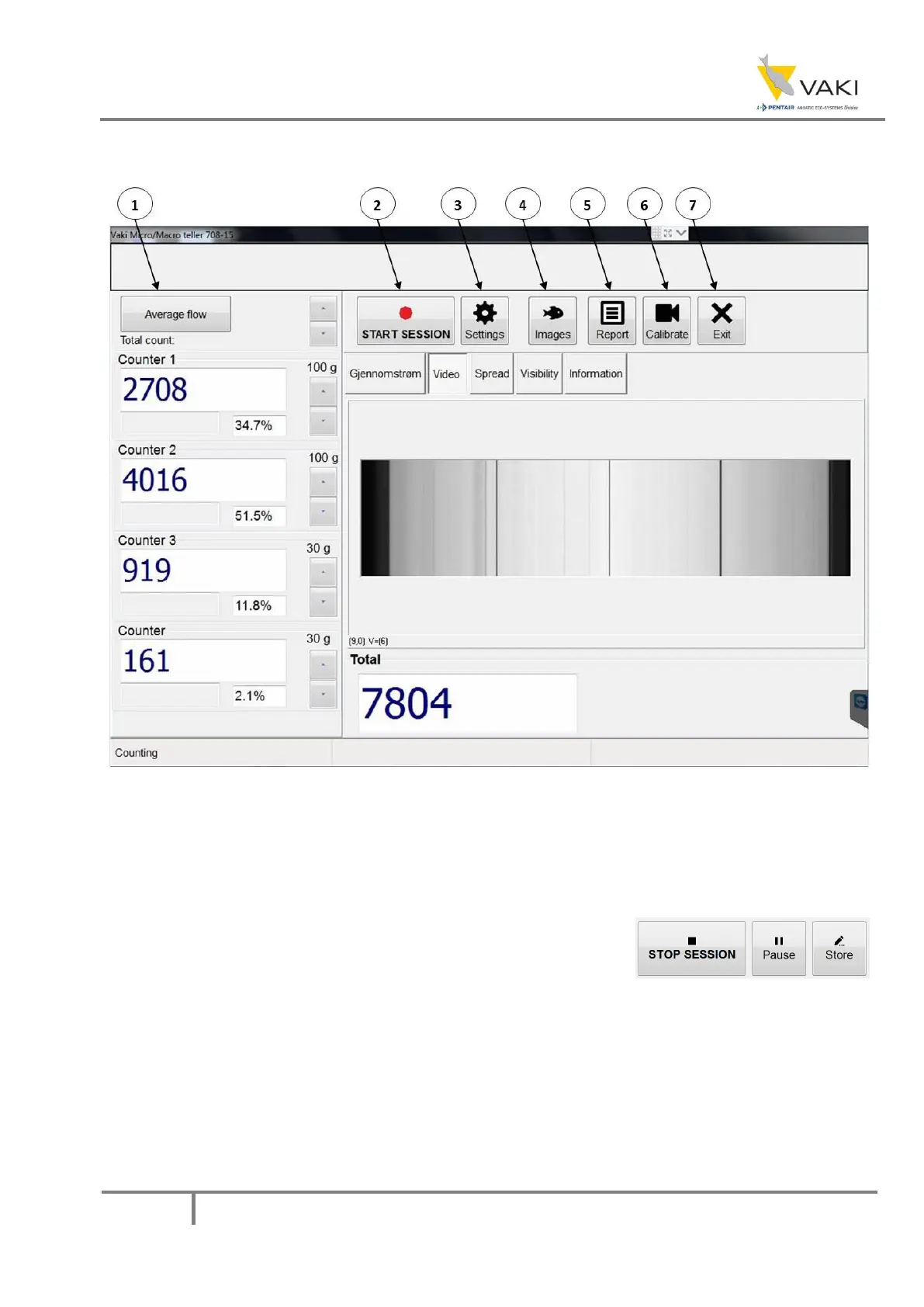
Figure 10 - Counter main window
1. Average flow changes between "Average flow", "Total count" or "Flow last X minutes" as it
is pressed. The button is used to see either the flow through the respective channels for the
last 1-10 minutes (the number of minutes can be adjusted with the Up / Down buttons
corresponding to the size setting), or the normal display with the number per channel (Total
count).
2. START SESSION starts a new count.
3. STOP SESSION stops the session and generates a report.
4. Pause lets you pause the session, for example if you need to clean the mirror during a counting
session
5. Store stores the values on each channel, but does not clear the values. Stored values are displayed in
the counting report.
6. Settings are pressed to open the settings menu.
7. Images is used to review the images from a previous counting session.
8. Report is used to review the report from a previous counting session.


 To Next Page