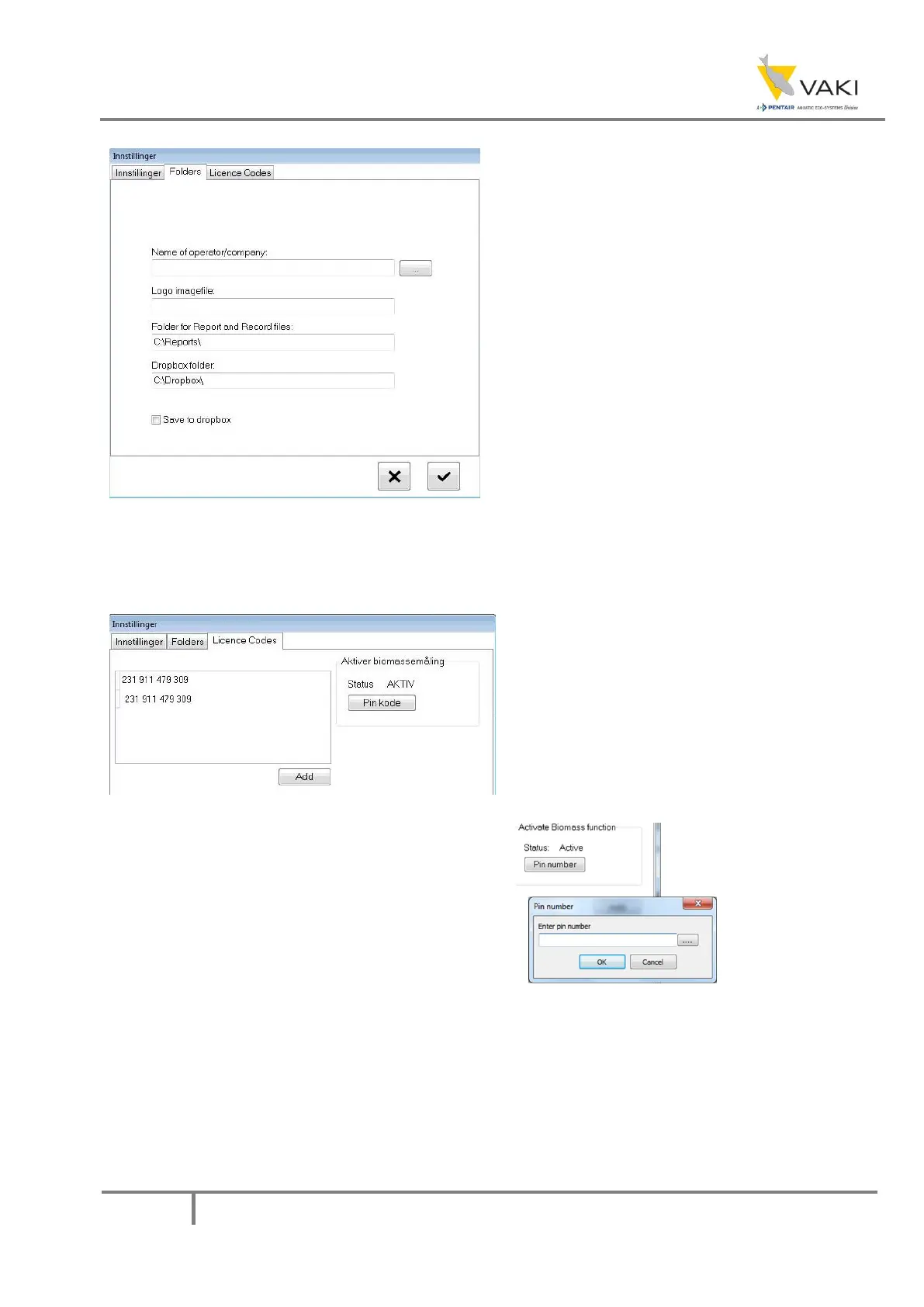
Under Licence codes you enter the license for
the counter depending on what type of body
the head is going to be used with. To enable
the biomass measurement, a pin code must
be entered in the window that appears when
you press the Pin kode button.
Figur 3
Under Folders it is possible to enter the
name of the operator/company, and the
company logo, and these will then appear
on the count report.
Under Folder for Report and Record files
it is possible to select the folder that the
reports are stored in.
The dropbox function has been
discontinued, and has been replaced with
an alternative in version 5.xx.xx


 To Next Page