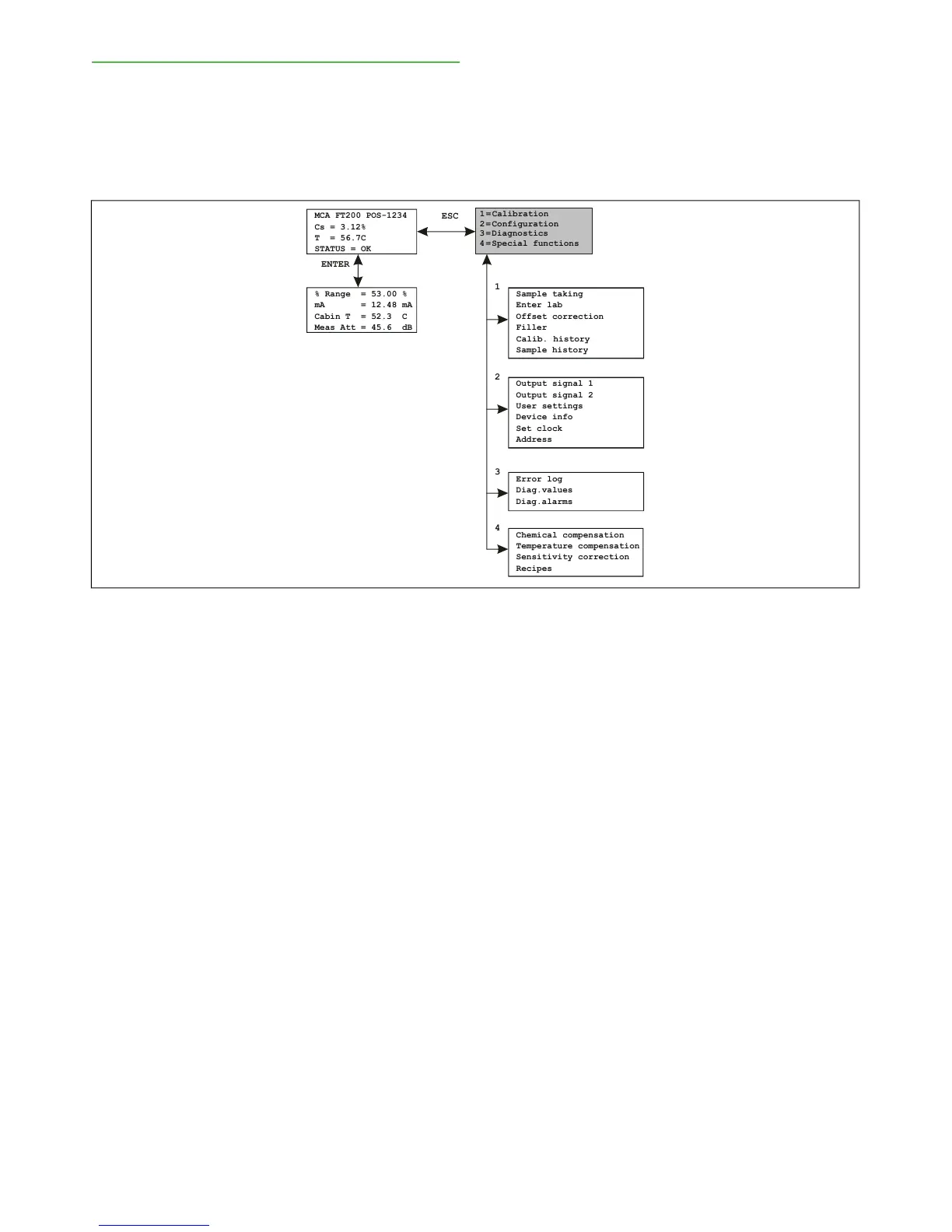
5.2. Operations Menu
The operations menu is divided into the functions Cal-
ibration, Configuration, Diagnostics and Special Func-
tions and their respective submenus.
Use the ESC button to access the function menu
from the main display. In the menus, you can use the
number of the desired function to continue.
Use the ESC button to return to the previous level. If
the menu in view on the display has more than four
lines, i.e. more than fits on the display at one time, an
arrow appears in the upper or lower right corner of the
display to indicate that you can scroll up or down with
the up arrow or down arrow.



 To Next Page