7.5. Calibration and sample history
Calibration history
Ten last calibration changes are stored in the calibration
history table. To see the calibration history table, press
the ESC button to move from the main display to Oper-
ations menu. In the Operations menu select Calibra-
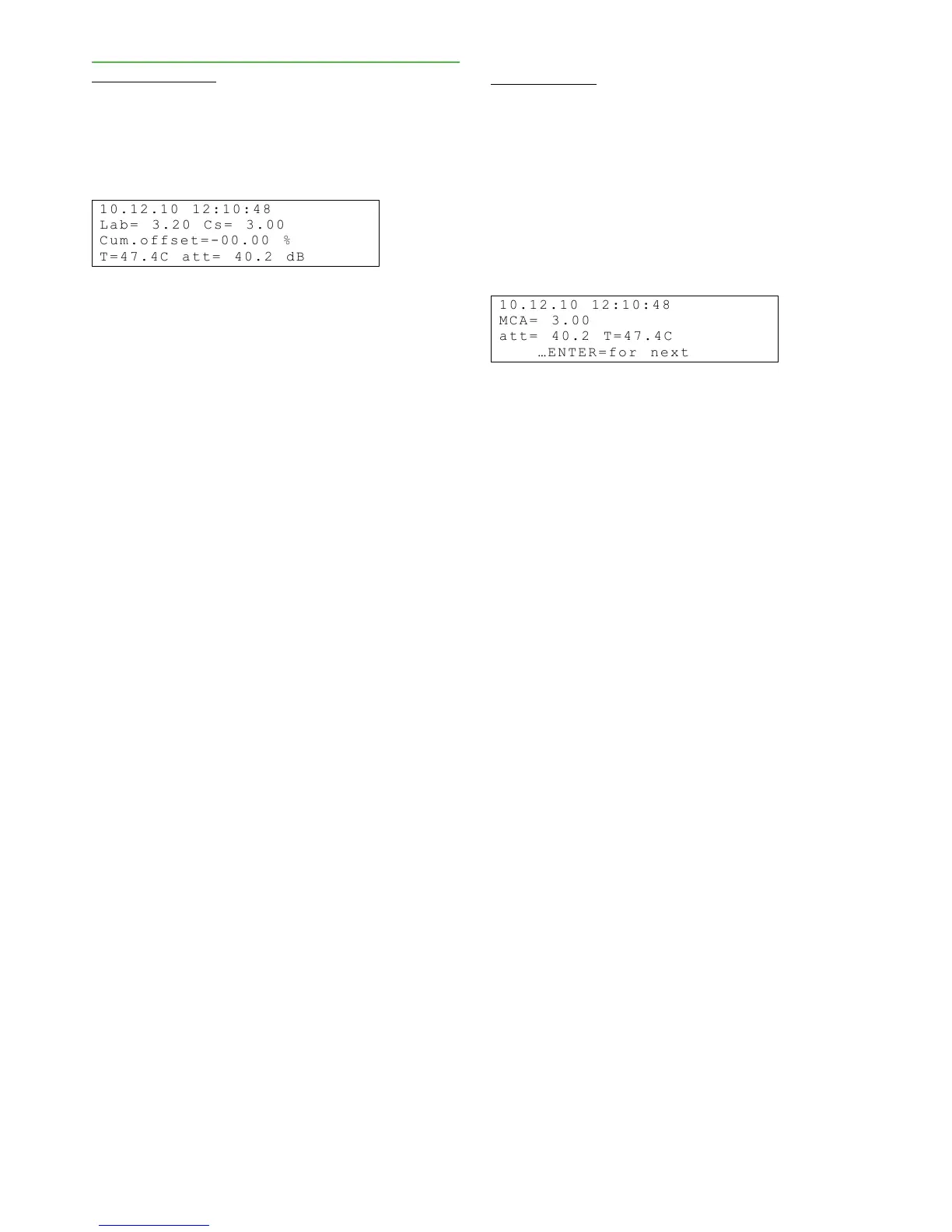
tion/Calib. history. The following display appears:
The first row shows the calibration change's date
and time in the following format: dd.mm.yy, hh:mm. If
calibration was performed on a new sample, the second
row shows the entered laboratory value (Lab) and the
Valmet MCA measurement result (Cs). If offset correc-
tion was performed, the second row shows the laborat-
ory value (Lab) and the offset correction performed on
it (Offs). The third row shows the cumulative change
caused by offset correction. This value shows whether
the calibration has continuously moved in one direction
or if the change has been back and forth. The former
case clearly indicates device drifting, while the latter
case may be a question of a device error or of erro-
neous laboratory interpretation of the calibration sample
and calibration performed based on that.
Sample History
The sample history table saves the 20 most recent
calibration and monitoring samples. You can take a
monitoring sample without performing calibration. To
do so, press the Sample button when you are in the
main display. (To perform calibration, you must access
Take calib. sample menu.
You can also use the table as an aid if you wish to
read Valmet MCA values for a certain sample. To ac-
cess the sample history table, select Calibration /
Sample history in the Operations menu.
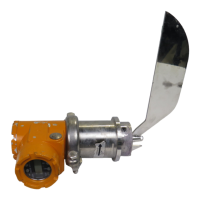
The first row shows the sample's date and time. The
second and third rows show consistency measured by
Valmet MCA, the attenuation of the measurement sig-
nal, and process temperature.
Installation & Owner’s manual OUL00298 V2.3 EN
31
Valmet Mircowave Consistency Transmitter


 To Next Page