29
Caution
DO NOT let the battery holder cable touch the
burner plate above, it will melt during operation.
Caution
DO NOT PUT batteries in the receiver as they
could leak and damage the receiver.
Synchronize Remote Control
The receiver and the handset of the remote control
system must be initially synchronized before the first
use.
1. Insert one 9V battery into remote control handset.
2. With a thin object, press and hold the receiver’s
reset button until you hear one short and one long
beep. Release the button after the second beep.
3. Within the subsequent 20 seconds, press the small
fl ame button ( ) on the remote handset until you
hear two short beeps confi rming the synchroniza-
tion is set.
This is a one time setting only and is not required when
changing the batteries in the remote handset. The
remote control system is now ready to use.
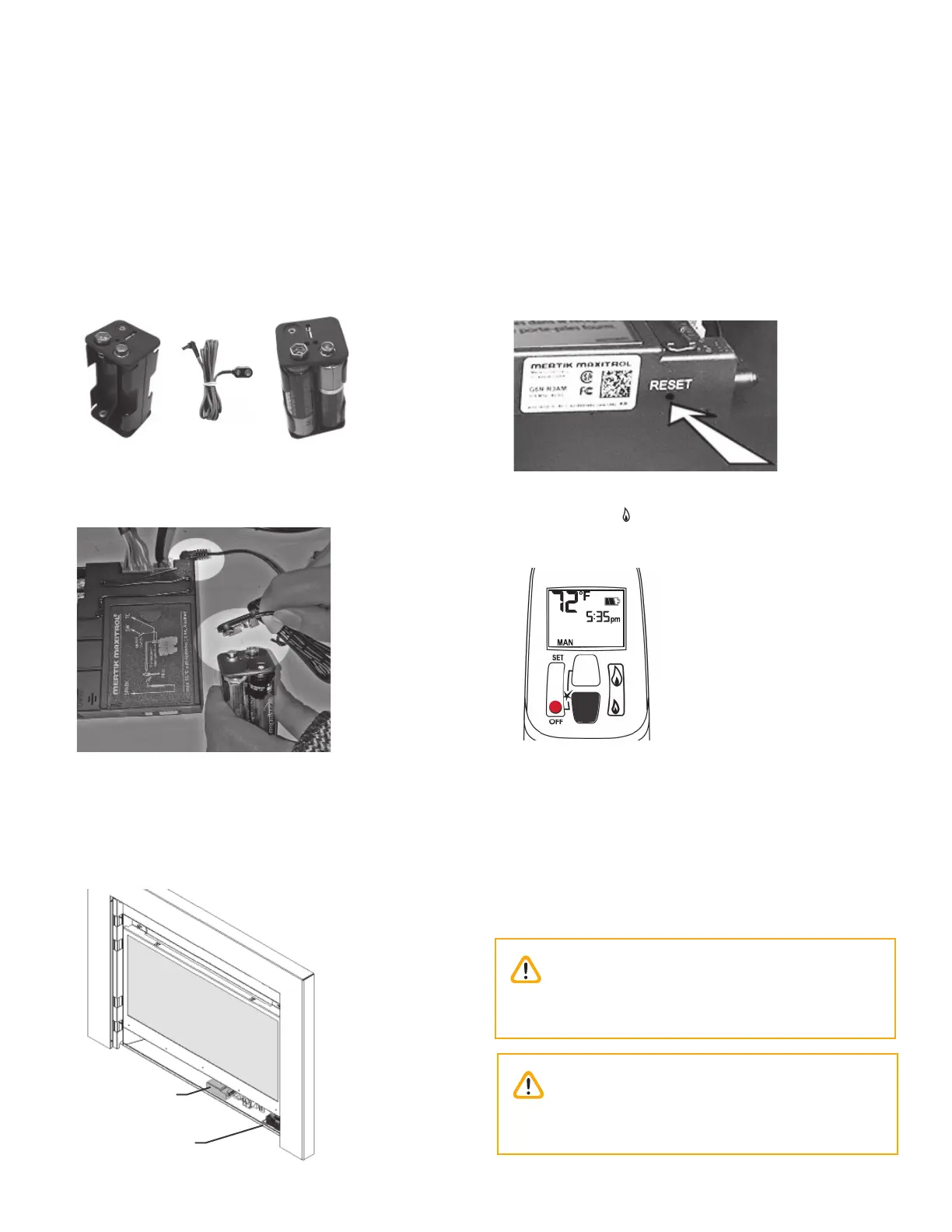
Install Battery Holder
The batteries that power the receiver need to be
installed and placed prior to synchronization and use.
1. Take the receiver from under the fi rebox.
2. The battery holder and cable are supplied with the
appliance. Insert 4 x 1.5V high quality alkaline
batteries in the battery holder and 1 9V battery in
the remote handset.
3. Connect the cable to the receiver.
4. Connect the other end of the cable to the battery
holder.
5. Place the receiver and battery holder as shown
under the fi rebox, to the right of the control valve
(placement may vary with installed options).
6. Use a heat resistant tie to gather any extra cable
between the receiver and the holder.
Installation
Batteries and Remote Control
Battery
holder
Receiver


 To Next Page