Page 6
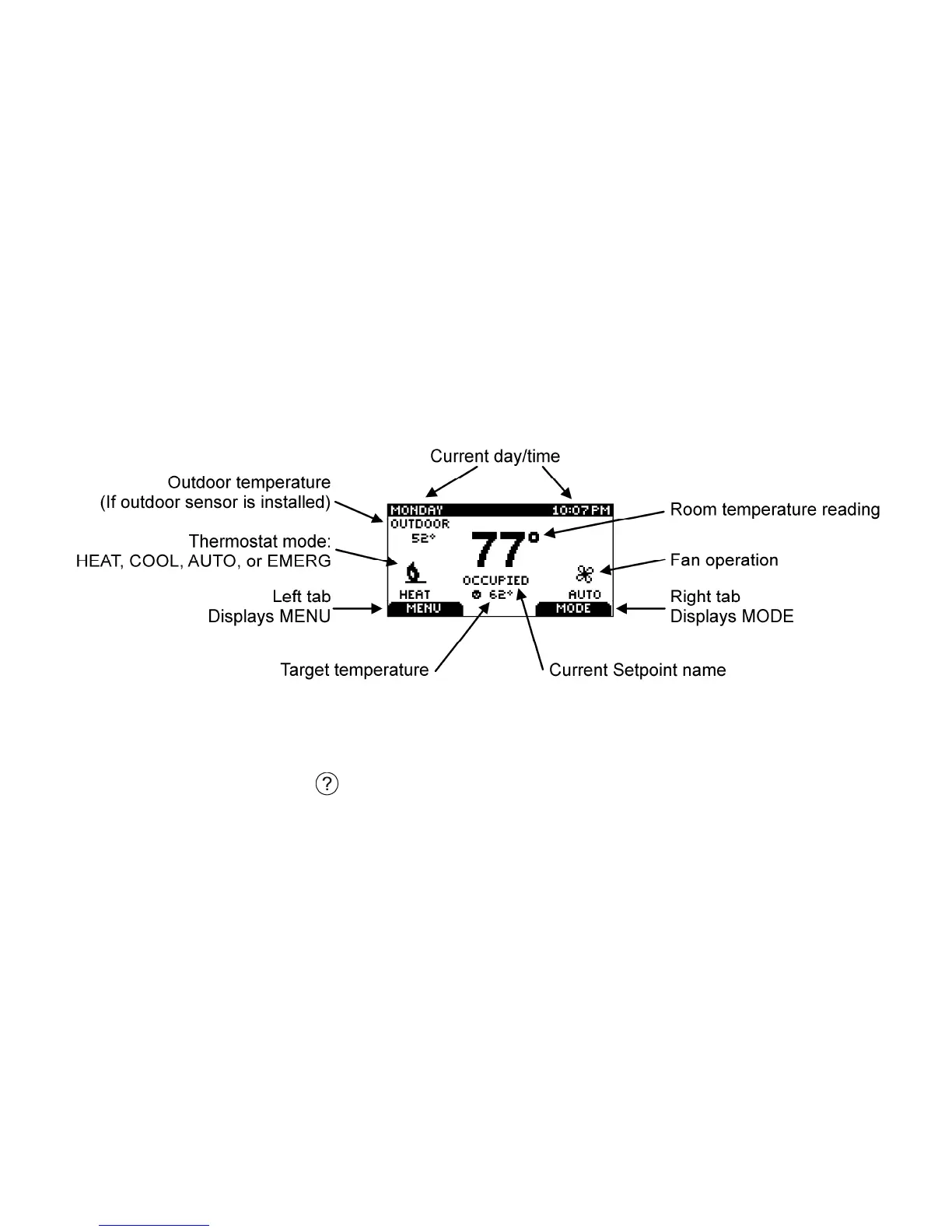
Home Screen
The Home menu displays current temperature and operation data. Touch any button to view this
screen when the backlight is off. Icons such as the heat or fan are animated when the equipment is
running.
HELP button
The thermostat’s HELP button gives you a quick reminder of how to navigate through the
individual menu screens. It is intended to provide information to help you quickly change settings
without referring to this user manual; however, it is not intended to replace this manual. Please
keep this manual for reference.



 To Next Page