Page 7
Setting the Time
Setting the clock is not necessary when connected to the Vantage System. The thermostat will get
the current date and time automatically from the Vantage System once every hour and every time
the system boots after a power outage. The Vantage System will also automatically adjust for
daylight saving time in your area. You can change the time clock readout to display in a 24h or 12h
clock. For standalone applications the current date and time should be set at initial installation.
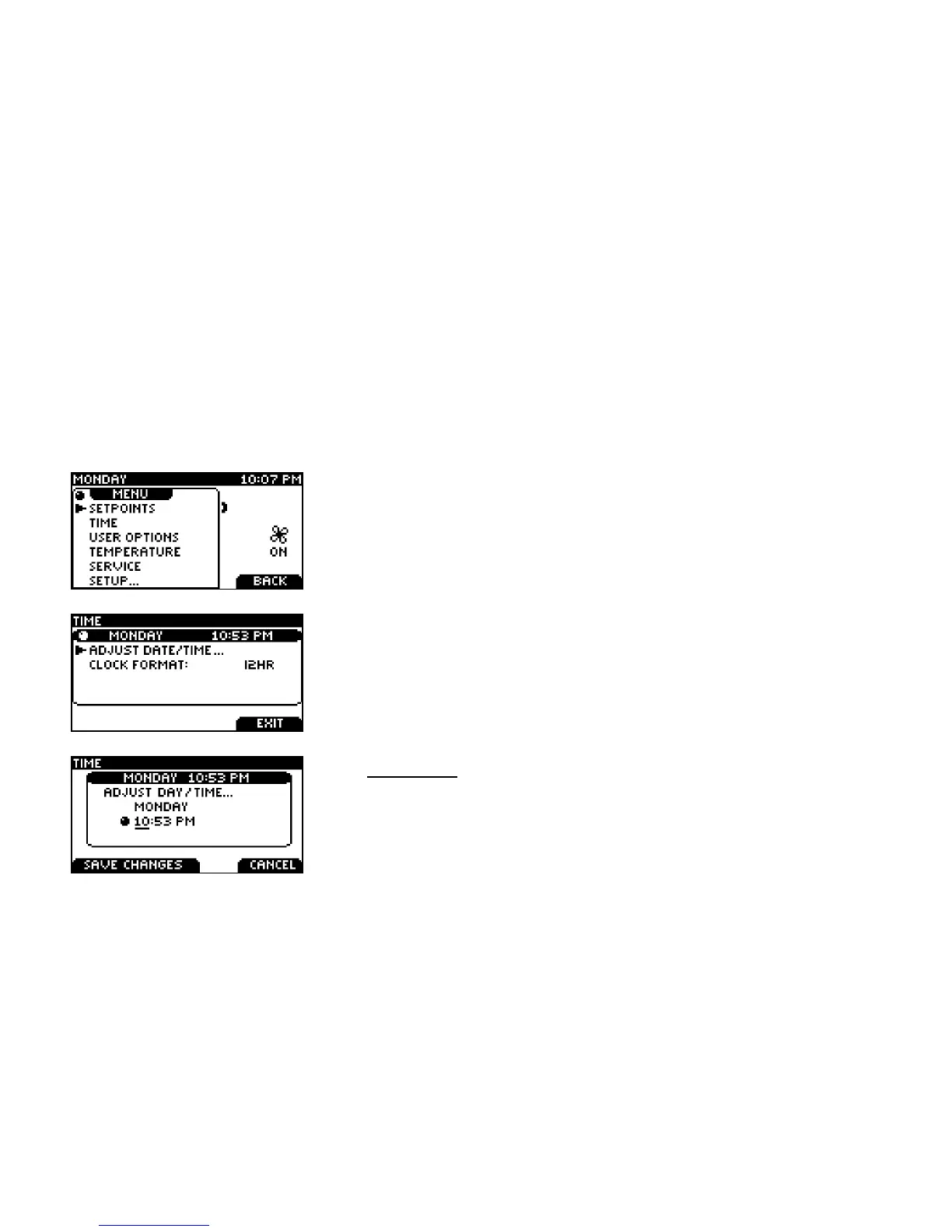
Touch the Left Tab button on the home screen to view this screen
Use the SCROLL to select the TIME menu.
Touch SELECT to enter the TIME menu.
Use the SCROLL to select between these three menus.
To adjust the day and time, touch SELECT on the ADJUST
DATE/TIME menu.
The underlined selection will be changed using the SCROLL.
Touch SELECT to move between hour and minute adjustment.



 To Next Page