SECTION 3
OPERATING THE VAPRO OSMOMETER
3.1 Operation Overview
32
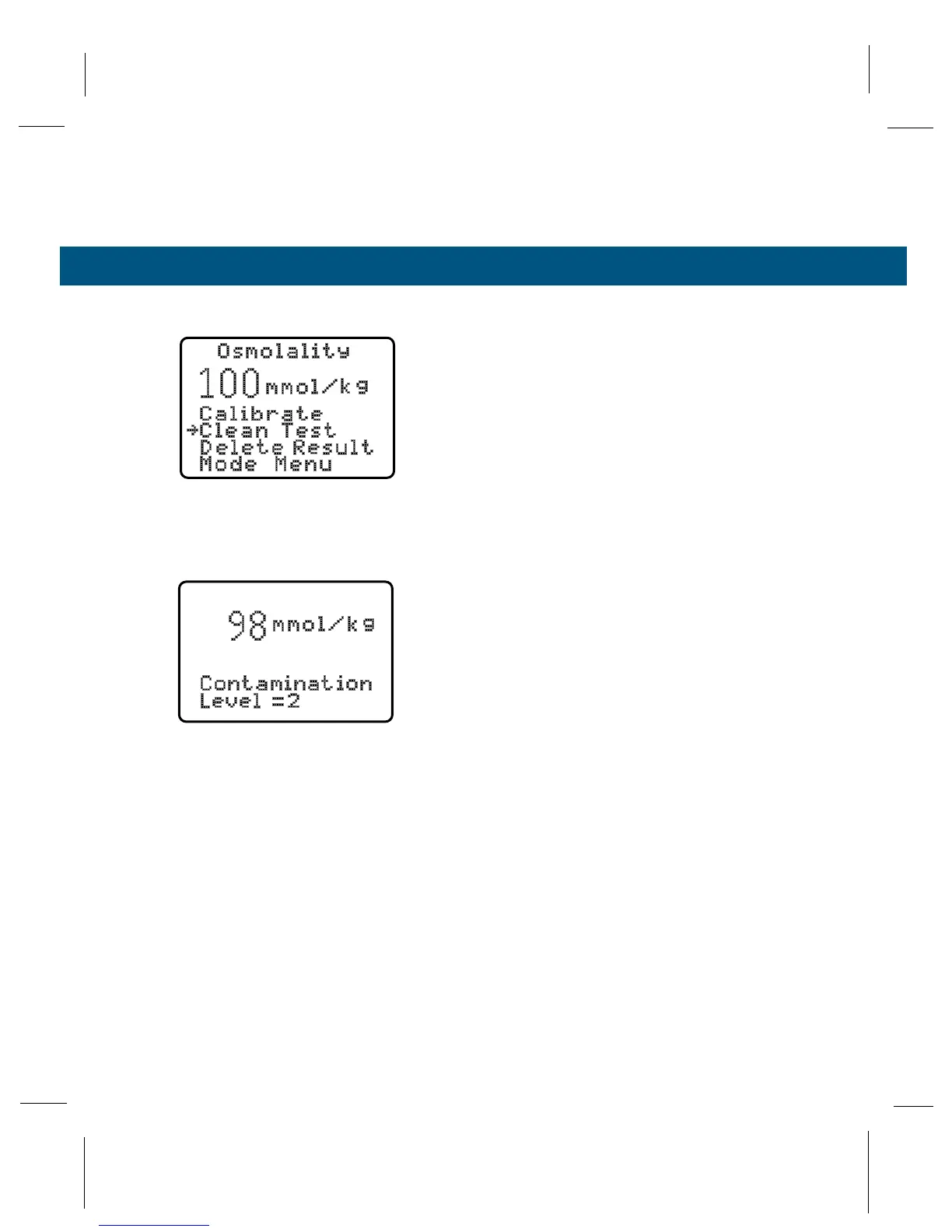
FUNCTION MENU
To display this menu, press SELECT after a sample
has been assayed, and before opening the sample
chamber. The osmometer performs the function indi-
cated by the arrow when you press ENTER.
Calibrate Function
Use this function to calibrate the instrument using
the 290, 1000, and 100 mmol/kg calibration stan-
dard. Always begin with the 290 set point, then fol-
low with the 1000 and 100 mmol/kg. See Section 3.5
for details.
Clean Test
The Clean Test consists of two consecutive sample
assays on a 100 mmol/kg standard solution. The dif-
ference between the first and second assay indi-
cates the degree of contamination in the sample
chamber.
Run this test if you notice significant changes in the
100 mmol/kg calibration level.
Always use the Clean Test to check thermocouple
cleanliness before assaying samples which require
good linearity and accuracy in the low range. After
thermocouple cleaning, calibrate the instrument with
the 290, 1000, and 100 mmol/kg standards. Use the
Clean Test to verify the effectiveness of the cleaning.
We recommend that you perform this test on a rou-
tine basis before each osmometer use session. This
will allow you to monitor the condition of the thermo-
couple sensor and the rate at which contamination
builds up in the sample chamber. See Section 3.4
for instructions.
Function Menu



 To Next Page