8-10
8.6
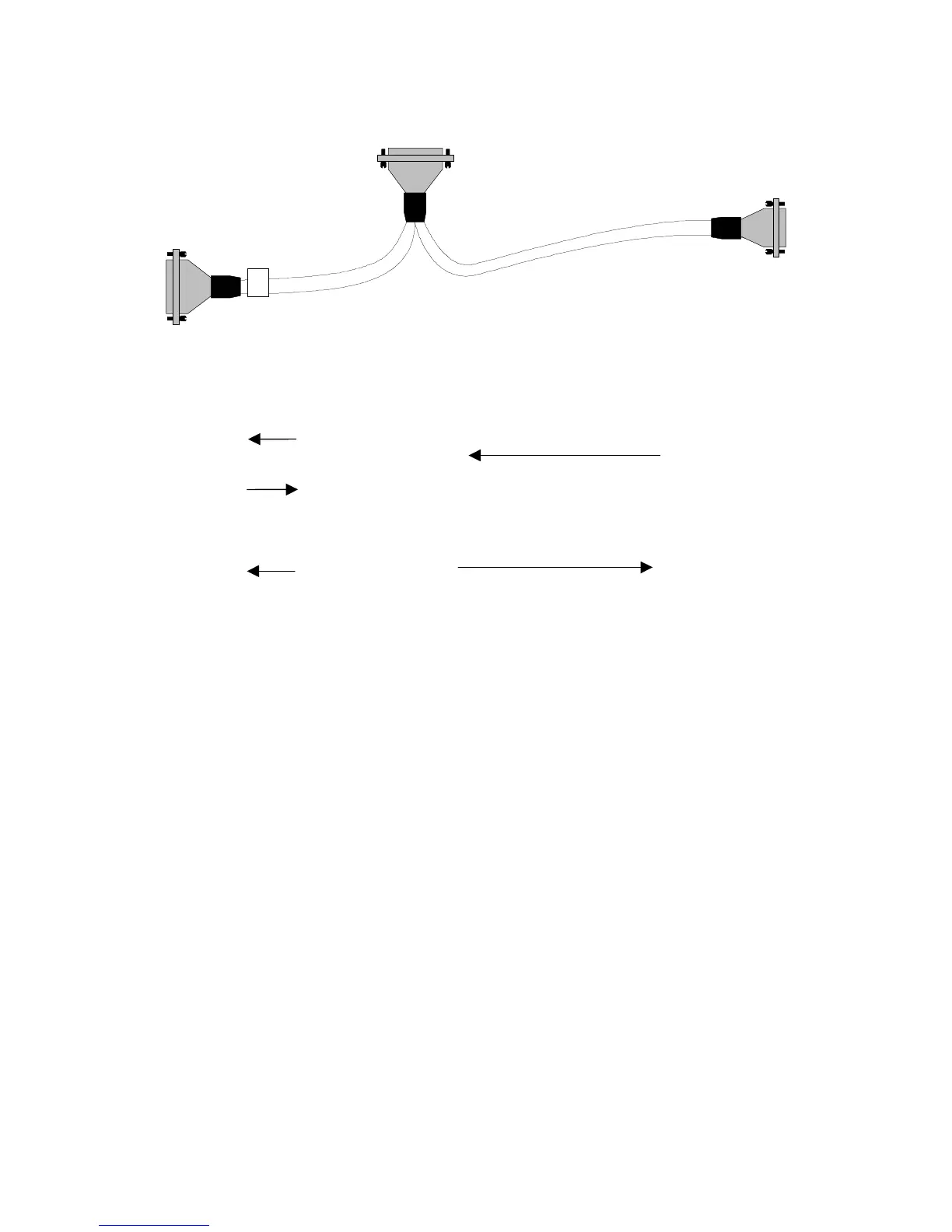
Archon to Tekmar LSC 2000 / 3000 to HP 6890, P/N DY-505873-00
Pin Outs
Remote I/O
Archon Color Tekmar Function Color
HP
6890
M/S
IN OUT
Green 24 GC Ready
Desorb
Drain
15
2
Brown 23 4 GC Ready White 7 7 - Ready
Red 1 1,17,19 Start
Purge
Red 1 1 - GC
Start
Purge
5
18
White 2 20 Start
Purge
Green 6,9 3 - Start
P&T
Ready
14
1
Blue
Black
16
15
21
22
Start Black 1
3
If you are installing to a 2000 set the DIP switches as follows:
Note:
The DIP switch UO12 settings in the LSC 2000 must be as follows; 3 OPEN and 4
CLOSED. All others CLOSED. DIP switch UO13 all OPEN.
For a 3000 installation, the Tekmar GC Port must be specified.
1. At the Standby Screen, press the key labeled “CONF.”
2. At the Configuration Screen, press A (GC I/O Port). The GC Port Screen appears.
3. Choose User GC-31. Press ENTER to save the selection.
4. Turn the instrument off.
The Tekmar 3000 must be programmed to give a switch closure at purge ready. This switch
closure will initiate the Archon to begin the sample Cycle. Select method 14 to provide correct
polarity settings for the purge ready output. If another method is selected please refer to the
Tekmar manual for additional information.
Connect the cable to the Archon and to the purge and trap
. Be certain the locking screws
secure the connector to the chassis.
The 9-position “D” connector will connect to either of the
HP 6890 APG (Analytical Product Group) remote connectors. These connectors are located near
the MIO INET card on the rear of the GC.
Female
Male
Male




 To Next Page