5. Troubleshooting
40 EzRay Air Wall (VEX-S300W) User Manual
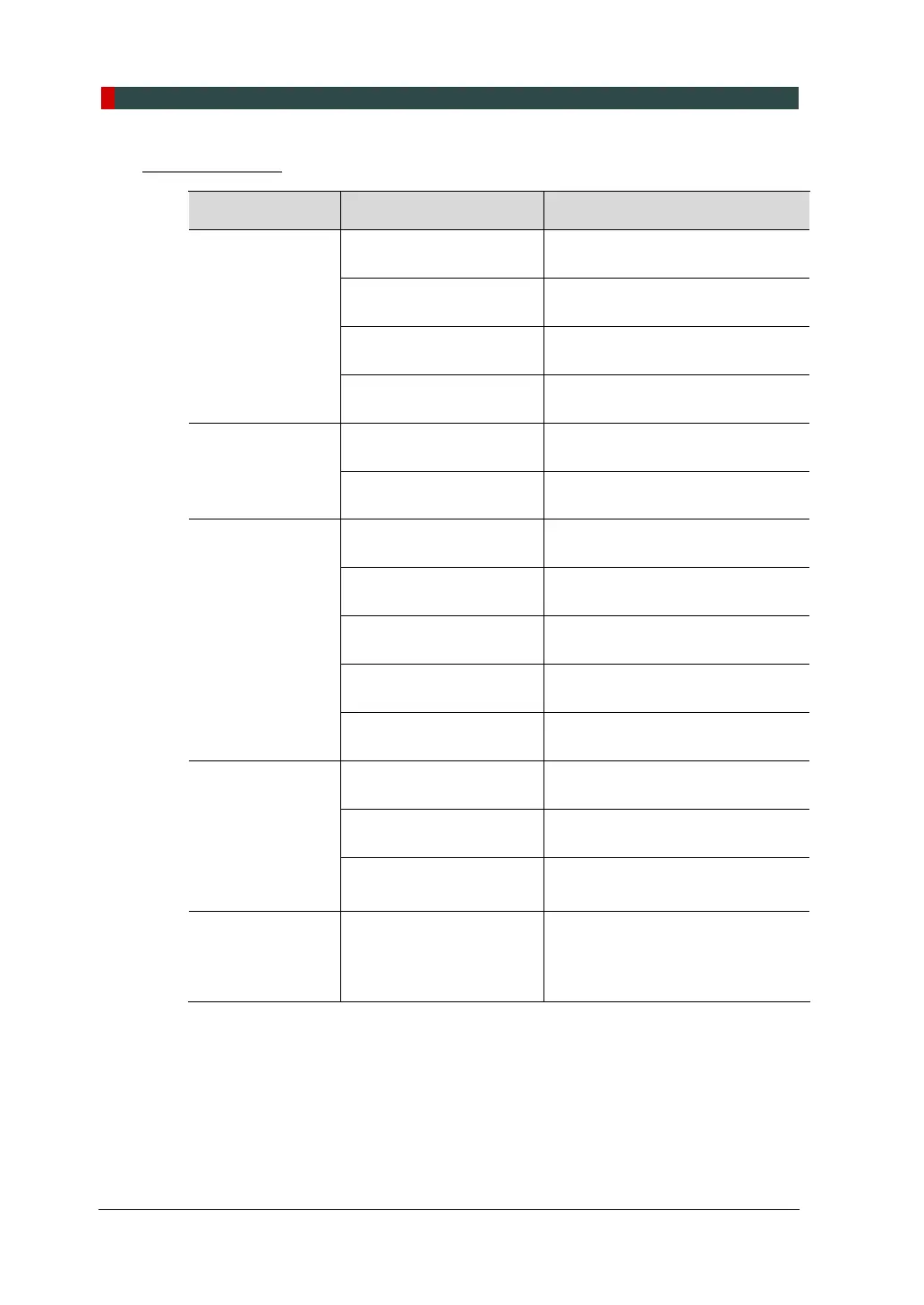
Troubleshooting
Problem Cause Solution
Equipment is not
turned on.
The power switch is not
turned on properly.
Turn the equipment power switch
off and turn it back on.
Battery discharged
Recheck after charging the battery
with a charger.
Battery cable is not
connected correctly.
Contact your Service
Representative.
Defective battery
Contact your Service
Representative.
Control Panel is
not turned on.
Defective mainboard
Contact your Service
Representative.
Internal cable
disconnected
Contact your Service
Representative.
No X-ray emission
The generator is cooling.
Wait for the cooling time (refer to
‘Duty Cycle’ on page 70).
Defective Remote
Exposure Switch
Contact your Service
Representative.
Internal cable
disconnected
Contact your Service
Representative.
Defective generator
Contact your Service
Representative.
Tube lifecycle termination
Contact your Service
Representative.
X-ray emission
works, but
exposure is too
light or
completely white.
The equipment has been
positioned incorrectly.
Adjust the position of the
equipment.
Exposure time is too
long.
Decrease the exposure time.
The receptor is facing the
the wrong way.
Reposition the receptor.
X-ray emission
works, but
the exposure is
too dark.
Exposure time is too
short.
Increase the exposure time.













 To Next Page