4. Operation
34 EzRay Air Wall (VEX-S300W) User Manual
4.5 Exposure
The operator MUST instruct the patient to refrain from
moving during the entire exposure.
1. Instruct the patient not to move.
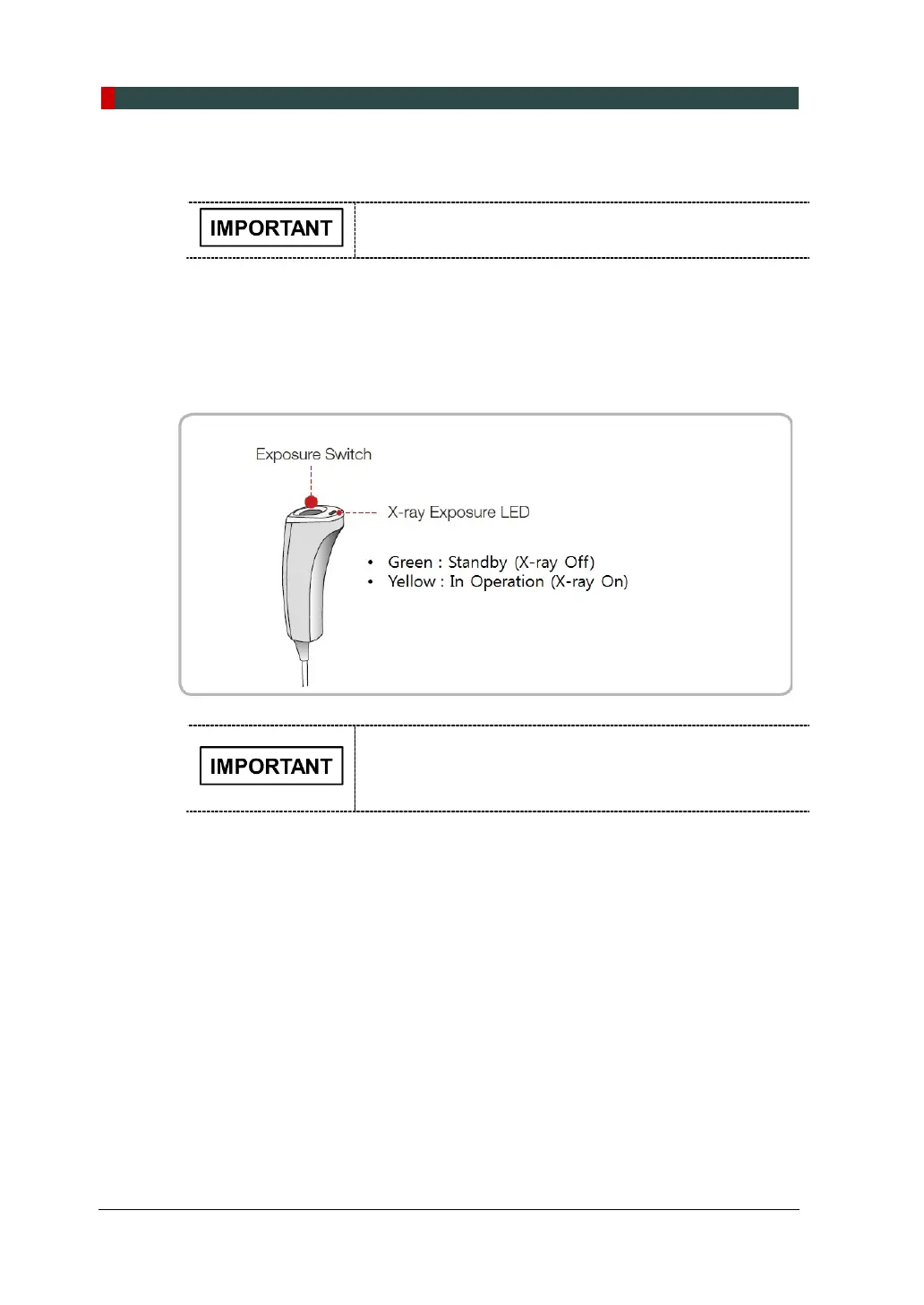
2. Press and hold the Remote Exposure Switch for exposure duration. The
Remote Exposure Switch allows the operator to control image acquisition from
outside of the X-ray room. Pressing the Remote Exposure Switch activates the
X-ray Exposure Indicator to turn yellow. This color indicates that the X-ray is
being emitted.
Press and hold the Remote Exposure Switch as long as
the acoustic signal can be heard. Otherwise, the exposure
will be faulty, and there will be an error message on the
Control Panel.













 To Next Page