9. Acquiring CBCT Images
Green Smart User Manual 107
CEPH button exists only when the CEPH imaging program is included
in the equipment.
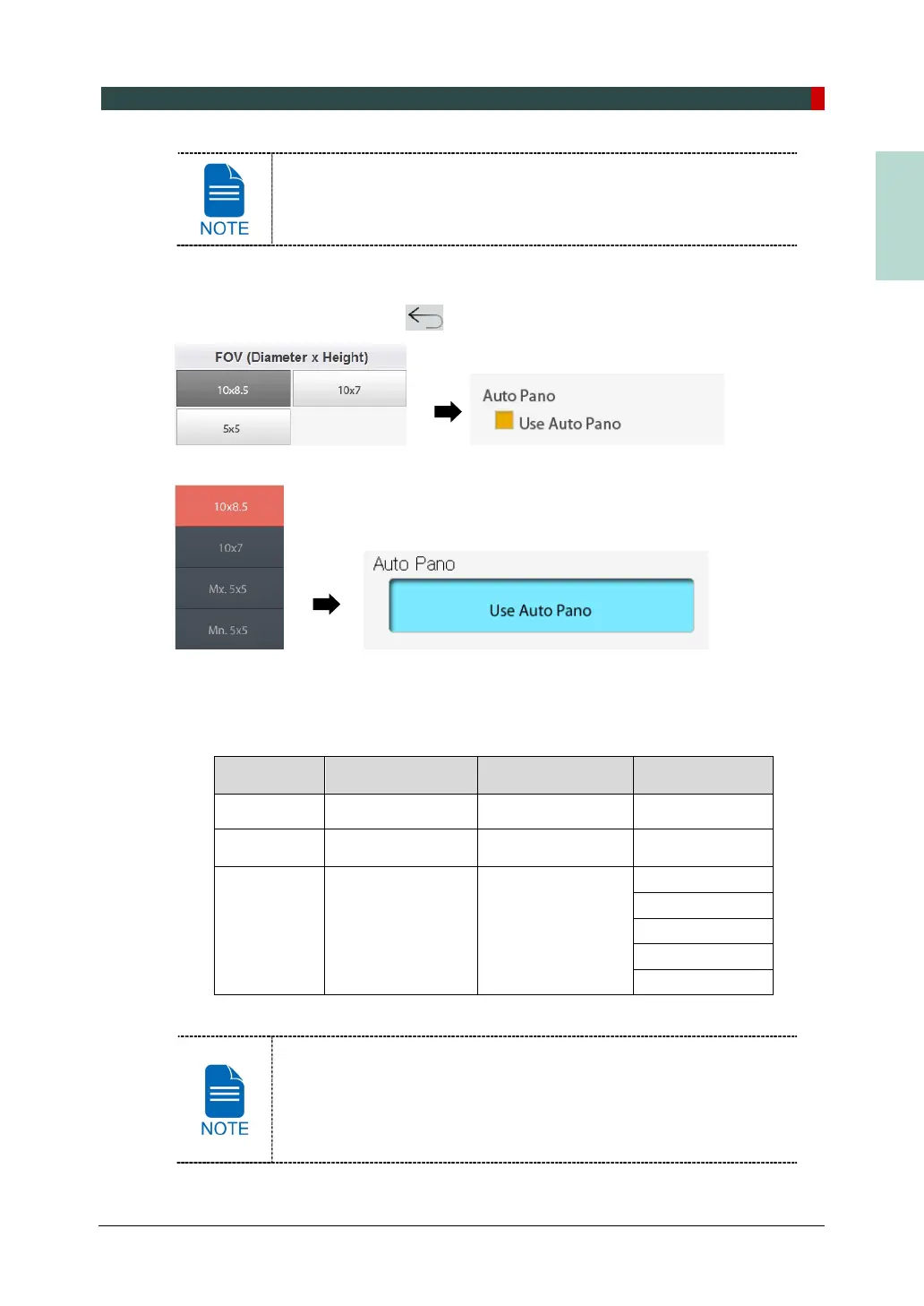
2. Select FOV Size.
You can configure Auto Pano options when 10x8.5 or 10x7 is selected.
(On the Touch Screen, press
button to close Auto Pano option window.)
<Console Software>
<Touch Screen>
For both 10x8.5 and 10x7 FOVs, Vertical option and Horizontal option are set as
below by default.
For FOV 5x5, Vertical option and Tooth option are available.
Vertical option Horizontal option Tooth option
10x8.5 Occlusion Center N/A
10x7 Occlusion Center N/A
5x5 Maxilla / Mandible N/A
Right
Incisor
Left Molar
Auto Pano is a feature used to acquire reconstructed 2D images
during 3D CT scans without additional X-ray exposure. It has the same
region that conventional panoramic images offer. (It provides images
for the Standard mode in DICOM or BMP format.)














 To Next Page