6. Getting Started
Green Smart User Manual 51
6.3 Initiating the Console Software
For a new patient, the patient information needs to be registered first.
EzDent-i
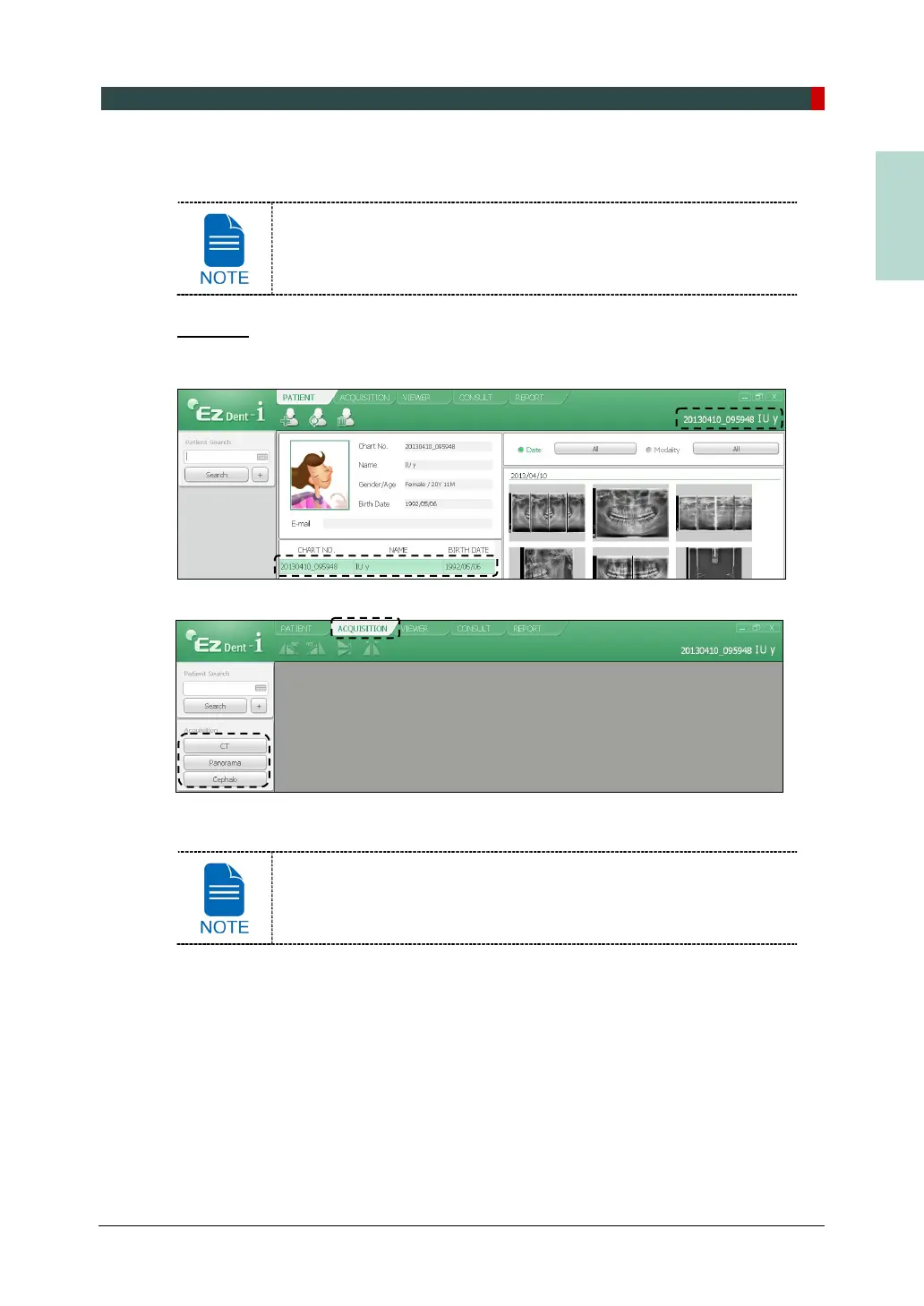
1. Search and select the patient to be captured.
2. Click ACQUISITION tab and select the imaging mode (CT, Panorama, or Cephalo).
3. The Main Screen for the selected mode appears. From the Main Screen, you can
configure the imaging parameter settings prior to acquiring an image.
Refer to the following chapters (7 ~ 10) for the more information on
the image acquisition.














 To Next Page