User manual
19
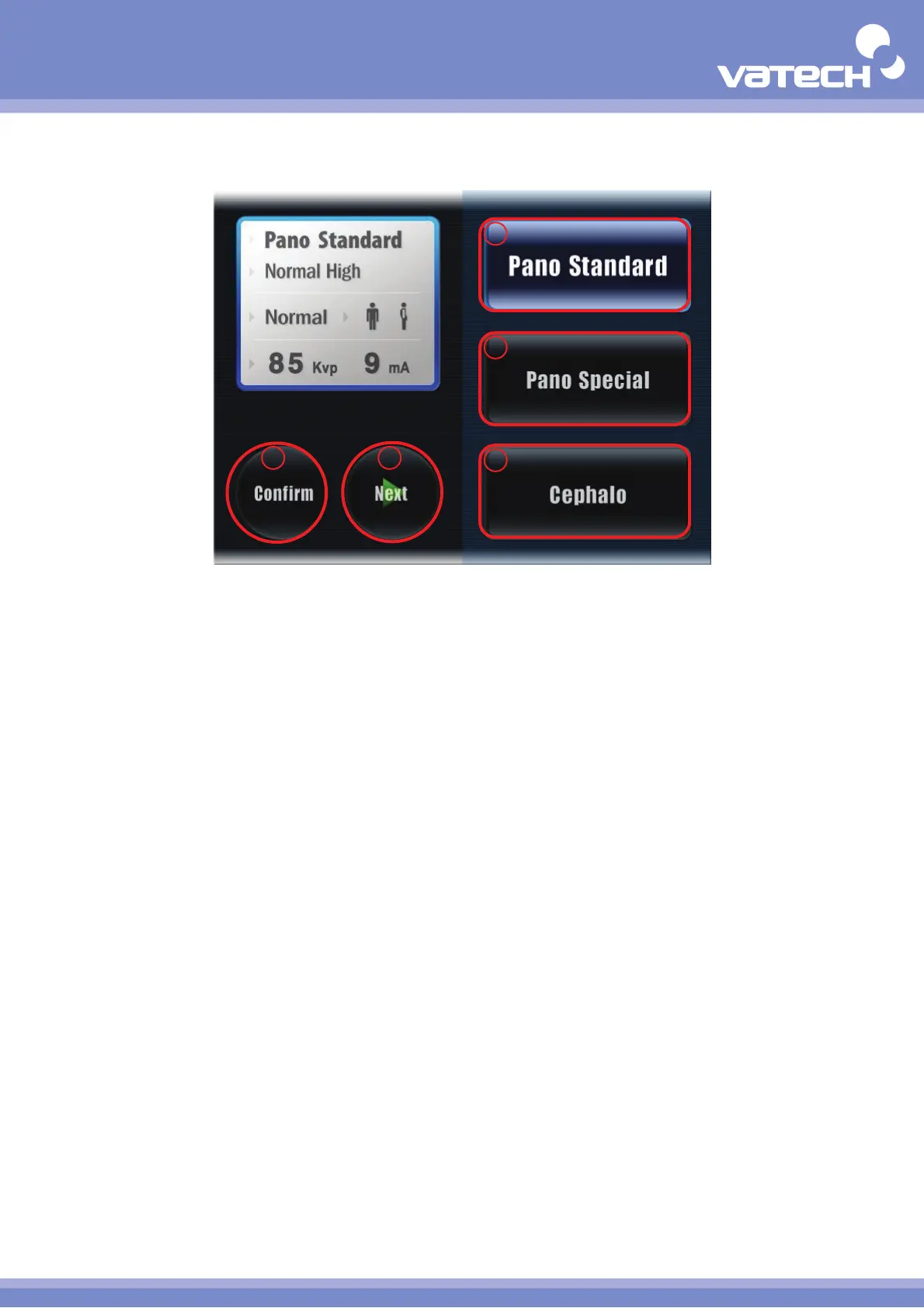
Mode Screen
① Pano Standard
Select the standard imaging mode (Normal, Front, Right, Left, TMJ, Sinus).
② Pano Special
Select the special imaging mode (Orthogonal, Incisor Clear, Maxillary Clear, Canal Clear).
③ Cephalo
Select the Cephalo imaging mode (Lateral, Frontal. SMV, Carpus).
④ Next
Go to the next stage. Select "Next" to go to the next stage.
⑤ Confirm
Save the existing setting value and move to the Main screen.
1
2
45
3












 To Next Page