VATECH Co., Ltd.
Release
V2.0.0
PaX-500
18
3. LCD Panel
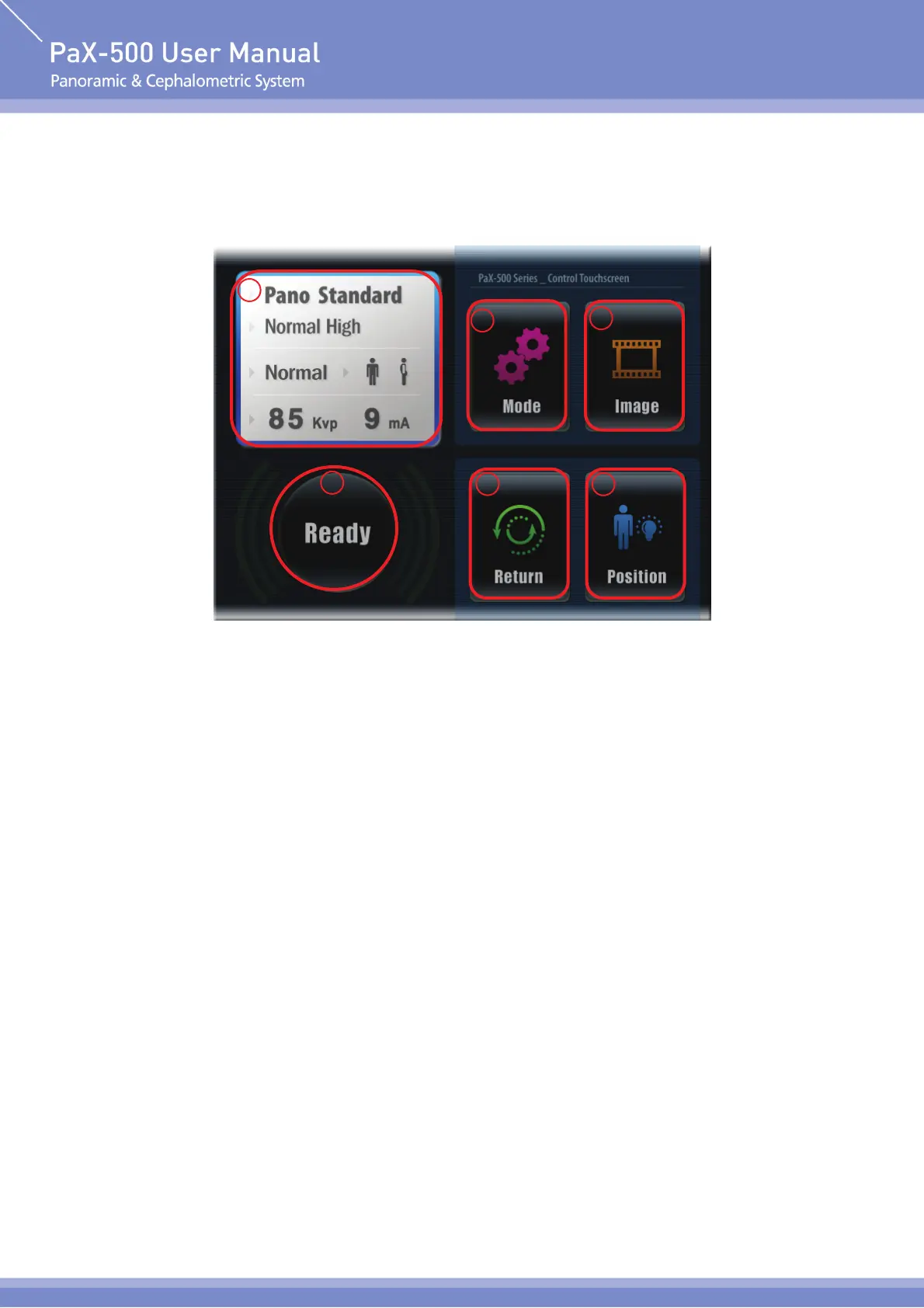
Main Screen
① Display Imaging Mode and Patient Setting
Display the imaging mode of current setting and X-ray setting value suitable for patient
(imaging mode and X-ray setting value suitable for patient, etc.).
② Mode button
Select the imaging mode (Pano Standard, Pano Special, Cephalo).
③ Image button
Show the image currently saved in the memory (can save up to 10 images).
④ Return button
Return rotating unit to the position of lamp.
⑤ Position button
Operate the camera and alignment lamp to place the patient in position.
⑥ Ready button
Prepare for X-ray imaging according to the mode and conditions set.
1
2
4
6
5
3












 To Next Page