VATECH Co., Ltd.
Release
V2.0.0
PaX-500
34
3.2. Panoramic Imaging Procedure
In order to capture effective Panoramic image, perform the imaging in the order specified.
① Turn on the power switch of PaX-500C. Leave as it is if power switch is on.
② Execute EasyDent V4 program in PC.
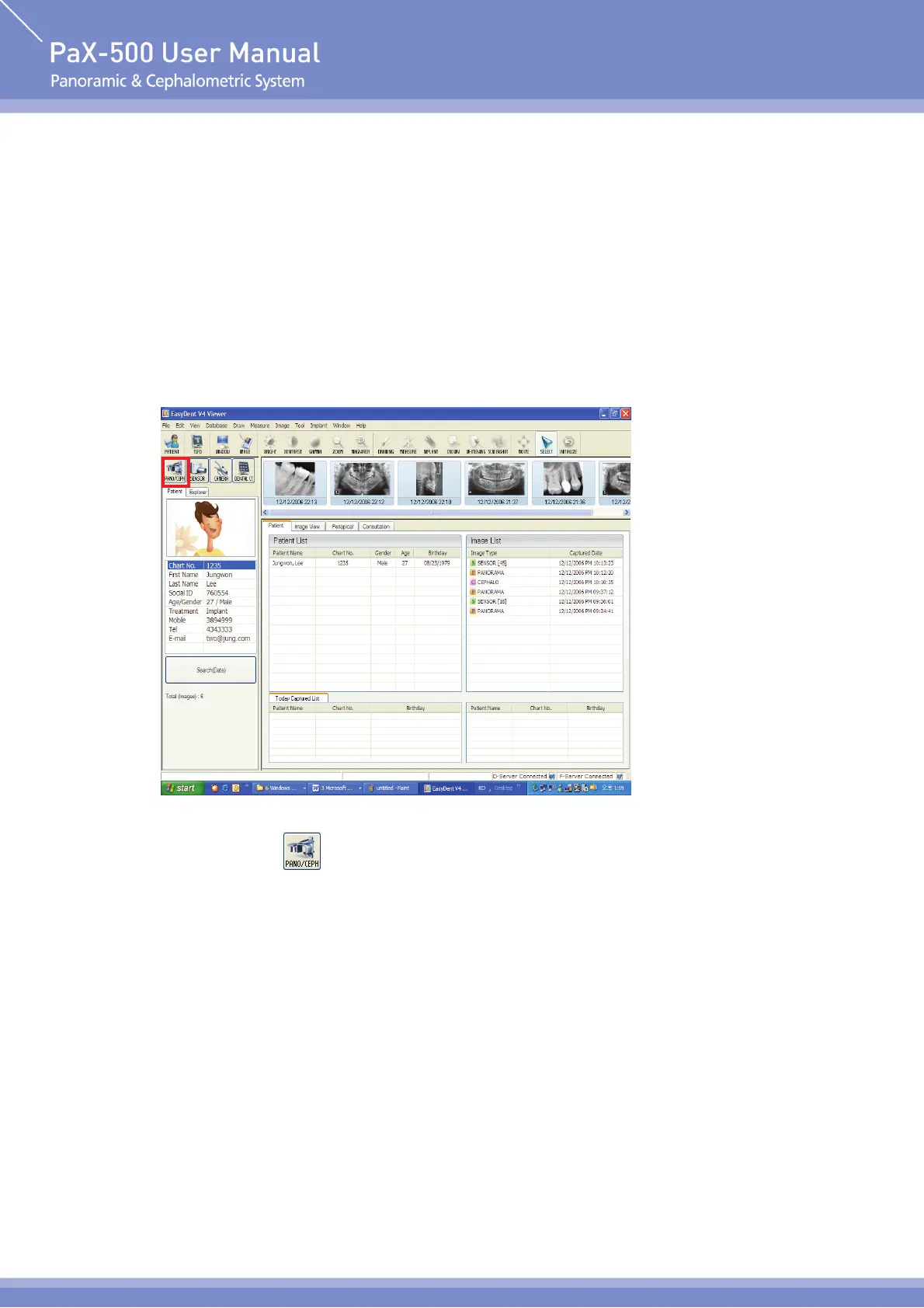
③ Program is displayed as shown in the following figure [Fig. 1]. Search and select the patient for
imaging.
[Fig. 1] EasyDent V4 Program Screen
④ Click ‘Pano/Ceph(
)’ icon on the left upper part in the figure [Fig. 1] to execute the imaging
program.












 To Next Page