User manual
57
3.4.3. Cephalo
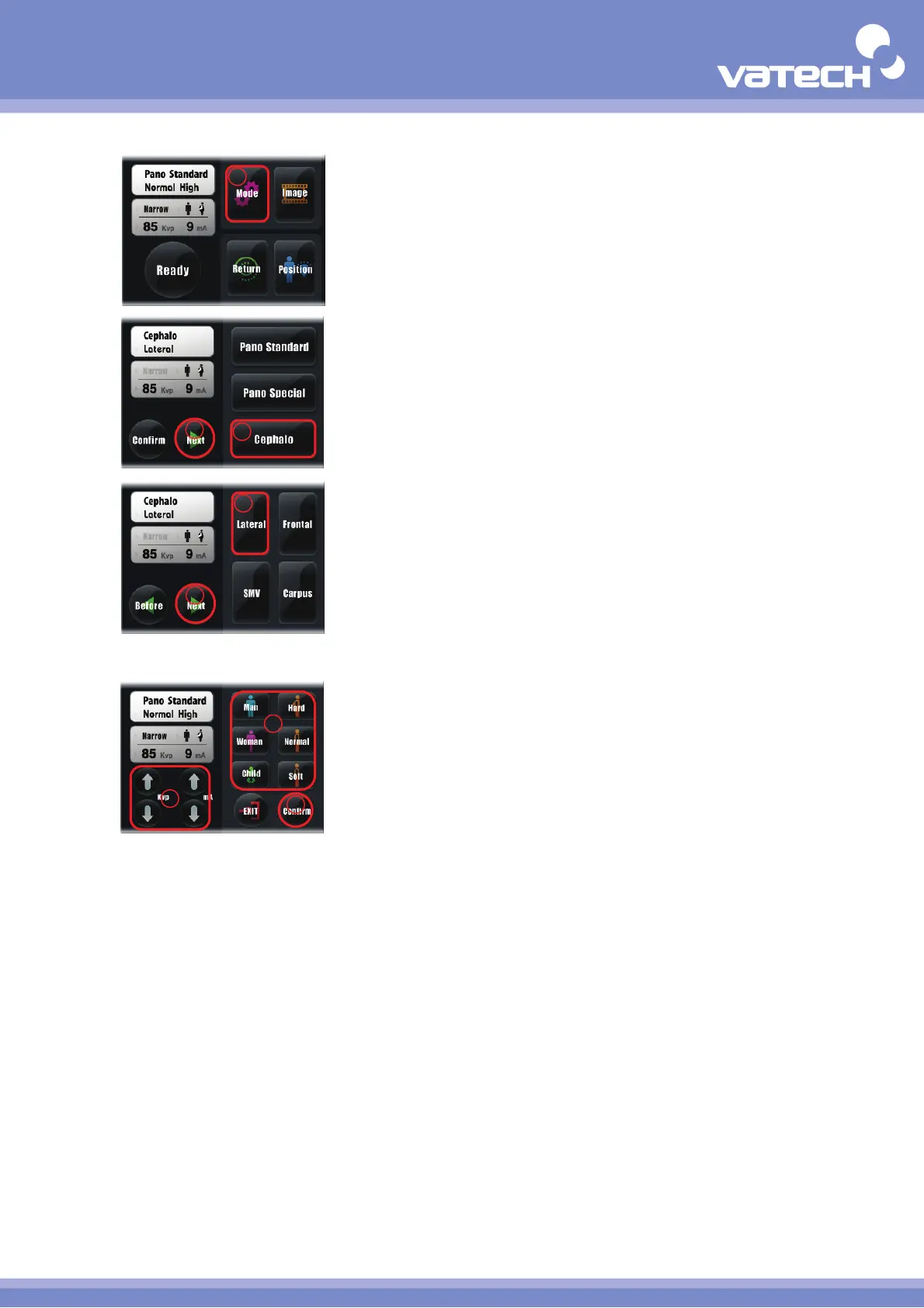
① Mode : Select the mode for imaging.
② Cephalo : Select to capture the image of Cephalo mode(Select the
Button of corresponding mode if you want to capture the
image in Pano Standard or Pano Special mode).
③ Next : Move to the next stage..
④ Lateral : Select to capture the lateral image of head(press the
Button of image to capture if you want to capture other
image).
⑤ Next : Move to the next stage..
⑥ Select Pateint : Select the X-ray exposure conditions suitable for
feature of patient (sex / bone density).
⑦ Select Kvp / mA : Directly select the X-ray exposure amount suitable
for patient.
⑧ Confirm : Select the contents of setting and move to the main
screen.
2
3
4
5
6
7
8
1












 To Next Page