Operating & Mounting instructions – 8 074 143.03/03 – Page 2
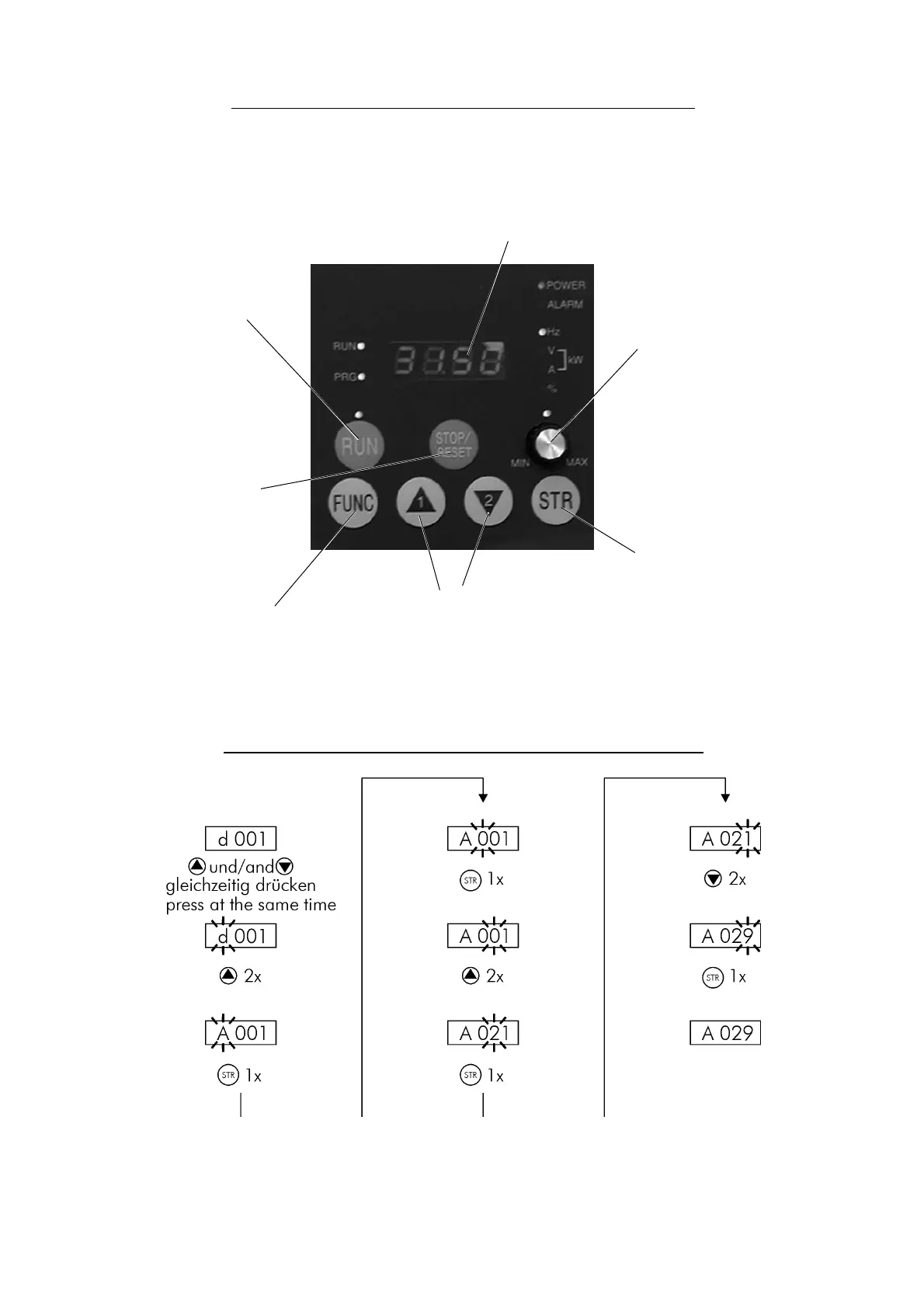
Configurable
LED display
STOP/RESET button
to stop the motor or
confirm error
POTENTIOMETER
to adjust the frequency.
The LED lights up as
soon as the frequency
can be set using the
potentiometer
STR button
to save new data and
parameter settings
UP/DOWN buttons
for editing data and for
parametrization
FUNC button
to switch between
display level, 1st and
2nd control level
Operating using the control panel built-in
Description of the control panel
RUN button
starts the inverter when it
is not controlled via the
terminal strip
Quick navigation and adjustment of parameters
The method described above is used for quick selection of parameters. Also the adjustmend of
parameters can be handled in this way.


 To Next Page