light.
The VD-R Remote Control is now in Learning Mode.
Step 3:
Press the button you want to programme (the
for example) and the
LED Indicator flashes slowly.
Step 4:
Press and hold the corresponding button on your TV remote control (the power
button in this case) until the LED Indicator turns on.
Step 5:
Repeat steps 3 and 4 for each button you want to programme.
Step 6:
When finish programming the VD-R
Remote Control, press the button
once to exit Learning Mode.
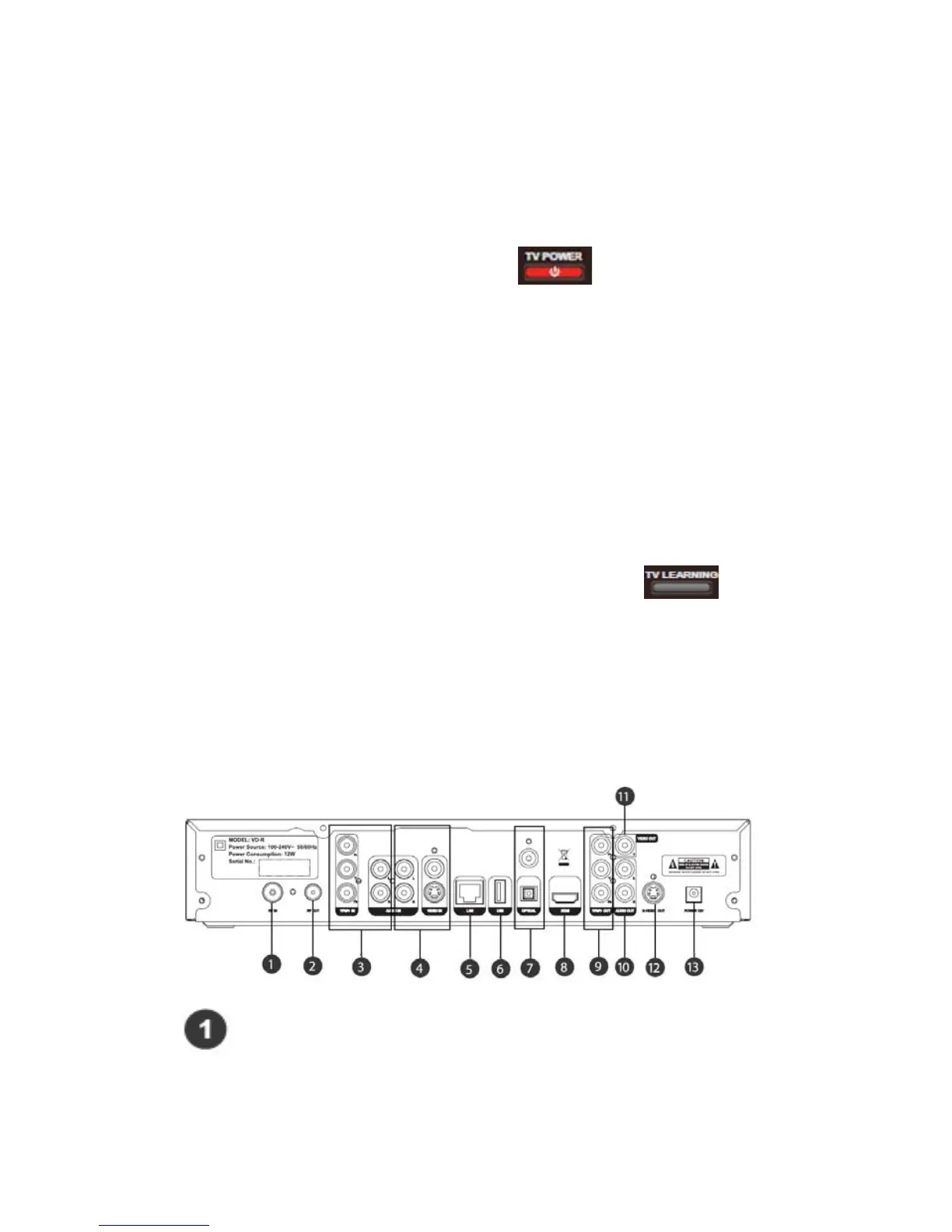
2.3 Rear Panel
Antenna In
Connect this input with a coaxial RF cable to allow VD-R to receive DTT and
47 / 81


 To Next Page