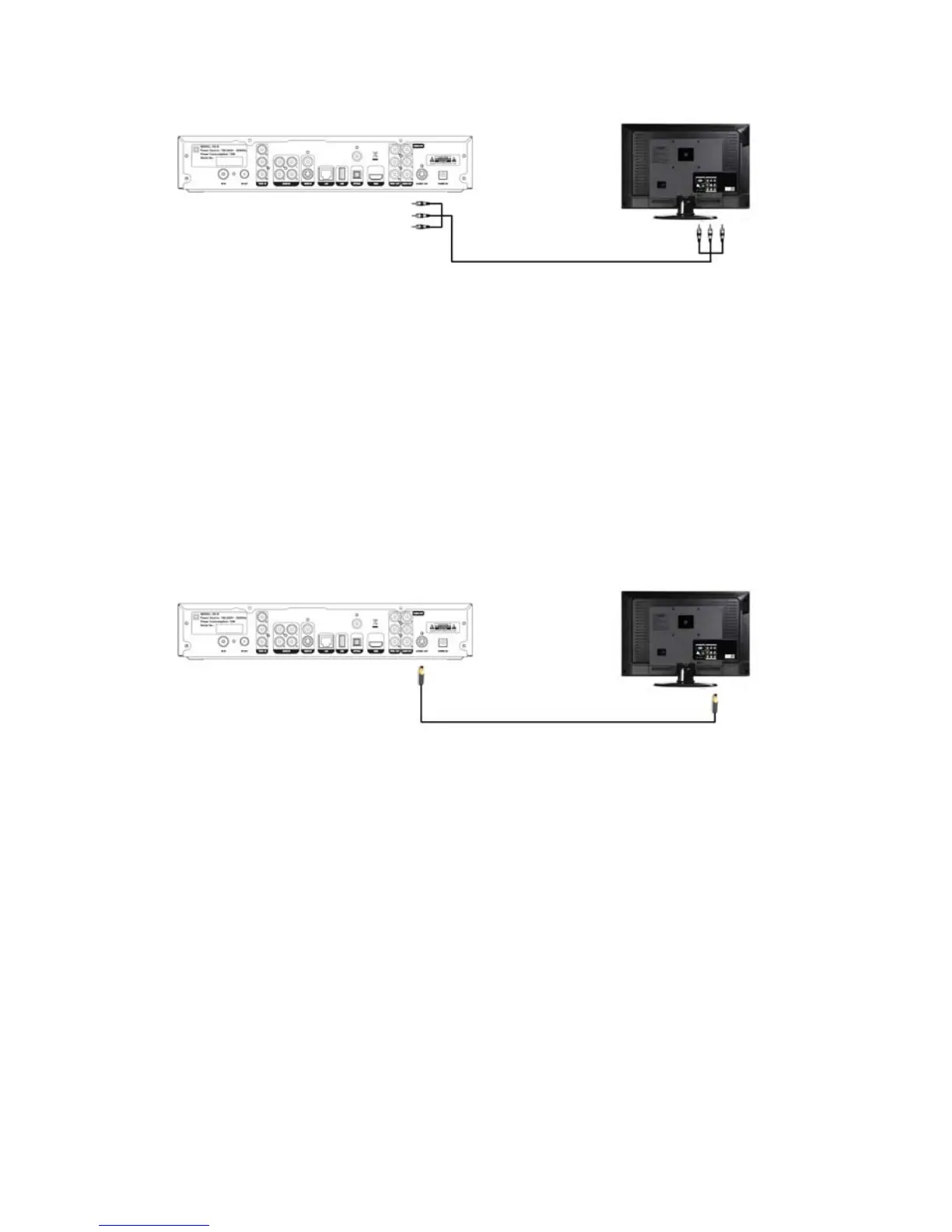
3.4 S-Video Connection
S-Video is an analogue signal. In order to get Higher Definition video from
VD-R without HDMI, simply connect S-Video Output from VD-R directly to
one of the TV’s S-Video Inputs. As S-Video does not convey audio signal, a
separate connection is needed to connect the Audio/L/R Output from VD-R
to the TV’s Audio/L/R Input.
3.5 Component Video Connection
To obtain a very high quality High Definition image from VD-R without HDMI,
Component is needed. Simply connect the YPbPr Output from VD-R to one
of the TV’s Component or YPbPr Inputs. As Component does not convey
audio signal, a separate connection is needed to connect the Audio/L/R
Output from VD-R to the TV’s Audio/L/R Input.
52 / 81


 To Next Page