71 / 81
5.4.3
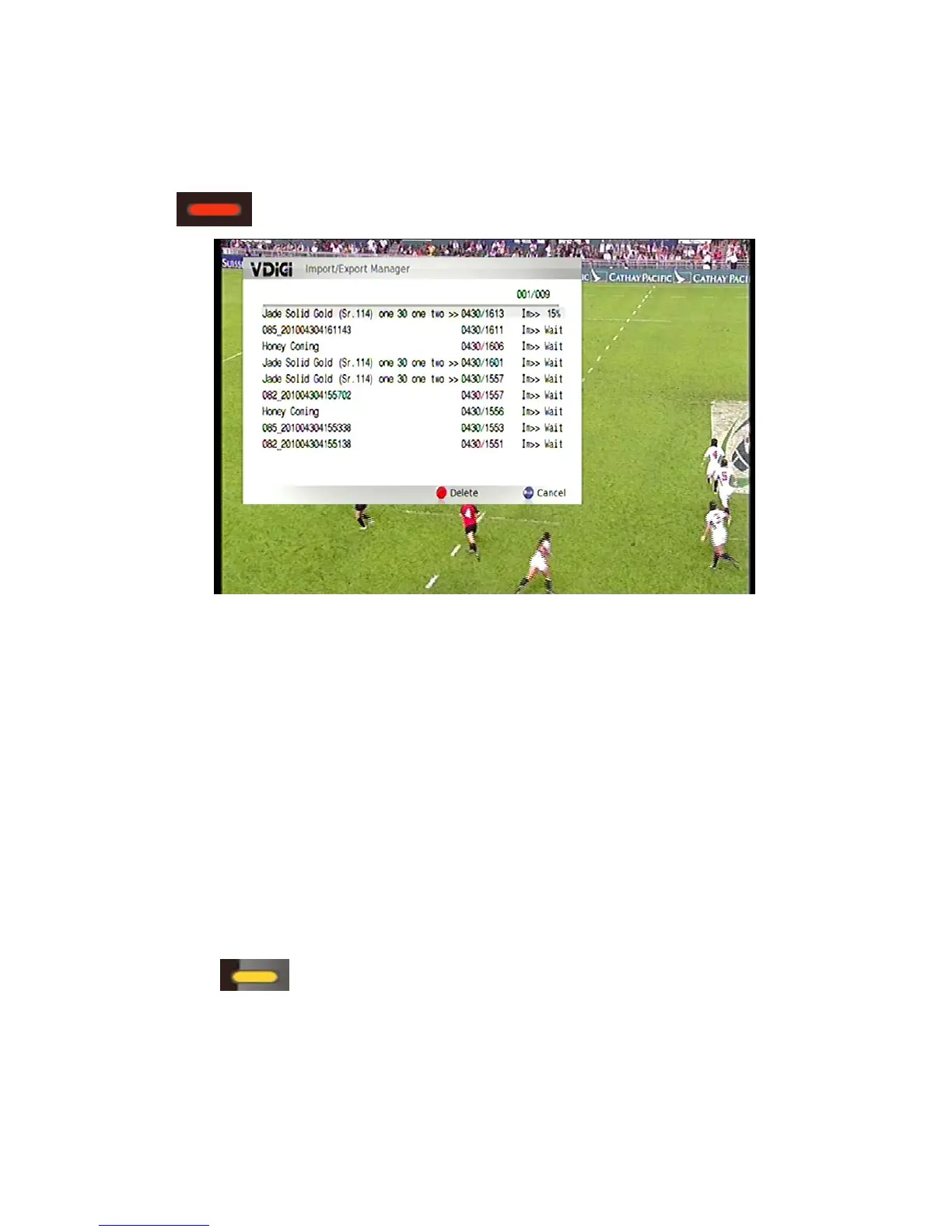
This e transferred. Press red button
Transfer manager
menu will show all the files which will b
to delete the mission of transferring.
5.4.4
dule and right now transfer mode.
5.4.5
Select when users would like to transfer the files.
5.5 Files editing
t the programmes after recording, such as delete the
e
Mode
There a
re sche
Schedule time
Users are able to edi
commercial period.
Th buttons fo
r files editing and editing method are as below:
When playing back the files, in the info bar, press “yellow” key to
start the editing point; Press “right” or “left” key to adjust the time and then
press “yellow” key again to set the ending point. (The selected period that
you want to delete will be shown in red. (Users can set up to 9 periods of a


 To Next Page