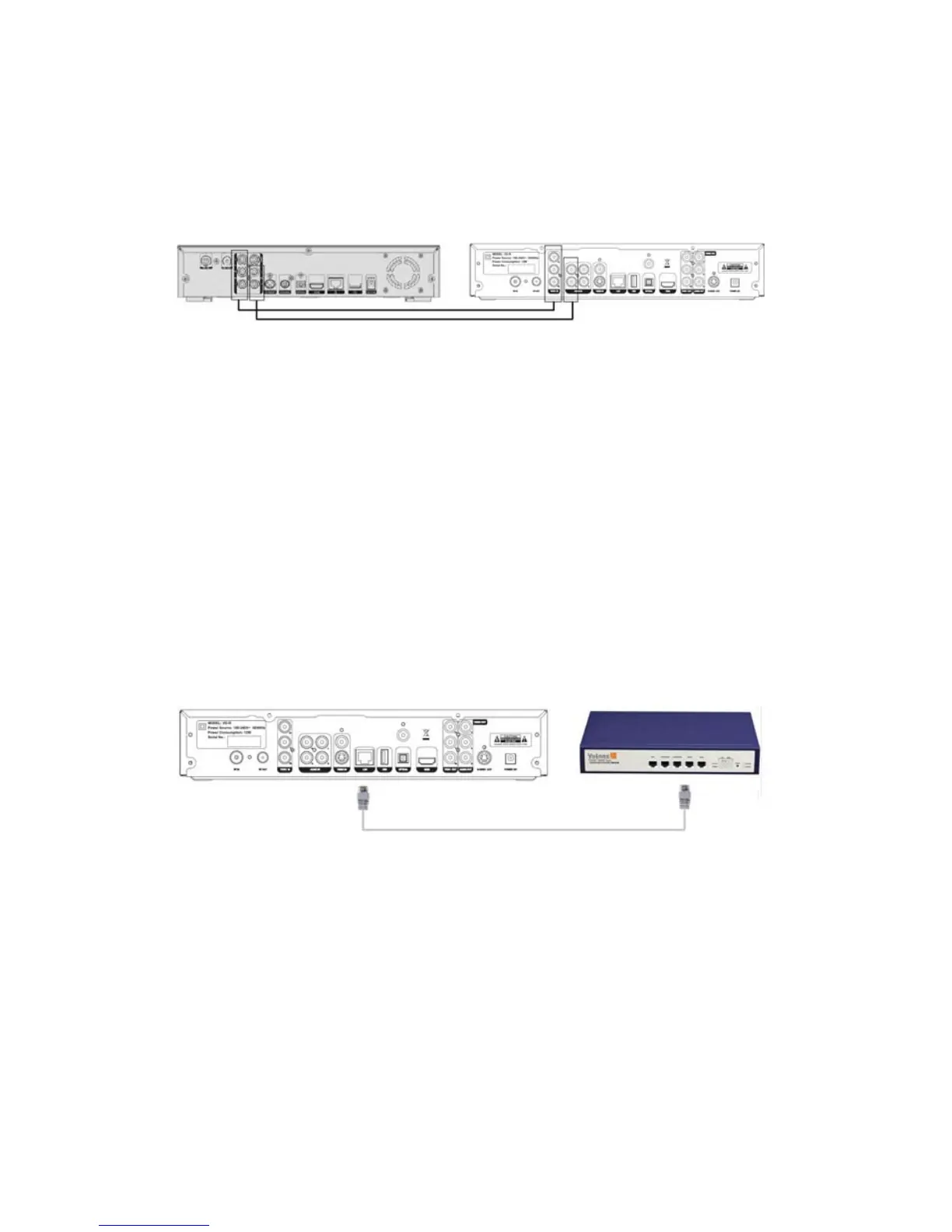
Output of other external device. As Component Video does not convey audio
signal, a separate connection is needed to connect the Audio/L/R Input from VD-R
to the external device’s Audio/L/R Output.
Other external device (HDTV decoder) VD-R
3.9 Other Setup Options
Network Connection for Interactive Services
Some of the features present in the new MHEG-5 Interactive
Services broadcasts require an internet connection (competition
entries, voting, subscribing and purchasing for example). An existing
Ethernet Network is needed. Simply use a CAT-5 cable to connect
the Network Port of VD-R to the network router or hub.
3.10 Power Connection
Connect the power cable to the suitable A.C. power socket and plug
12V D.C. power into VD-R. Do not unplug or cut off power supply or
before all the connections are made.
56 / 81


 To Next Page