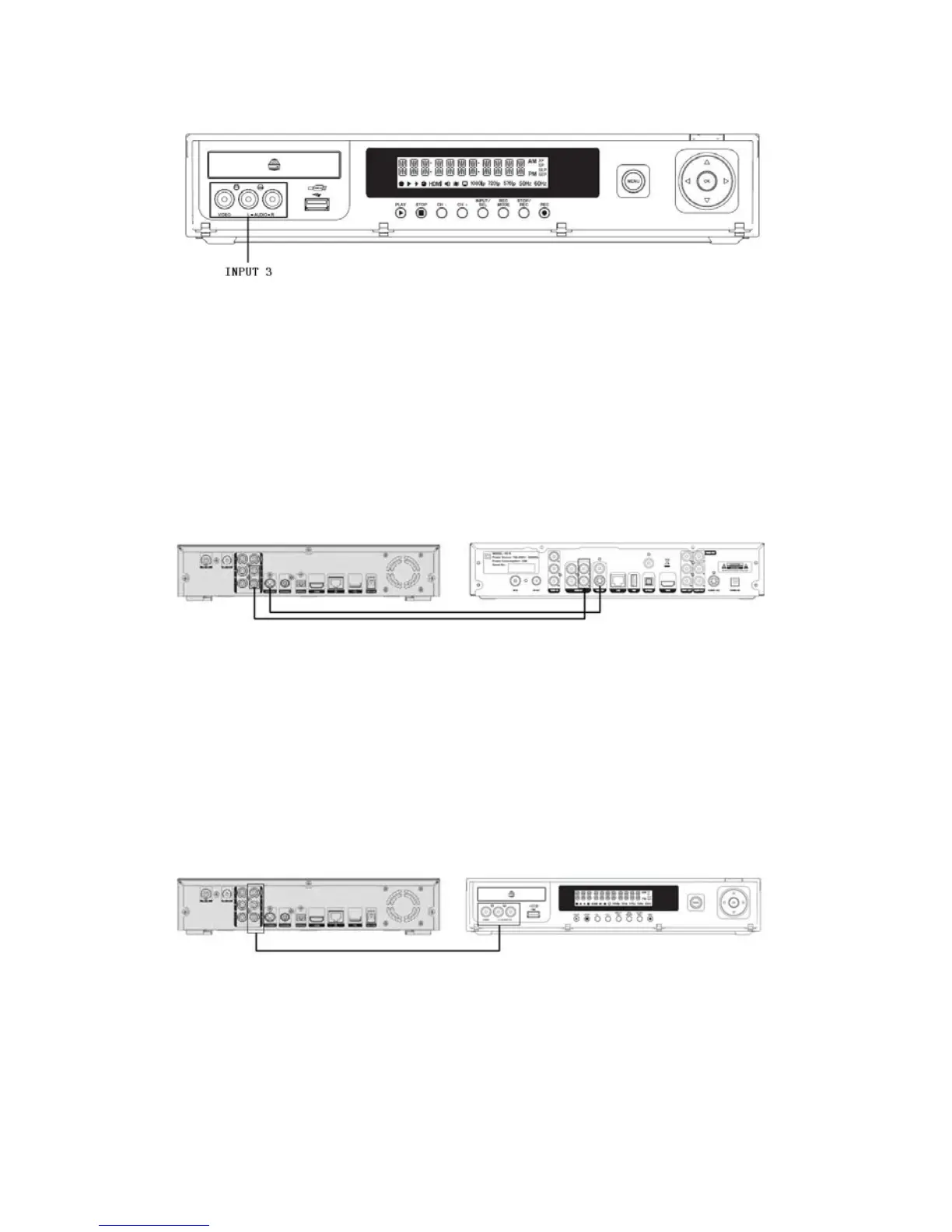
There are 3 ways to record the Audio/Video signals from other external devices
(HDTV decoder for example):
3.8.1 S-Video Connection (Input 2)
Connect S-Video Output of other external device to S-V Input of VD-R. As S-video
does not convey audio signal, a separate connection is needed to connect the
Audio/L/R Input from VD-R to the external device’s Audio/L/R Output.
Other external device (HDTV decoder) VD-R
3.8.2 Composite Video Connection (Input 3)
Connect the Composite Video Input from VD-R (V) to the Composite Video Output
of other external device. As Composite Video does not convey audio signal, a
separate connection is needed to connect the Audio/L/R Input from VD-R to the
external device’s Audio/L/R Output.
Other external device (HDTV decoder) VD-R
3.8.3 Component Video Connection (Input 1)
Connect the Component Video Input from VD-R YPbPr to the YPbPr
55 / 81


 To Next Page