20 © Continental Automotive Issue 02/2017
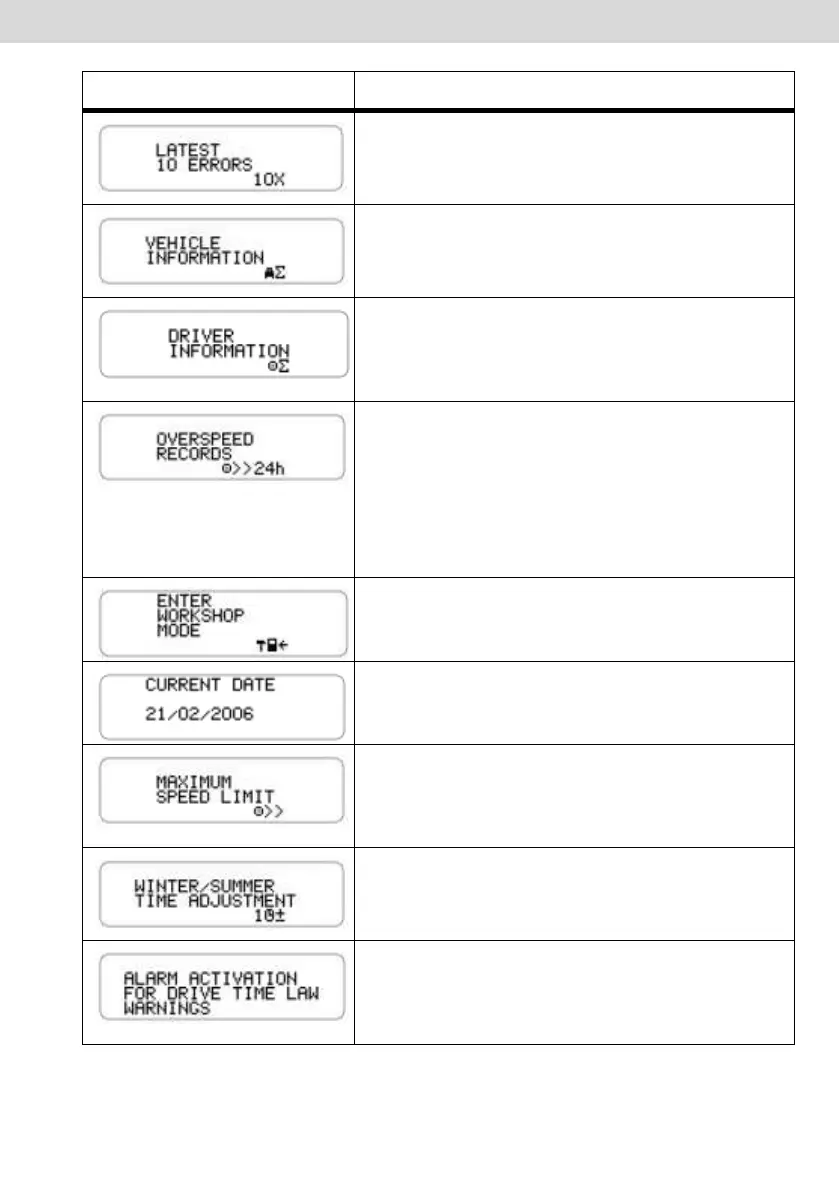
This feature allows the operator to view the
last 10 errors occurred in the digital
tachograph.
This function is used to display: VLPN, VIN,
constant k, serial number of tachograph and
date of installation on the vehicle.
This function displays the linked driver code
and National Driver's License. If no driver is
linked, "?????" is displayed in both the driver's
code and National Driver's License.
This function shows the speed of the last 100
most recent events in the last 24 hours of
vehicle operation.
The recording speeds are displayed from the
latest recorded to first recorded in last 24
hours of vehicle operation.
This function should only be used by trained
professionals in authorized VDO service
station, for BVDR configuration.
This screen shows the current date in the
digital tachograph, in the format day, month
and year (DD / MM / YYYY).
This feature allows the operator to see the
speeding value set in the digital tachograph.
This value can only be changed at an
authorized VDO service station.
This feature allows the operator to adjust the
daylight saving time in the digital tachograph
when necessary.
This function lets you enable or disable the
audible alarm (buzzer) only for the driving time
and rest functions.
In the case it is off, only the audible alarm will



 To Next Page