Issue 02/2017 © Continental Automotive 21
be affected, the time control will remain in
operation.
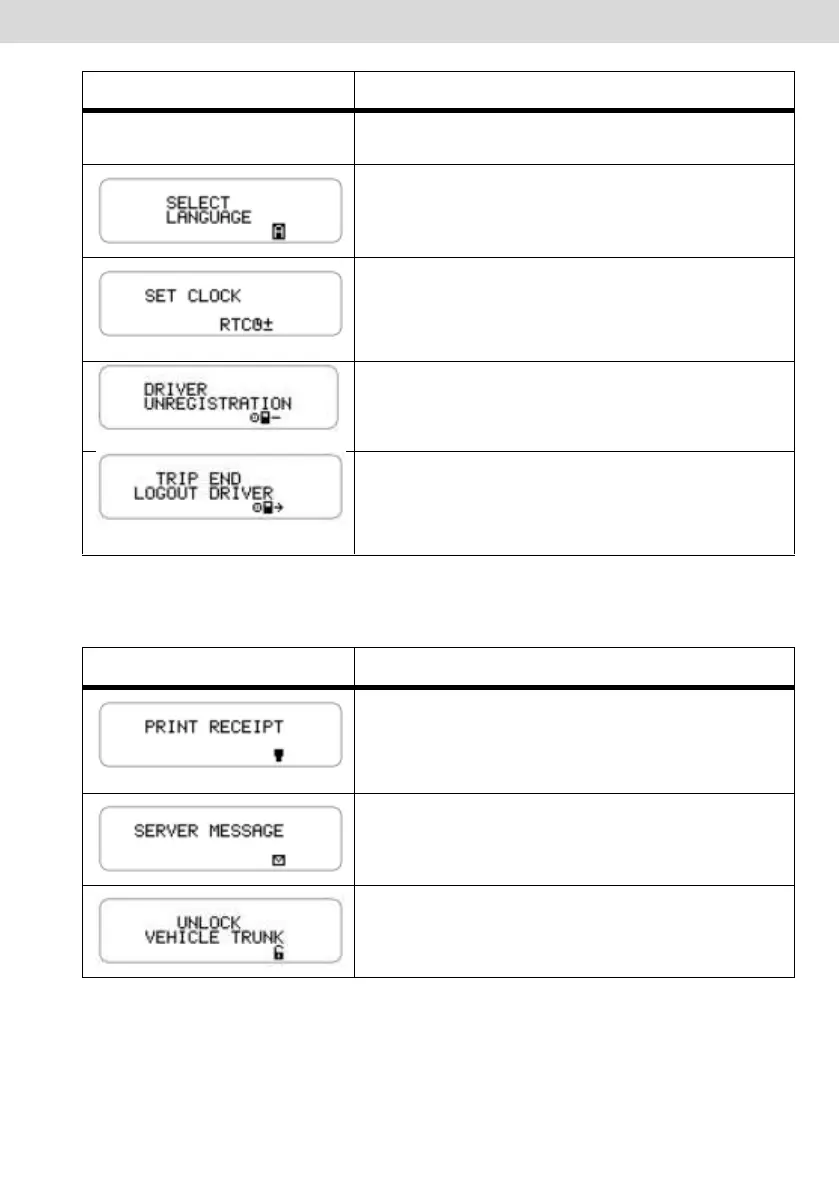
This feature allows the operator to select which
language will be used in BVDR.
This function allows the operator to set the
clock in BVDR only once a week with limitation
on setting of plus 5 minutes or minus 5
minutes.
This feature allows the operator to remove
previously registered drivers.
This function allows the operator to disconnect
the driver who is already logged in. This menu
will be available only if some driver is logged
in.
The following screens are only shown when BVDR is paired with the VDO
telematics module.
When connected to the telematics module, and
enabled the VDO On Board service, BVDR is
able to print the information sent remotely in a
blank tape.
When connected to the telematics module, and
enabled the VDO On Board service, BVDR is
able to display incoming messages remotely.
When connected to the telematics module, and
enabled the VDO On Board service, BVDR is
able to manage unlocking of trunk remotely.



 To Next Page