Settings – wheel circumference/wheel size
How to set your wheel circumference:
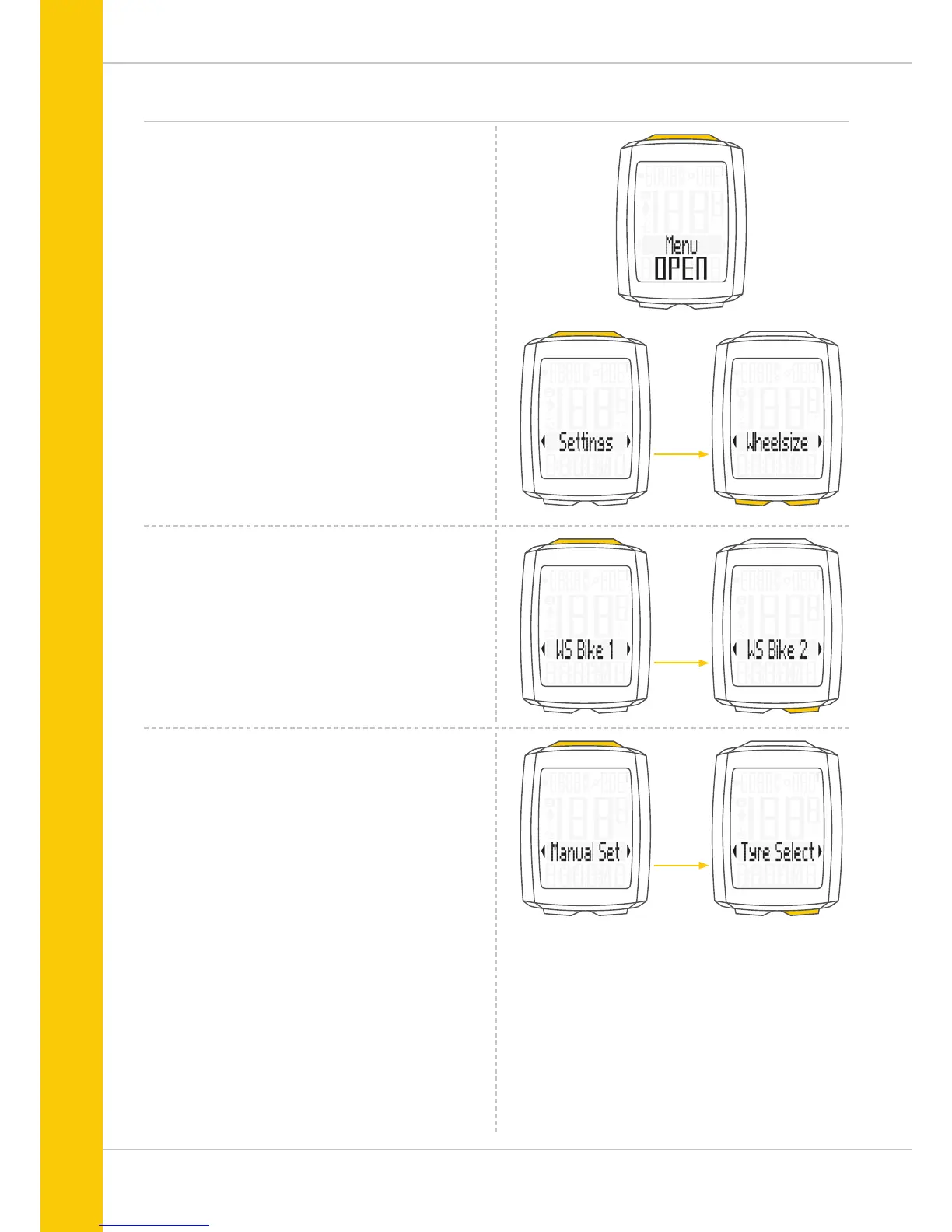
Press and hold the SET button until the settings menu
opens.
Press the BIKE button to switch from Totals to Settings.
Press the SET button to open the settings.
“Language” appears on the display.
Press the BIKE or TPC button to scroll to the setting for the
Wheelsize.
Press the SET button to open the setting (description here is
for bike 1).
In the display, you can now choose whether you want
to manually set the wheel size in millimetres or
select the appropriate tyres from a tyre list.
Press the BIKE button to make the selection.
Confirm the setting by pressing the SET button.
Press the SET button to open the setting for the wheel size.
You can set the wheel size separately for bike 1 and bike 2.
Press the BIKE button to scroll from the setting for bike 1 to
the setting for bike 2.



 To Next Page