Settings – wheel circumference/wheel size
Manual setting by entering the roll circumference
in millimetres
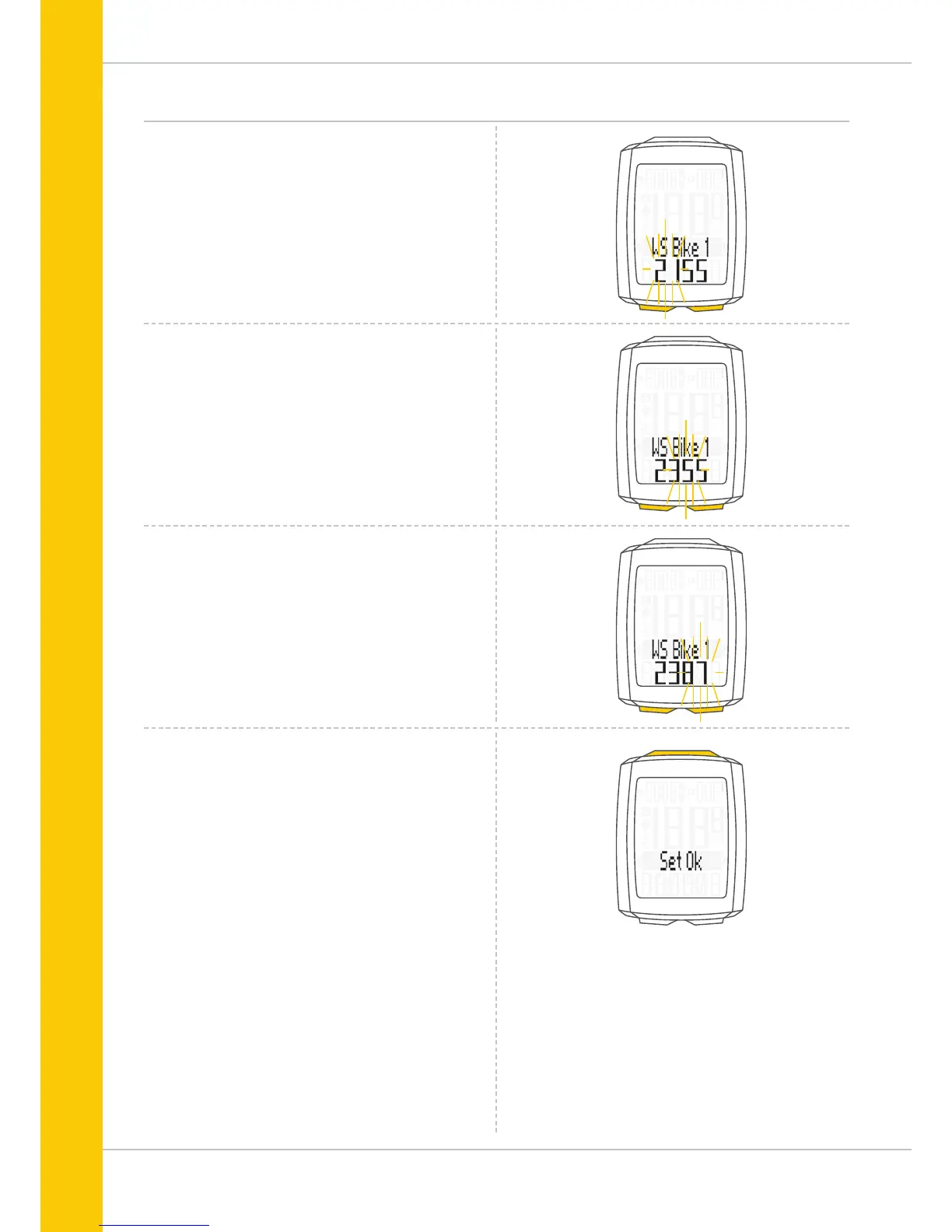
The first two digits (in the example “21”) flash.
Press the BIKE or TPC button to set these digits to the
desired value.
Press the SET button to confirm your setting.
The third digit now flashes and is ready to be set.
Press the BIKE or TPC button to set this digit.
Press the SET button to confirm your setting.
The final digit on the right now flashes.
Press the BIKE or TPC button to set this digit.
Press the SET button to confirm your setting.
Your wheel circumference setting is now complete.
The response ‘Set OK’ appears on the display.
If you want to configure further settings,
press the BIKE button to access these.
If you do not want to configure any further settings,
press and hold the SET button.
The settings menu closes.
The VDO M5 returns to function mode.



 To Next Page