Settings – wheel circumference/wheel size
Setting the wheel size using the tyre list
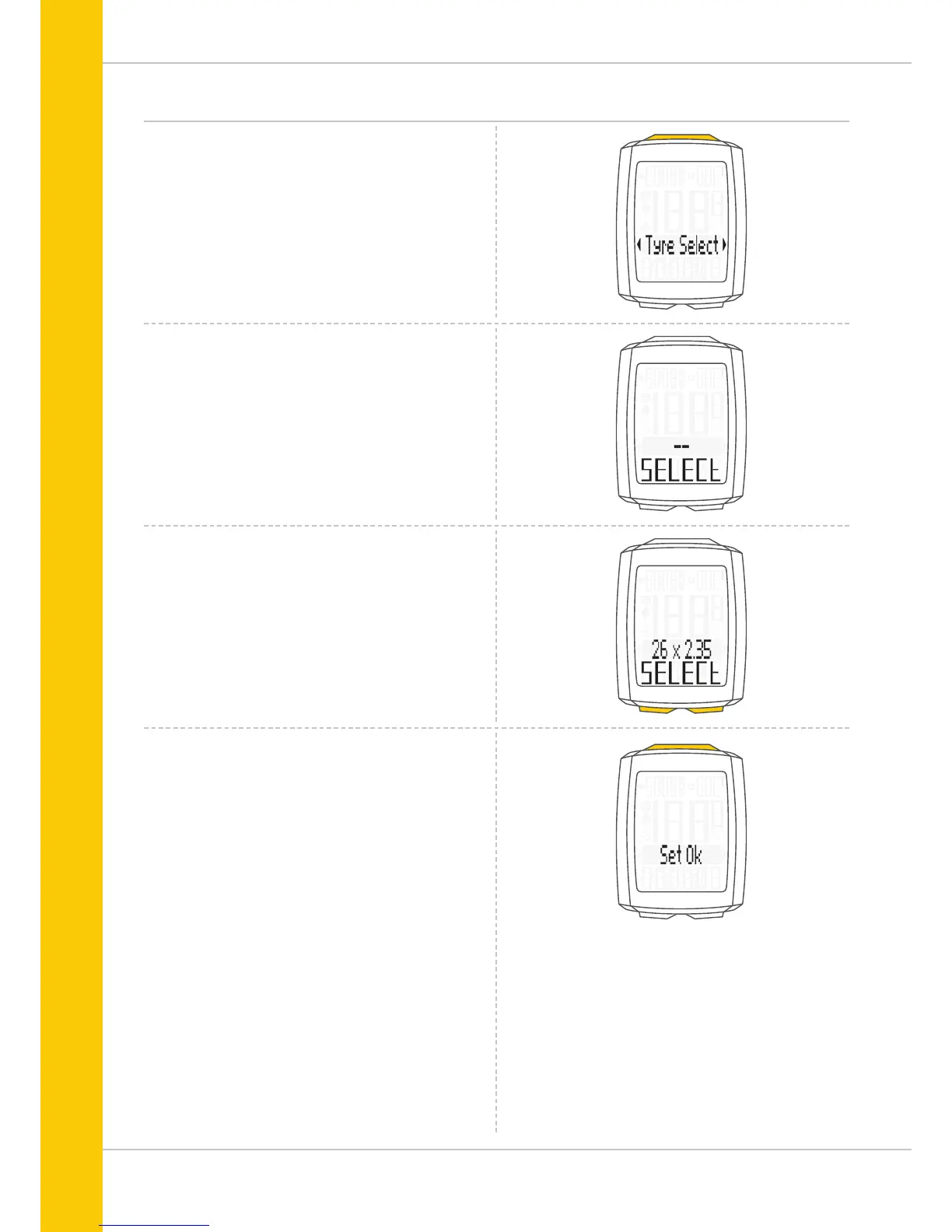
Open the wheel size settings via the tyre list by pressing the
SET button (see previous page).
Press the BIKE or TPC button to scroll through the tyre list
until your tyres are displayed (in the example shown
26 x 2.35)
SELECT (or the last selected tyre size) appears on the display.
Press the SET button to confirm the setting.
The response “Set OK” appears on the display.
If you want to configure further settings,
press the BIKE button to access these.
If you do not want to configure any further settings,
press and hold the SET button.
The settings menu closes.
The VDO M5 returns to function mode.



 To Next Page