64
User Manual
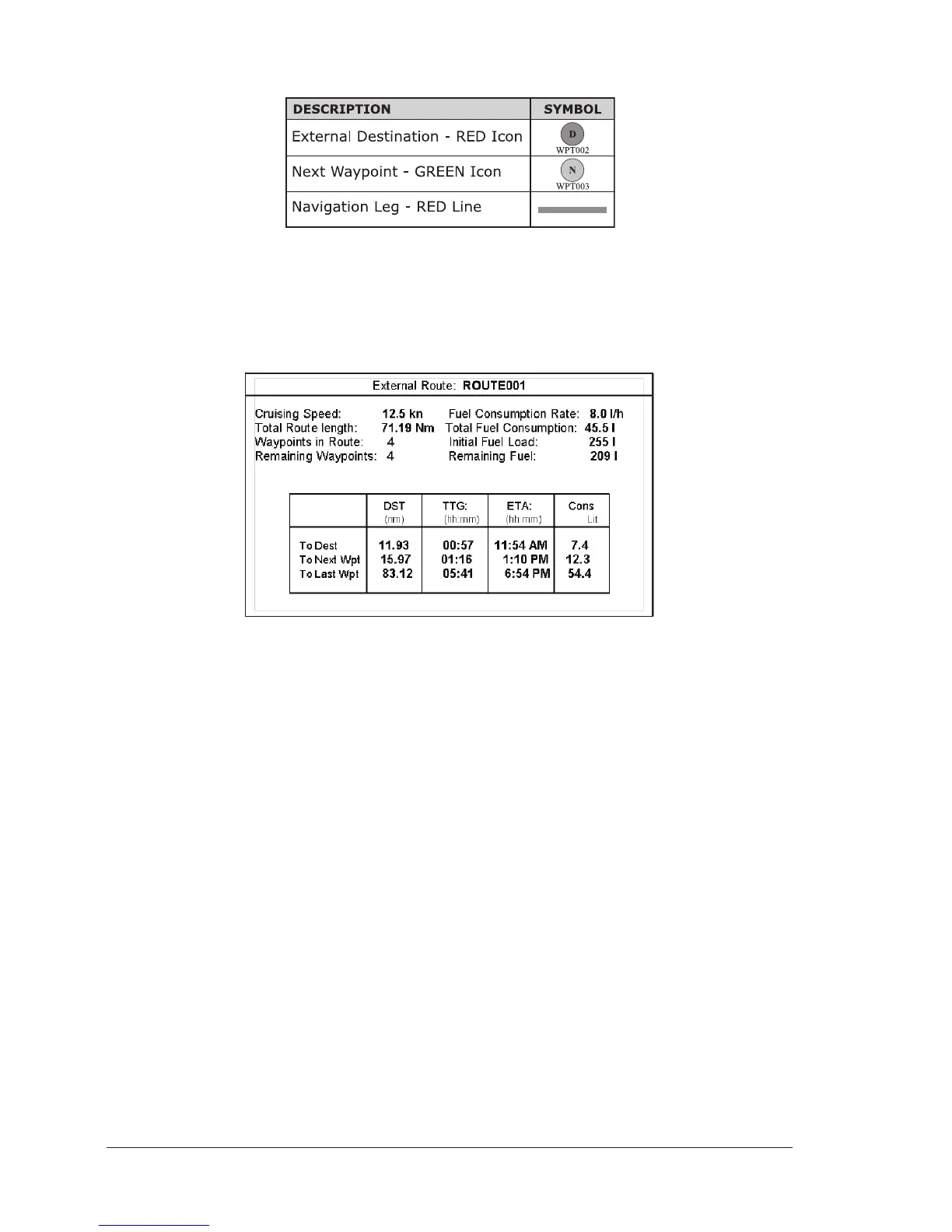
Graphical representation on Map Display
Fig. 5.2 - Graphical Displaying
Route Data Report
When the Navigation to the External Route is received, it will be possible to dis-
play the information related to the External Route by entering the Route Data
Report.
Fig. 5.2a - External route on Route Data Report
♦ External Route : Name of the External Route (from
$PCMPN,0)
♦ Cruising Speed : Planned Cruising Speed (from $PCMPN,1)
♦ Total Route length : Length from First to Last Wpt (from
$PCMPN,1)
♦ Waypoints in Route : No. of Wpts in the Route (from $PCMPN,1)
♦ Remaining Waypoints : No. of Wpts from Dest to Last Wpt (from
$PCMPN,1)
♦ Fuel Consumption Rate : Planned Fuel Consumption Rate (from
$PCMPN,1)
♦ Total Fuel Consumption : Calculated Fuel consumption to navigate
the whole Route
♦ Initial Fuel Load : Volume of Fuel available before the navi-
gation was started (Liters)
♦ Remaining Fuel : Volume of Fuel available (Liters)
♦ Distance to Destination : Distance from Ship to Destination (calcu-
lated)
♦ Distance to Next Wpt : Distance to travel from ship to the Wpt
after the Destination (calculated: Distance
to Dest + Next Route Leg length)
♦ Distance to Last Wpt : Distance to travel from ship to the End of
the Route (calculated: Distance to Dest



 To Next Page