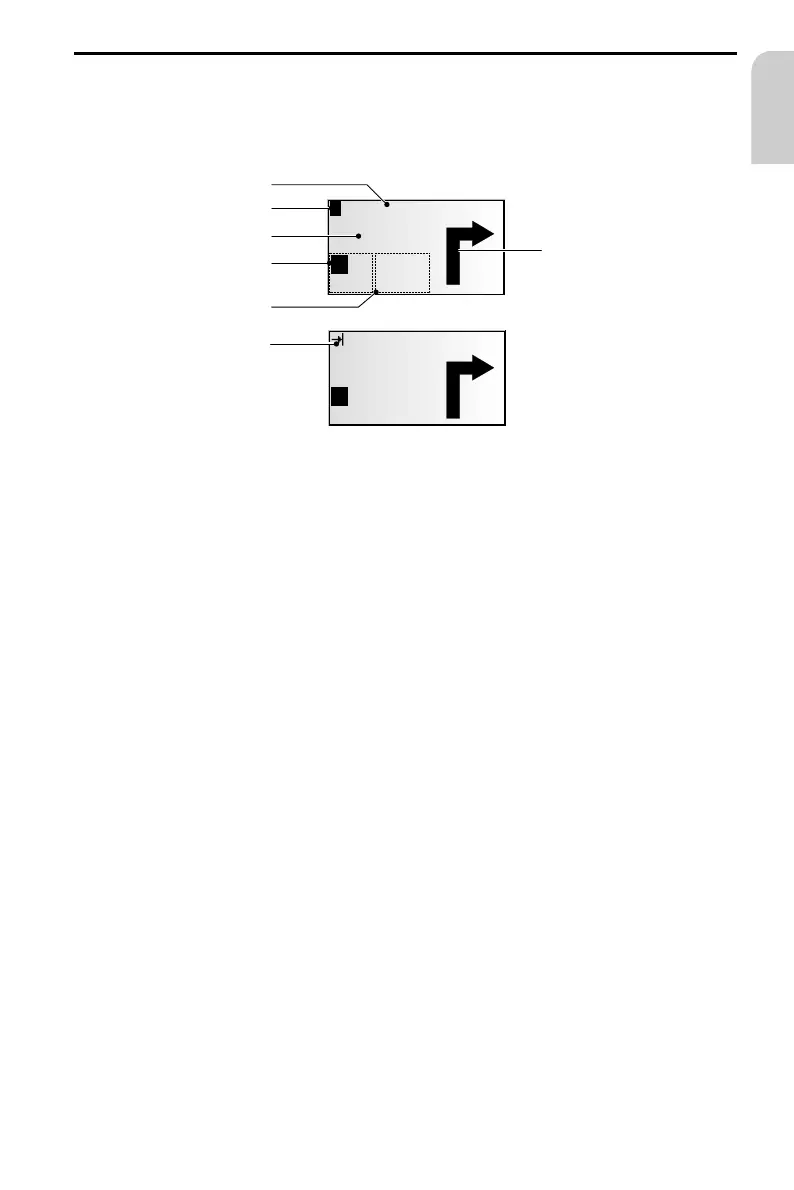
Guidance screen
The guidance screen appears as soon as you activate the guidance.
The guidance screen displays the following information:
1 Guidance information: A graphic display of the next crossroads or junction.
In addition, directional changes are announced with audible messages.
2 Road into which to turn at the next announcement.
3 You are in an area with incomplete map information.
4 Distance to the next change in direction*.
5 Option field. Position the cursor on the desired symbol and confirm:
¦ : Repeat current audible message
¢ : Road list display (segments of the planned route)
£ : Return to the main menu
ª : To menu “Alternative route“. See page 57.
6 Status field. Display of the following possible information:
– Remaining driving distance
– Remaining travel time
– Estimated time of arrival
– Current time
You can configure the status field in the “System settings“ menu.
See page 62.
7 As soon as any traffic obstructions reported by TMC pertain to the planned route, a
brief message appears, indicating the distance to the nearest obstruction and its
type.
* Units displayed are dependent upon the system configuration. Refer to page 61,
chapter “System settings.”
NAVIGATION
49
English
100 m
AVORY RD.
300 m
1
2
7
4
5
6
16.6km Accident
¦
¢
¦
¢
£
ª
£
ª
7,7km
14:45
7,7km
14:45
!
3



 To Next Page