(2)
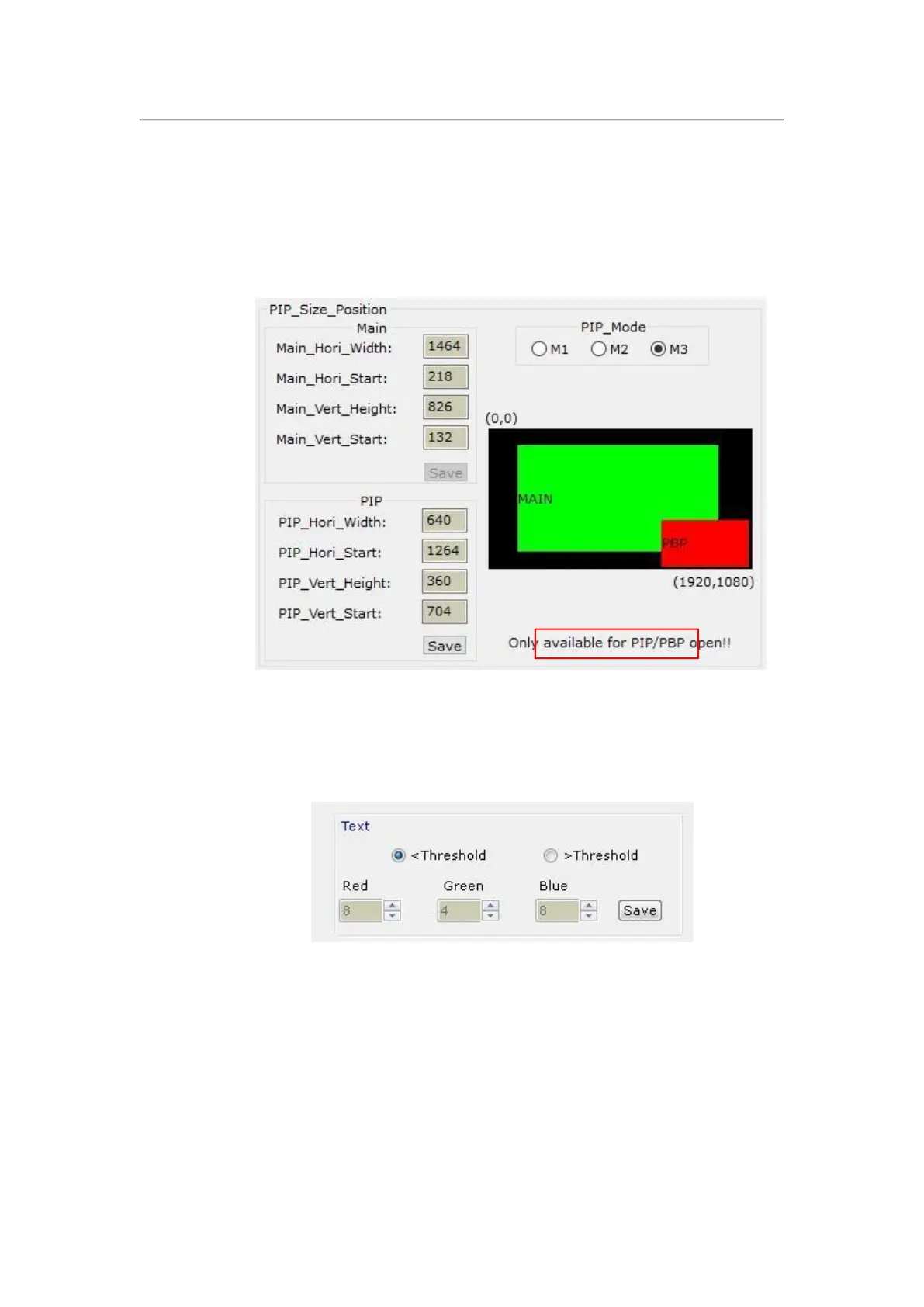
PIP/PBP display setup (location and size of PIP windows)
This menu is used to set the three PIP/POP display modes of LVP605,first, select a PIP
mode to be adjusted, then enter the parameters of background, location and size of PIP
windows, then click “Save” button to save the parameters in the processor.
(3)
TEXT setup
It is used to set the red, green and blue threshold values of valid information of the text
signals to be captured by the processor, also to set whether the text is greater or less than
threshold values, select appropriate threshold values, click “Save” button to save them in
the processor.



 To Next Page