3 Communication
The VR2Tx uses Bluetooth communication between the receiver and the VUE
software. This feature dramatically increases data offload speed compared to
the cabled communication of the retired VR2 receiver. For example, to offload
2 MB of data requires 3.3 minutes for the VR2Tx to accomplish but it would
have taken the VR2 more than 75 minutes. A comparison table is located in
section 6.1.2 for more information.
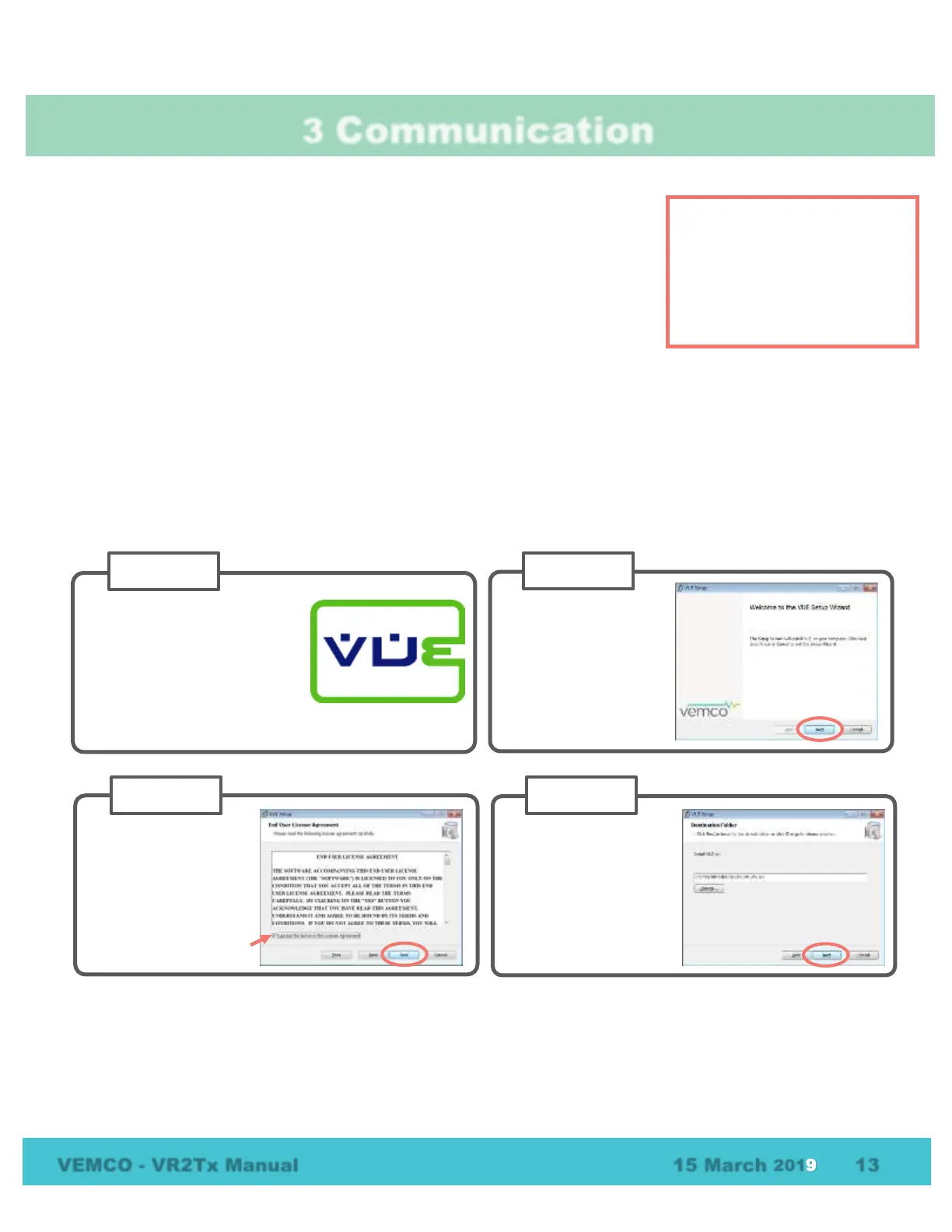
3.1 Installing the VUE software
VUE software is used to communicate with the VR2Tx receiver, allowing studies to be setup and data to be
offloaded. The software requires either Windows VISTA, Windows 7, 8, or 10.
NOTE: A Bluetooth USB adapter is required for operation with the VR2Tx receivers because they use
Bluetooth communication. See section 3.2 for details.
NOTE:
Due to Bluetooth characteristics
in water, the VR2Tx must
communicate with the Bluetooth
USB adapter through air
(typical range is 10 meters).



 To Next Page