VEMCO - VR2Tx Manual 15 March 2019 16
3.4 Establish Bluetooth communication
After the VR2Tx has been activated (section 3.3), it is ready for wireless communication with the VUE
software. The VR2Tx must be within communication range of the Bluetooth USB adapter, which is typically
10 meters (32 feet) but can vary based on physical and
wireless obstructions/interference. Due to Bluetooth®
wireless technology characteristics in water, the VR2Tx must
communicate to the Bluetooth® USB adapter through air.
VR2Tx communication range:
10 meters (32 feet) through air from
Bluetooth® USB adapter.
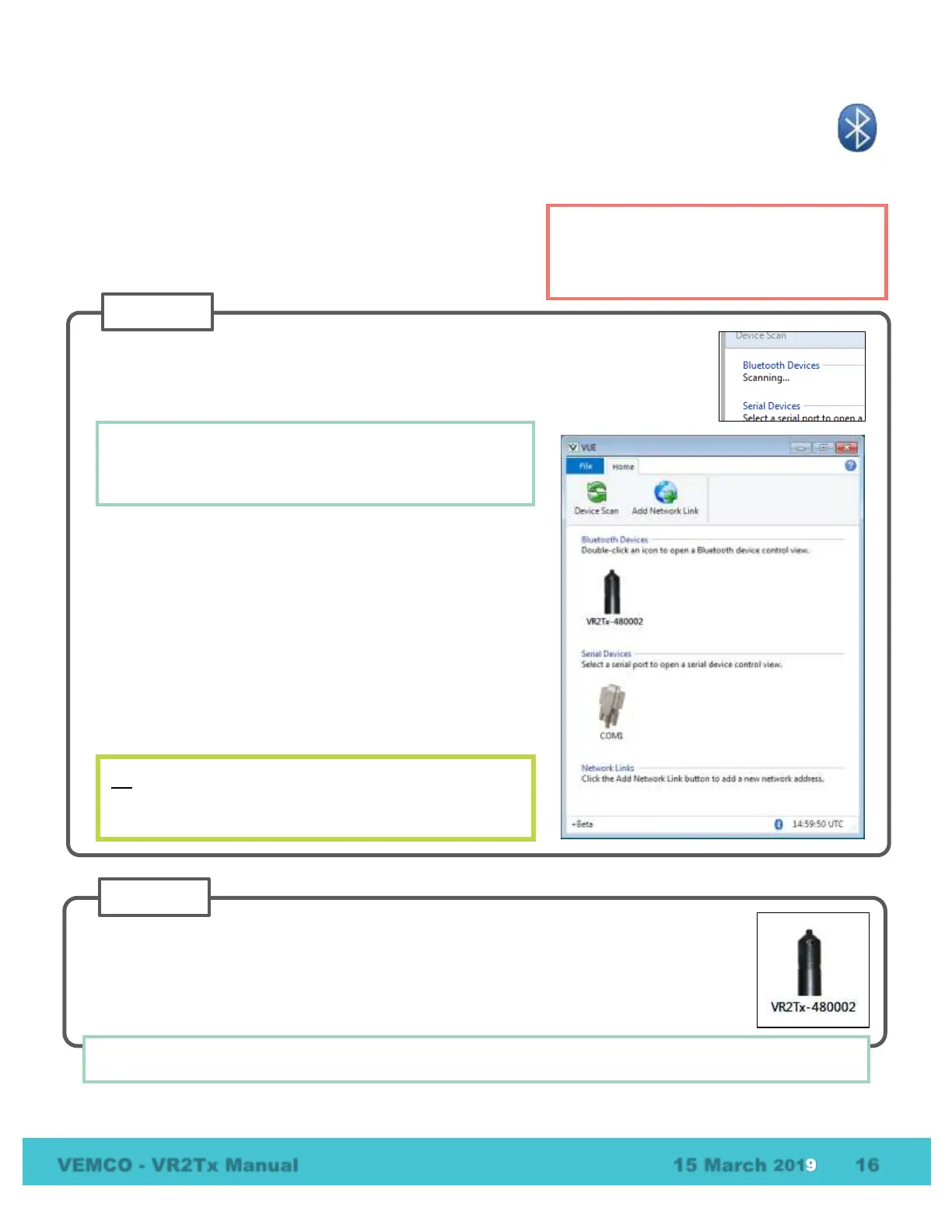
Open VUE. The software will scan for any active devices within communication
range.
Wait while the software searches for receivers.
All Bluetooth® activated VEMCO receivers and receivers
within communication range will be displayed when a
Device Scan is performed.
When the software finds the receiver, a VR2Tx icon will be
displayed in the “Bluetooth Devices” section of the Home
tab with the receiver’s serial number for identification. It will
display all Bluetooth® activated receivers (LED is flashing
bright, long, steady, red flashes) within communication
range, which is approximately 5 meters.
If wireless communication has not been activated on the
VR2Tx, then activate communication (section
) and click
“Device Scan” on the VUE software’s Home tab.
Wait while the software searches for receivers.
TIP: If VUE can’t find your receiver(s), try again. It’s not
uncommon for a Bluetooth scan to miss devices, especially
if other wireless devices are in the area.
Double-click on the receiver icon of the desired VR2Tx (serial number is listed under the icon)
and wait while communication is established. You’ll know communication was successfully
established when information pertaining to this receiver is displayed and the receiver’s LED is
on continuously. The “Link Status” in the VUE window also changes to “Connected”.
TIP: VUE can communicate with up to seven wireless receivers and receivers simultaneously.



 To Next Page