VEMCO - VR2Tx Manual 15 March 2019 15
3.3 Activate Wireless feature
The Bluetooth feature in a VR2Tx receiver must be activated before the VUE software will be able to find
and connect to the VR2Tx. Activation requires a specially designed Bluetooth Activator.
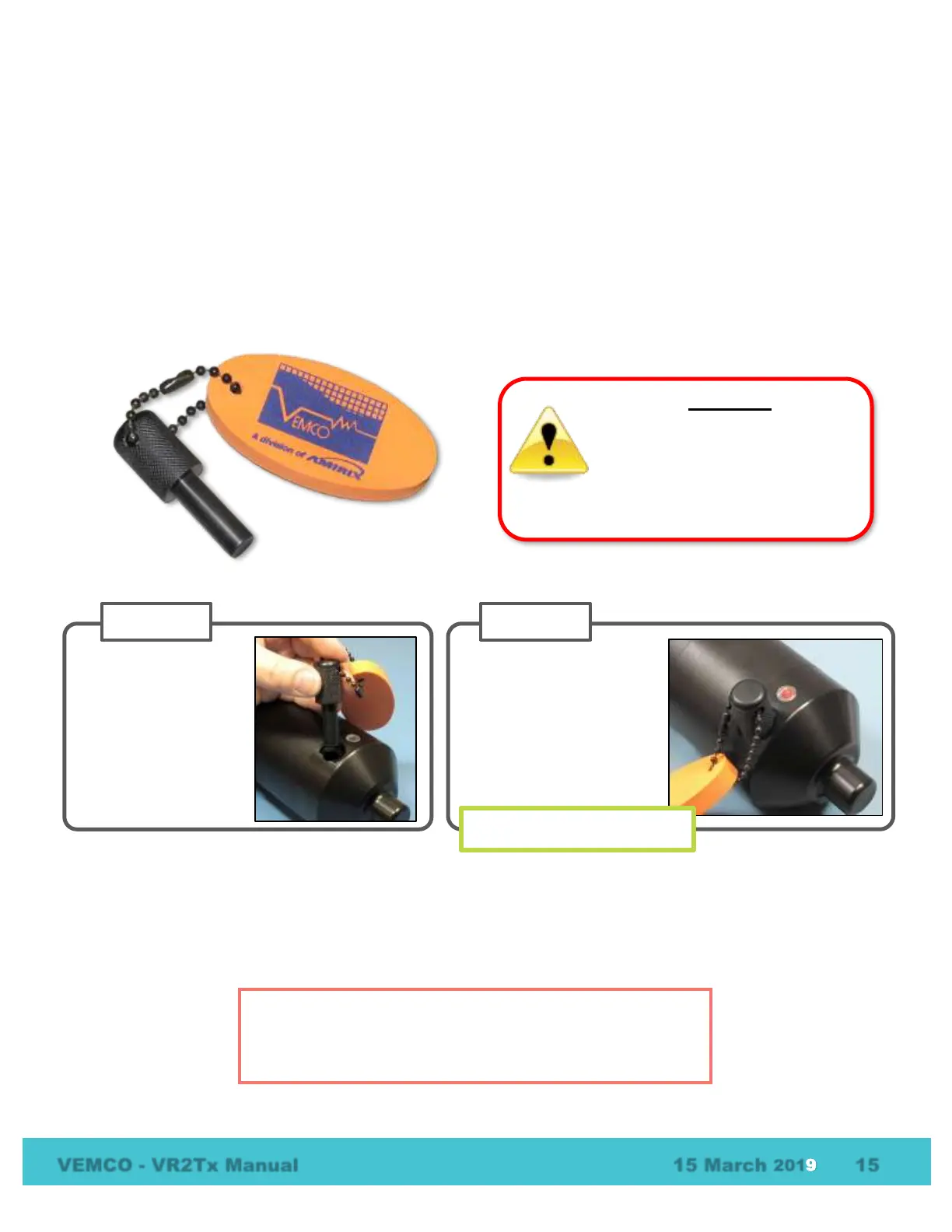
The Bluetooth Activator is a stepped cylinder made of black plastic material. A strong magnet is contained in
the smaller end of the Bluetooth Activator and should be kept away from any magnetically sensitive
materials. An orange float is attached to the Bluetooth Activator for easier handling and locating of the
activator. This activator functions with other VEMCO receivers and receivers that use a Bluetooth Activator,
such as the VR2W and the VR4-UWM.
The flash pattern in a VR2Tx indicates the mode (state) the receiver is in at the time. A bright, long red flash
once a second indicates that the VR2Tx is now ready for wireless communication but is not yet in
communication with VUE.
The Bluetooth Activator can be removed from the VR2Tx once the light is flashing.
The Bluetooth Activator contains a
strong magnet. Do not put it near
magnet-sensitive materials, such as
CRT computer monitors or magnetic
stripes, as they could be seriously
damaged.
TIP
It’s helpful to place the VR2Tx within 10 meters (32 feet) of the
operating Bluetooth® USB adapter before activating the VR2Tx.
Wait until the VR2Tx’s LED
begins flashing a bright,
long, steady, red flash once
a second. The wait time is
less than five seconds.
Remove the Bluetooth
Activator.
Bright flash every second
Slide the smaller end
of the Bluetooth
Activator in the
Bluetooth Activator
Hole on the VR2Tx,
near the hydrophone.



 To Next Page