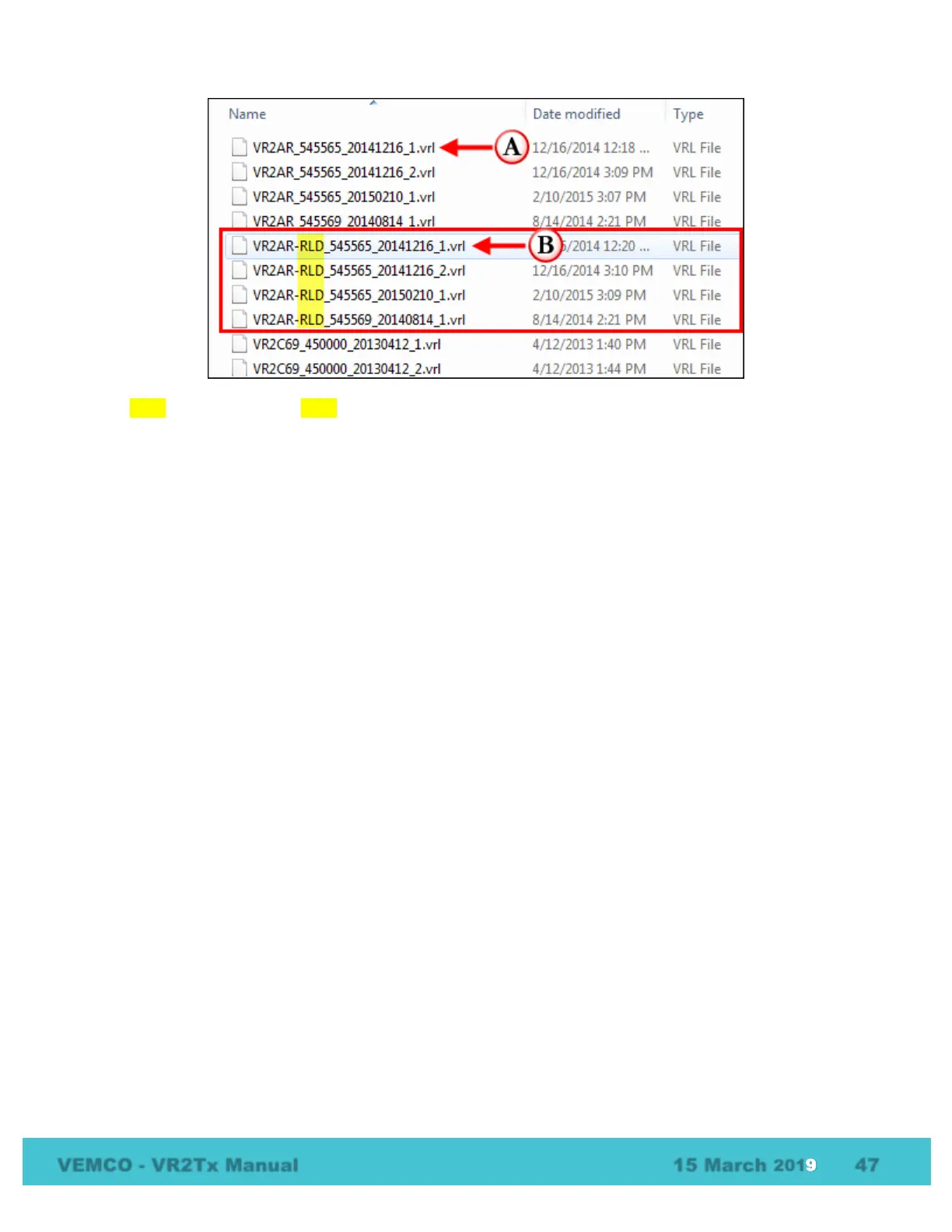
The RLD data file (VR2AR-RLD_545565_20141216_1.VRL) is only used by VEMCO for diagnostic
purposes, and should be archived in case it is required by our Support Department.
7.1.4 What Date/Time format is my data stored in the receiver and
displayed in VUE?
All detection data and events are stored in the receiver in UTC (Coordinated Universal Time). UTC time is
calculated by your PC and stored in your receiver during initialization. Provided your computer time and the
Time Zone settings are correct and match, i.e. your computer time is correct for the time zone you have
selected, then your detection data will be stored in the correct UTC format at the time of initialization and
data offload.
In VUE, your data is also stored in UTC format in the database. You can choose to display your detections in
UTC, your local time or in a different time zone. It is important to know that regardless of whatever display
format you choose VUE maintains the detection data in UTC.
Export: All detection data is exported only in UTC unless specified otherwise in VUE by selecting OPTIONS
– EXPORT – CUSTOM
Important: If you are importing detection data from an older format detection file (e.g., VR2*.000) you must
specify the time zone offset used when the receiver was initialized. Earlier VR2 receivers were most often
initialized with the current PC local time unless the PC local time was set to UTC. Please contact us if you
need assistance. Once these older files are imported into VUE, a new .vrl file will be created and all
timestamps will be in UTC.



 To Next Page