8 Troubleshooting
8.1 VUE related troubleshooting
8.1.1 I cannot connect to my VR2Tx receiver
First confirm that your Bluetooth connection between VUE and your VR2Tx receiver is functional. If this
Bluetooth connection is functioning correctly, try replacing the VR2Tx battery in the VR2Tx with a new
battery. More Bluetooth tips are available at http://vemco.com/products/vr2tx-transceiver/?product-tutorials.
If you are still unable to communicate with the unit, please contact VEMCO at support.team@vemco.com as
it may be necessary to receive RMA information and send the unit back to VEMCO for assessment/repair.
8.1.2 These detected ID’s don’t belong to me
We would be very pleased to help connect you with the owners of any unknown IDs. Use our Unknown IDs
form at http://vemco.com/customer-service/?cs-unknown-ids to send a list of the unknown ID’s and all
associated .vrl files to the VEMCO support team. VEMCO will first review the data to identify false
detections and provide you with a false detection report, then we’ll contact the tag owners for all the valid
detections and request that they contact you directly.
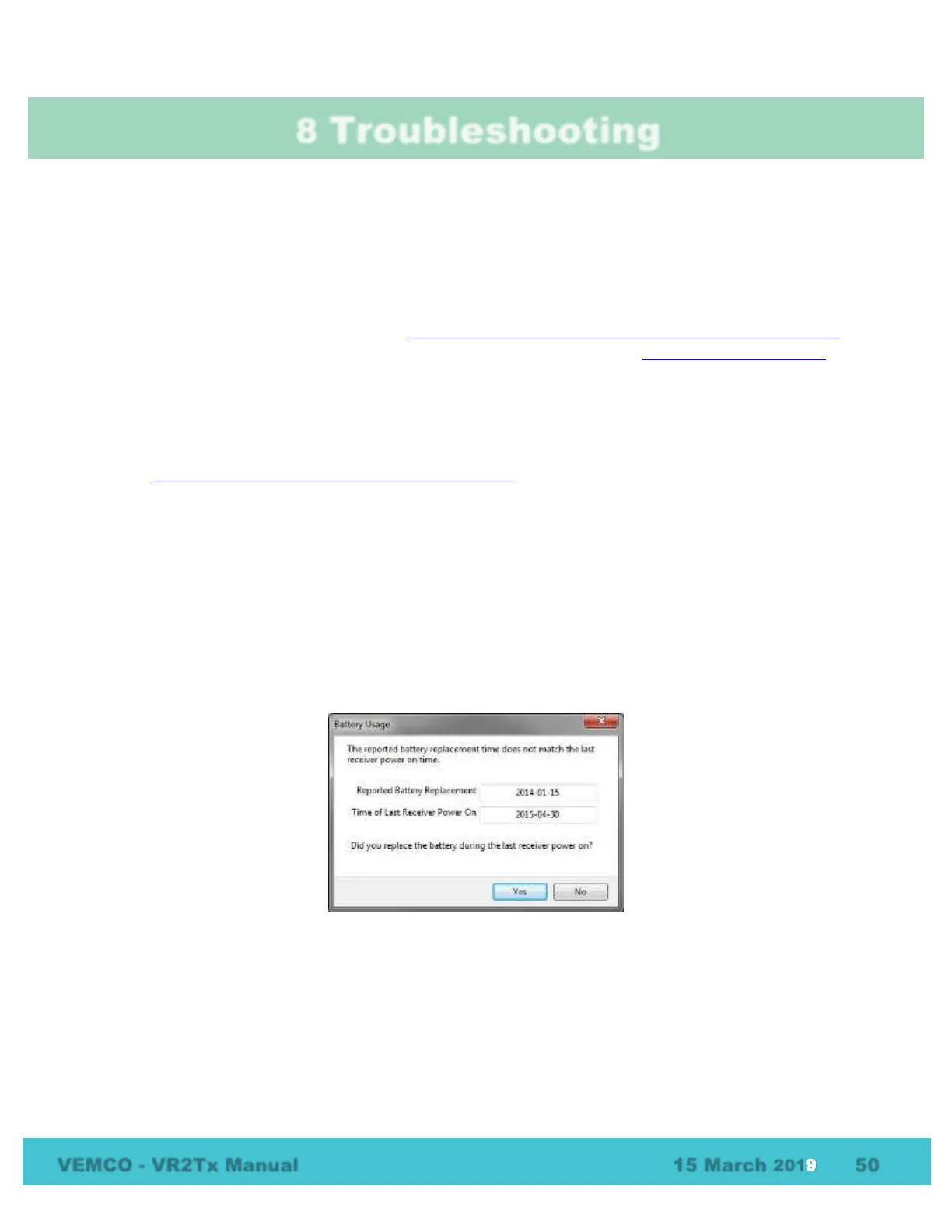
8.1.3 I see a Battery Usage Indicator reset warning in VUE
The VUE software and the firmware in your receiver have a battery replacement date feature that needs to be
synchronized.
You have connected your receiver to VUE, and see the following dialog box:
You may have done one of the following:
1. You replaced a battery without connecting the receiver to VUE and resetting the Battery Usage
Indicator (BUI).
2. You did not connect to VUE after having a “Power OFF” and “Power ON” event.



 To Next Page