VEMCO - VR2Tx Manual 15 March 2019 19
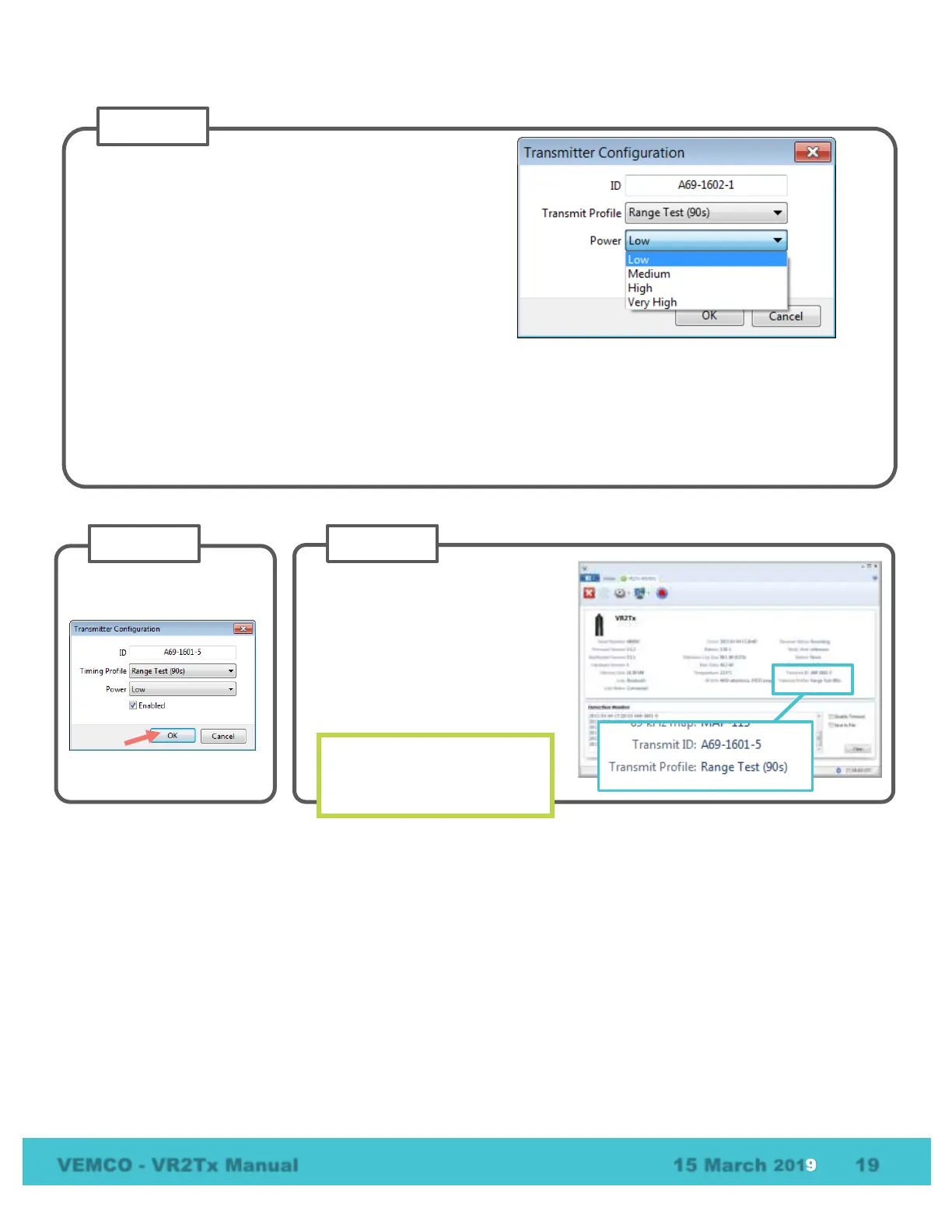
Verify that the Transmit Profile
reported in the receiver tab is
correct.
If the Transmit Profile reports
“Disabled” as the profile, then the
transmit feature has been disabled
and the ID will not be transmitted.
Always verify the Transmit
Profile is correct before
Select the power level at which the ID is transmitted.
A high power setting means the transmission can be
heard by receivers at a greater distance.
You may wish to choose a power setting that reflects
the output power of the tags you have chosen for your
study, or based on the distance between receivers.
This is particularly important when using the built-in
transmitter for range-testing purposes.
NOTE: These can be compared to output
power displayed on the tag datasheets.
Low = 142 dB
Medium = 148 dB
High = 154 dB



 To Next Page