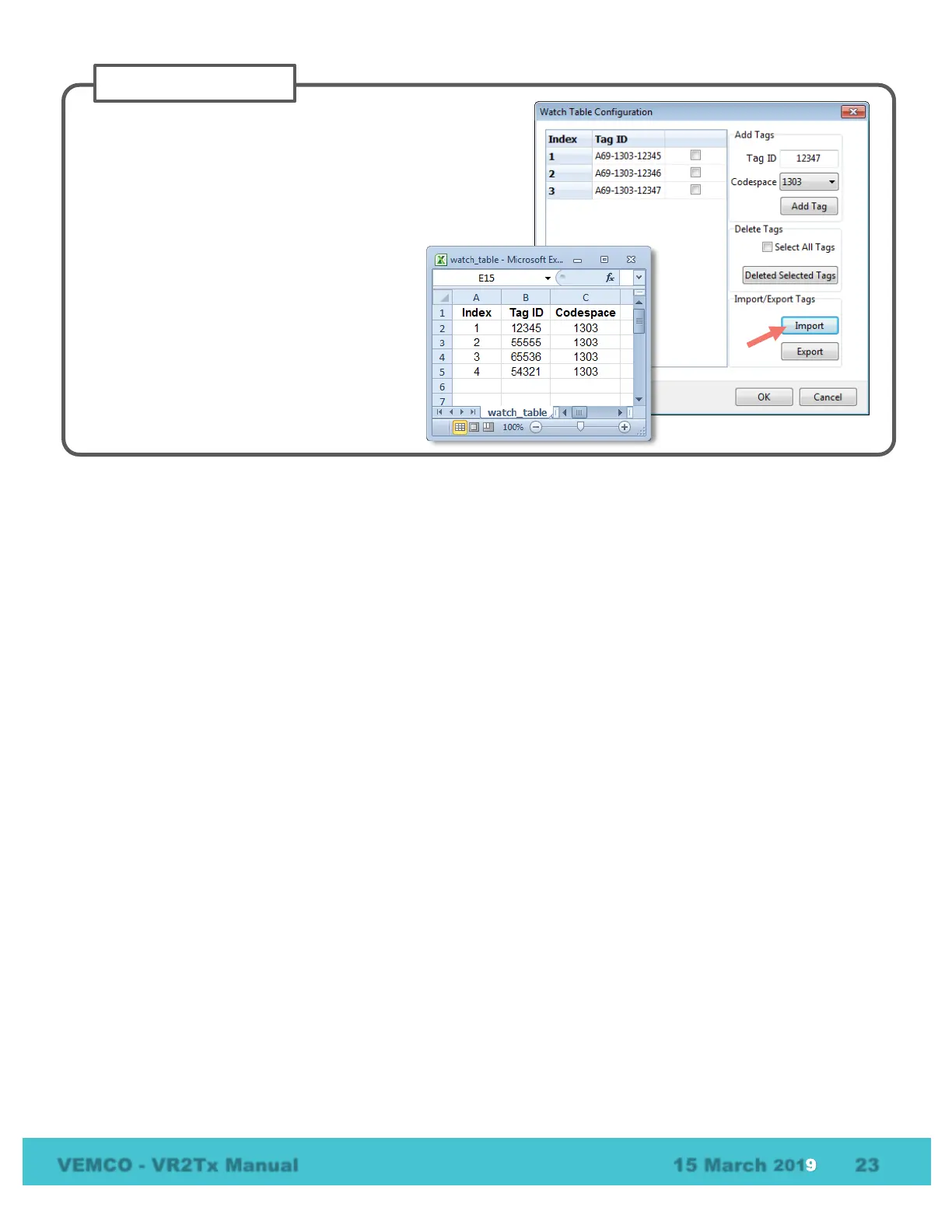
Export the Watch Table as a .csv file by clicking on the Export
button and selecting a name and location for the file. By
default, the file will be saved in the
…\Documents\Vemco\VUE folder. This exported file can be
opened and printed so a copy of the Index numbers and
associated tags can be taken into the field
If there are additional receivers that need the
same Watch Table as the one that was
exported in Step 3, click the Import button and
then select the .csv file that was previously
created. The Watch Table is loaded to the
receiver.



 To Next Page