VEMCO - VR2Tx Manual 15 March 2019 43
How to Update Firmware Using Manual Procedure:
If the automatic notification doesn’t appear, then you can manually update the firmware. Contact
support.team@vemco.com for detailed instructions.
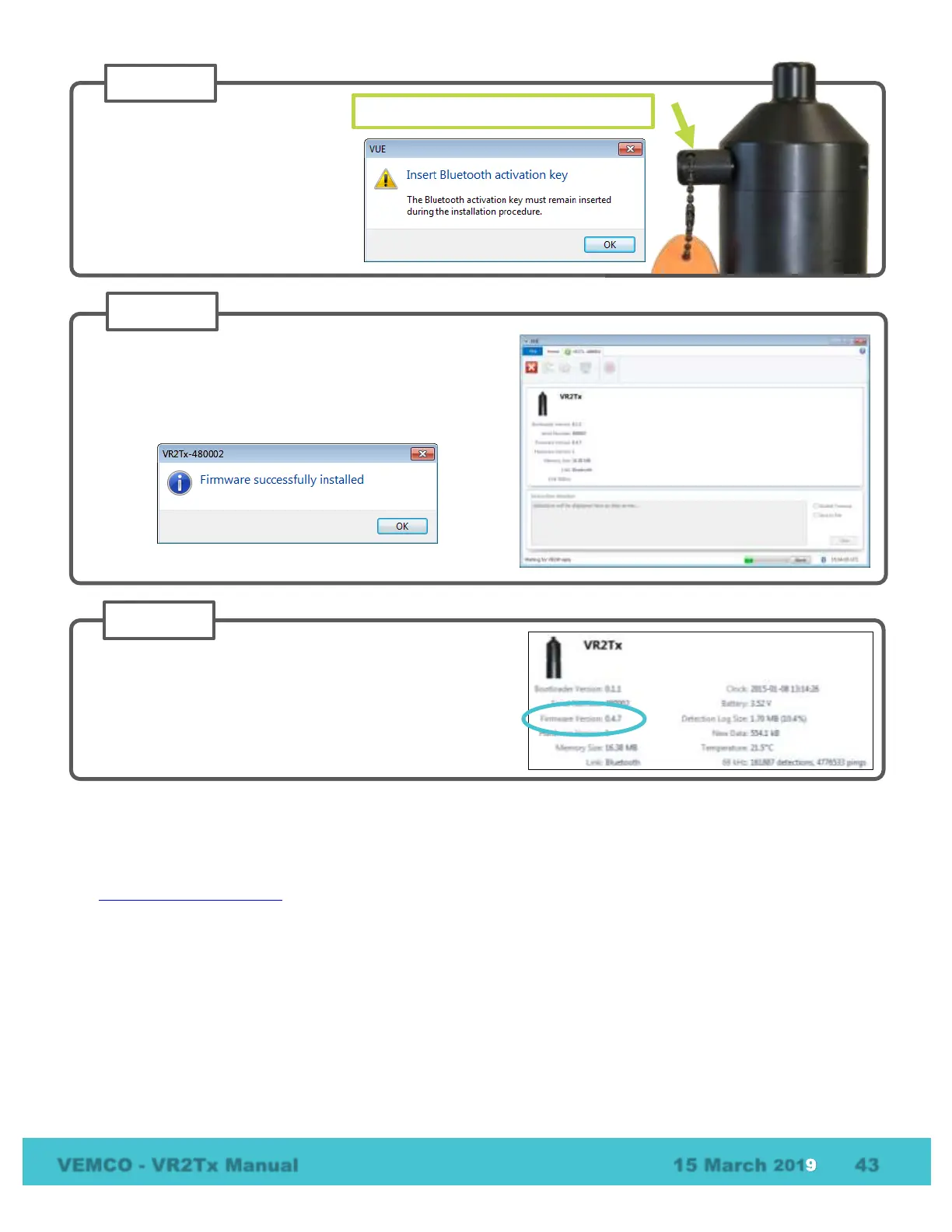
Confirm that the VR2Tx has updated to the new firmware
by checking that the firmware version number listed in the
Receiver tab is correct.
Verify that the Bluetooth activation
key is still in the receiver, or place it
in the receiver if it had been
removed. This is important as the
VR2Tx will require it to be in place to
re-establish communication during
the procedure.
Keep Bluetooth Activation Key in VR2Tx
Wait while the firmware is loaded into the VR2Tx. The
status of the update is shown at the bottom of the screen.
Click “OK” when the firmware is installed (see below).



 To Next Page