Motor And Blower Removal
Exhaust
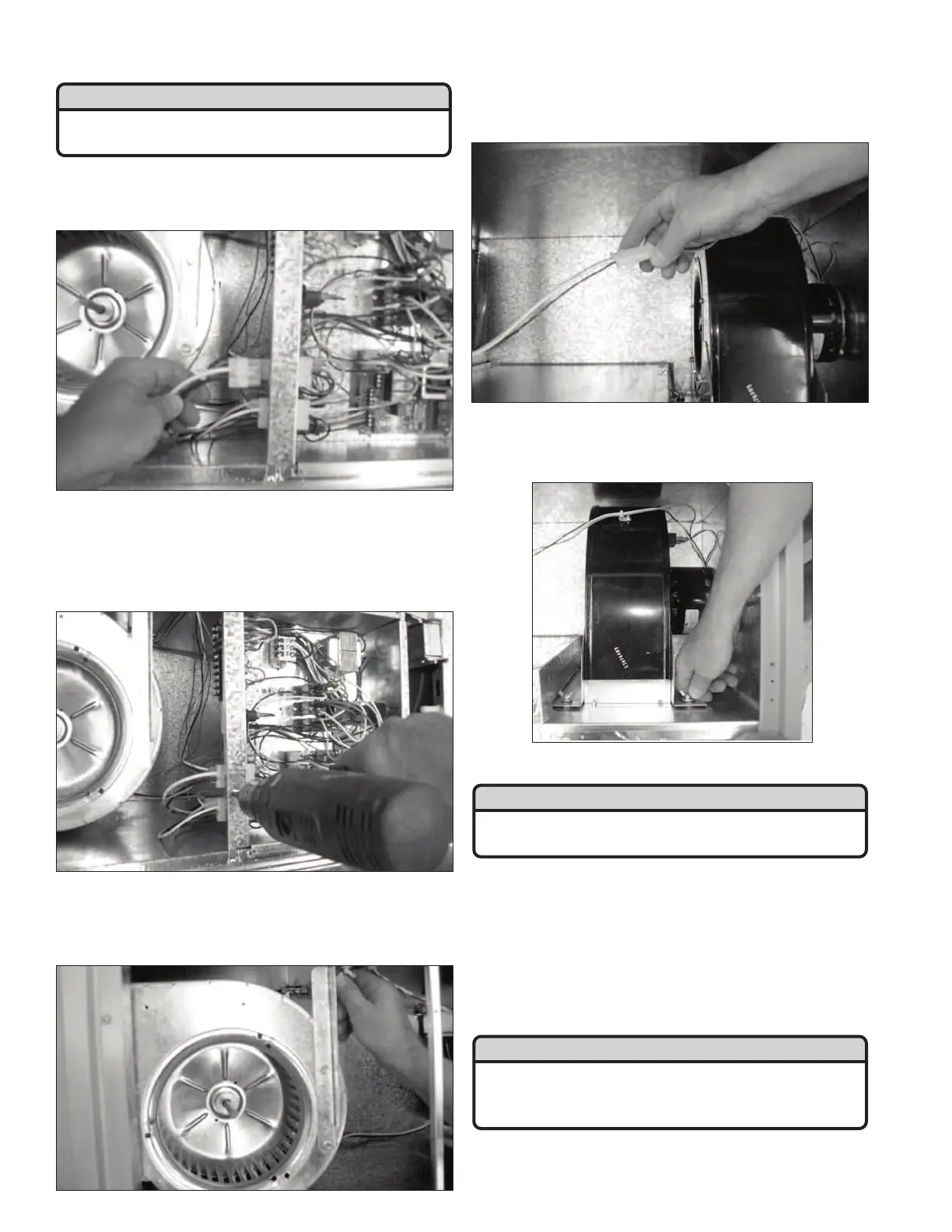
After disconnecting the power from the unit, disconnect
all the plug-in connectors on the left side of the control box.
Remove the four Phillips head screws holding the con-
trol box cover. Using a 1/4" nut driver, remove the four hex
head screws holding the control box to the unit. Remove
the control box to gain access to the exhaust blower
assembly.
To remove the exhaust blower, unscrew the two wing
nuts used to fasten the blower assembly to the middle
shelf in the unit. Rotate the blower assembly and slide it
out of the unit.
Supply
After disconnecting the power from the unit, disconnect
the 3-wire connector between the supply motor and
control box.
To remove the supply blower, unscrew the four wing
nuts used to fasten the blower assembly to the middle
shelf of the unit. Slide the blower assembly out of the unit.
Cassette Removal
After disconnecting the power from the unit, disconnect
the two 3-wire connectors located on the metal frame of
the cassette assembly. Both connectors are positioned at
the front of the cassette assembly, one connector located
at the top right position and the other at the bottom left
position on the cassette frame. Disconnect the 3-wire
connector from the control box being used to supply
power to the cassette motor.
WARNING
Disconnect the main power switch to the unit before
performing service and maintenance procedures.
WARNING
Disconnect the main power switch to the unit before
performing service and maintenance procedures.
ATTENTION
Use extreme care when removing or installing the cas-
sette assembly. Damage to the cassette media may
result in poor unit efficiency and may void the warranty.
- 8-



 To Next Page